The 7 best Reputation.com alternatives and competitors for review and reputation management in 2026 are RightResponse AI for review aggregation, AI review responses, customer feedback analysis, and Google Maps rank tracking (base subscriptions $10–$44/location/month; Core excludes maps and PAYGO requires purchased usage credits); Birdeye for a wider customer experience and local marketing replacement; SOCi for corporate and local marketing coordination; Yext for location information, listings, and local pages; ReviewTrackers for review monitoring and experience reports; Podium for customer texting, lead follow-up, and booking; and GatherUp for public and private feedback programs and agencies (one location at $124/month, or a $99 monthly equivalent with annual billing).
Reputation.com connects reviews with surveys, listings, social media, and ticketed customer issues across locations. Before switching, multi-location teams should decide whether they need to replace that entire enterprise suite or specifically upgrade review operations, AI responses, customer feedback analysis, and local search visibility.
This guide compares all seven platforms for local and multi-location businesses—companies serving customers at physical locations or within local service areas—by published pricing, contract terms, AI reply controls, feedback analytics, and issue follow-up. The focus differs from online-only retailers choosing tools primarily for product reviews. Pricing and product details were checked on October 14, 2026.
Quick Verdict: Which Reputation.com Alternative Fits Your Business?
The right Reputation.com replacement depends on whether a team is replacing review and feedback workflows specifically or migrating a broader suite of listings, social media, and service ticketing:
- Best for review aggregation, AI review responses, customer feedback analysis, and Google Maps tracking: RightResponse AI selects relevant approved business details for each response and displays which facts were used. Pro pairs those workflows with Google Maps tracking at $29/location/month; Pro+ is $44 with higher limits, advanced automation, and competitor topic analysis. Core is $19 without maps or competitor analysis. PAYGO starts at $10/location/month plus usage credits. Monthly and annual subscriptions are available.
- Best for wider CX, listings, and marketing suites: Birdeye fits teams replacing reviews alongside customer messaging, surveys, and assigned ticket follow-up; SOCi fits corporate and local marketing coordination; and Yext fits structured location data, listings, and local pages.
- Best for focused operational workflows: ReviewTrackers centers on multi-location review monitoring and experience reports, Podium on SMS lead conversion and appointment booking, and GatherUp on public/private feedback programs and agencies. GatherUp costs $124/month for one location or $75/location/month for 2–10; annual billing has monthly equivalents of $99 or $60 respectively.
This comparison draws on company websites, public help documentation, blogs and other public information. A short source summary by company is at the end.
How We Evaluate Reputation.com Alternatives
We compare the work a Reputation buyer needs to keep running, rather than awarding points for the longest feature list:
- Useful replies and publishing controls. What business information reaches the AI, how staff inspect or change a reply, and which reviews require approval. A pleasant tone alone does not explain how a business handles a complaint.
- Feedback evidence and competitor comparisons. Whether managers can separate praise from problems, compare locations and read the comments behind a theme. Competitor ratings and counts answer a different question from what competitors’ customers value.
- Accountable follow-up. Whether a customer issue gets an owner, a deadline and a recorded resolution, or whether the team must use another system. This matters when replacing Actions & Ticketing.
- Review collection and private feedback. Request channels, customer-event and location mapping, reminders, survey scope and the ability to investigate skipped or failed requests.
- Location data and team responsibilities. The listings, local pages, shared guidance and permissions needed by head office and local staff.
- Setup and data continuity. Connections to existing customer systems, usable exports, accurate business information and the effort required to maintain the workflow.
- Price, commitment and buyer fit. Whether the product solves the business’s main problem at the right scale, from a single location to a regional network to an enterprise with hundreds or thousands of locations, without adding tools the team will not use. Compare the full cost for the same locations, features and usage, including add-ons and retained tools. A monthly invoice and a monthly contract are different things.
For buyers replacing Reputation.com primarily for review management, context-aware replies, inspectable feedback, Google Maps tracking, and transparent per-location pricing are the primary differentiators. Birdeye and other multi-product suites become stronger candidates when assigned service work, branching surveys, listings, or social media are central to the purchase. The ranking reflects qualitative fit by buyer job rather than a weighted test score.
Reputation.com Alternatives at a Glance
These seven Reputation.com alternatives cover review management, customer feedback, local marketing and wider customer experience workflows. The table separates a focused review purchase from a wider platform replacement. Dollar amounts are USD. Prices and public plan descriptions were checked October 14, 2026; annual equivalents are labeled.
| Platform | Best for | Pricing | Commitment or trial | What to check |
|---|---|---|---|---|
| RightResponse AI | Useful AI replies, customer feedback and Maps across locations | USD/location/month, monthly: Core $19; Pro $29; Pro+ $44. PAYGO $10 base plus credits. | Monthly or annual. Seven-day trial, 1,000 credits, most Pro features; no card. Ends early if credits run out. | Core excludes maps/competitor analysis. Pro: 10 combined scans/analyses; Pro+: 25. Allowances pool. Wider suite jobs need other tools. |
| Birdeye | A wider CX and local marketing replacement with owned follow-up | Reported benchmark: about $299–$449/location/month (CostBench); actual products, locations and contract are quoted. | Agreements typically annual; confirm billing and renewal | Include ticketing, surveys and required integrations; inspect response tests and approval behavior. |
| SOCi | Corporate and local teams coordinating marketing | Vendr benchmark (February 2026): $400–$1,800/location/year for mid-market multi-product packages; actual quote depends on scope. | Order form sets commitment; no termination for convenience | Include the required reputation, social, listings and policy controls; demonstrate the operational complaint handoff. |
| Yext | Authoritative location data, listings and local pages | Vendr benchmark (February 2026): $800–$2,500/location/year for 10–100-location multi-product bundles; larger bundles differ. Custom quote. | Confirm term, rollout, billing and renewal | Reviews and review generation can require additional scope; direct replies and analysis language coverage differ. |
| ReviewTrackers | Monitoring and customer-experience reports across locations | G2 starting benchmark (October 2024 price entry): $89/location/month; confirm the current plan and quote. | Annual payment. Confirm minimums, committed term and renewal | Essential adds Experience Analysis and full Competitor Insights. Listings and local rank tools cost extra. |
| Podium | Customer texting, lead follow-up and booking alongside reviews | Reported benchmark: ~$399 Core / ~$599 Pro per month (Pabau, Sept. 22, 2026; annual contracts). Current industry quote required; products and usage vary. | Confirm setup, term, phone/message allowances and renewal | Demonstrate the exact scheduler integration and review replies separately from AI Employee. |
| GatherUp | Public/private feedback and agency programs | USD monthly: $124 for one location; $75/location for 2–10. Annual equivalents: $99 or $60. | Monthly or annual; 14-day trial. Check the applicable location band; agency pricing is quoted. | Up to 300 SMS and 3,000 email credits/location/month. Listings Hub: $40/location/month; Review Defense separate. |
Why Do Businesses Look for Reputation.com Alternatives?
A good switching decision starts with a specific problem:
- You need more useful replies. Your team wants a response to explain a service, policy or next step, with control over which business information is used.
- Your reports do not answer the operational question. A star average can look healthy while customers repeatedly mention long waits. Managers need the comments behind a trend and a way to compare branches.
- You pay for a wider program than you operate. Surveys, social publishing, listings and tickets may already be handled elsewhere. A focused platform can avoid duplicating that work.
- The workflow takes too much administration. Location mappings, source connections, approvals and ticket rules need maintenance. A smaller scope can simplify operations if it still covers the important controls.
- The contract or package no longer fits. Compare renewal, location changes, premium sources, integrations and implementation with the actual jobs you need. Reputation’s $150 package is not a price for every product it sells.
Reputation’s own reply tools use brand instructions and business messages. Test your current configuration before assuming a new platform is the only way to improve responses.
When Reputation May Still Be the Right Choice
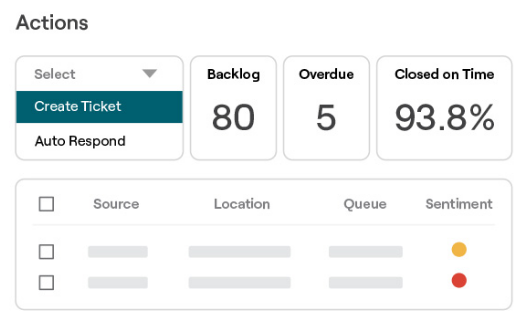
Reputation may remain the better choice when public reviews and private survey feedback need to become work assigned to local managers. Actions supports routing, queues, service deadlines and escalation. A manager can track whether a complaint has an owner and whether follow-up is overdue, alongside feedback reporting.
Its survey products and Experience Insights help a CX team investigate experiences that customers may never describe in public reviews. Listings, local pages and Social Suite can also matter when marketing and operations share a location structure.
The 2025 Insights guide documents Voice of Brand configurations for selected locations, business messages, instructions, language, personality and test replies. The separate brand-alignment check warns about mismatches, but includes a Publish Anyway option. The Reviews guide distinguishes pending approval, submitted, live and failed replies. These are useful controls to evaluate in the package you already have.
Stay when those connected workflows work well, your local teams use them, and the price and contract make sense. First check whether changing configuration or package would solve the problem with less disruption than moving the whole program.
View full-size image (opens in a new tab)
1. RightResponse AI: Best for AI Review Responses and Customer Feedback
RightResponse AI combines review replies, customer feedback analysis and local visibility tools. Its useful distinction is the link between information the business approves, what the AI selects for a particular review, and what managers can inspect afterward.
Context-Aware AI Replies Using Approved Business Details
Before writing, RightResponse AI learns about the business from its website and review and response history. That history helps identify what customers care about and recover useful business information; it is not treated as a template bank to imitate. The system prepares business Messages for staff approval, and teams maintain approved information at company, brand, region, and location scope so local details apply where they belong.
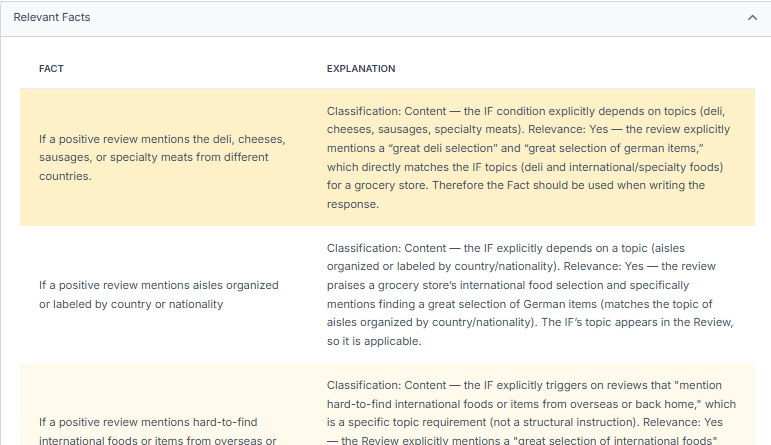
A Message might explain a service, a policy or where customers should park. It can contain several approved details or instructions, giving the AI different useful information to draw on. For each review, the AI identifies relevant candidates, chooses the information that would help, makes a response plan, writes the reply and checks it against that plan. You can see what it considered and selected, and it can leave out all Messages when none belongs. Message-Informed responses explain this process with examples.
Consider this illustrative review: “Alex explained the brake repair clearly and had my car ready earlier than expected.” If the business has approved the fact that estimates include a digital inspection with photos, a useful reply could say: “We’re glad Alex made the repair clear. Our inspection photos help you see what needs attention before you decide on the work.” The reply adds something a future customer can use.
View full-size image (opens in a new tab)
Response Controls, Approvals, and PHI Guard
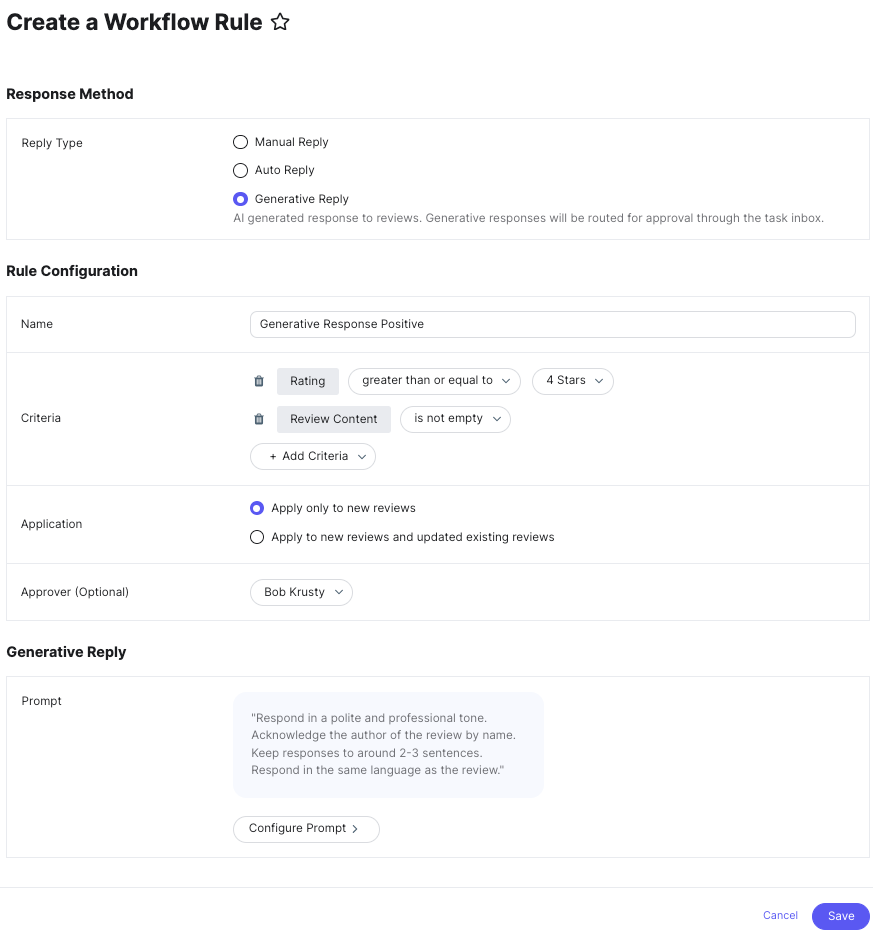
The AI responder analyzes names, language, themes and review context before drafting. Pro and Pro+ include changed-review and rating/text-mismatch badges, plus PHI Guard to identify sensitive information and keep it out of the drafting version; PAYGO can access these features with credits. Pro+ adds use of the review-change reason and rating/text mismatch in the response. The changed-review workflow compares the original, the previous reply and the new version so the next response can address what changed. A five-star review containing a serious complaint deserves a response to the complaint, not an automatic celebration.
For an individual response, you can correct or omit the reviewer’s name, change tone, tell the Planner what to include or exclude, edit the wording and regenerate. Publishing settings are separate: choose ratings and text/no-text cases eligible for automatic release, required approvals, delays and publishing hours. Approval emails let staff edit, publish immediately or schedule from a phone. Hold and Do Not Respond controls cover cases that should not follow the normal release path.
Reviews can be monitored from more than 100 sources, subject to the plan’s connected-source limits. Direct publishing is supported for Google; other sources can require copying the reply to the source. Historical response generation is available on Pro, Pro+ and PAYGO. Pro+ adds bulk processing, tracking of Google reviews removed after download, and recommendations for improving responses attached to Google’s Most Relevant reviews.
Compare supported approaches fairly
Reputation’s Voice of Brand accepts business messages and location-specific settings, and Birdeye’s Review Response Agent uses business context, review analysis and configurable approvals. Yext can insert the correct location’s fields into generation instructions. These products do more than change tone.
RightResponse AI differentiates itself through visible selection of approved business information, combined with customer feedback analysis and Google Maps rank tracking at published monthly prices. Broader suites can add cross-department ticketing and organizational workflows. Buyers can give each candidate the same sample reviews and business details to compare the resulting replies and approval controls directly.
Location-Level Customer Feedback and Competitor Topic Analysis
RightResponse AI’s feedback analysis separates comments about different parts of an experience. “The technician was helpful, but I waited forty minutes” can contribute positive staff feedback and negative wait-time feedback. You define the topics your business cares about, inspect the phrases behind each result, and compare dates and locations.
Topic alerts can bring a negative comment to your team even when the overall star rating is positive. Managers can investigate a recurring issue before choosing an operational response. Pro and Pro+ support phrase evidence, topic alerts and historical sentiment analysis; PAYGO accesses them with credits. Pro+ and Enterprise also support downloadable and scheduled feedback reports.
Pro compares competitors’ ratings and recent review activity. Pro+ adds analysis of what those competitors’ customers praise or criticize using the same topics as your own business. That helps a regional manager investigate whether nearby rivals receive fewer waiting-time complaints or more praise for explaining their work.
Geographic Google Maps Rank Tracking
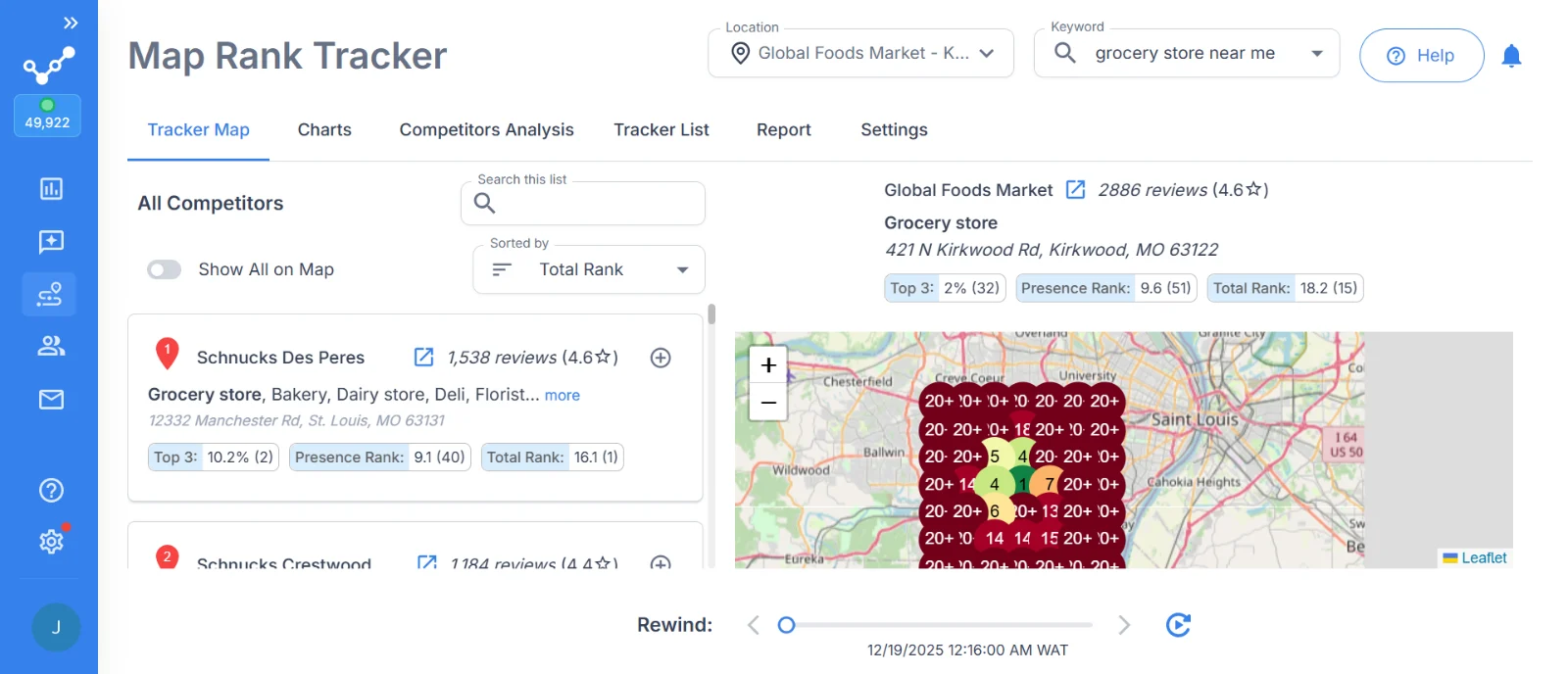
The Map Rank Tracker checks a search phrase at points around a business and displays the results as a geographic grid. Choose the keywords, radius, grid size and spacing, schedule recurring scans and receive a completion notification. You can inspect competitors at a point, view their complete grids and compare earlier scans with Rewind. Top 3 shows first-three visibility across the grid; Presence Rank summarizes positions where the business appears; Total Rank includes the full grid, including missed points. The workflow connects where competitors appear with their review performance and, on the eligible plan, customer feedback.
Keep the search phrase and grid settings consistent when comparing dates.
View full-size image (opens in a new tab)
Automated Review Requests and Employee QR Workflows
The Review Requester can use customer or job details from a connected Sheet, Zapier or manual entry to create invitations. Eligible plans support AI-written requests, photos, rotating questions, email and SMS, sending hours and reminders. QR and request links support in-person collection, including employee flows where configured. Weekly employee QR leaderboards and location reports help managers track participation. Clicks and scans show activity rather than proving a public review was posted.
Use accurate location mappings, recipient permissions and sending limits. Pro+ adds broader automation, distribution and blackout controls, and lists API/custom request integrations; confirm the implementation for your customer system. Enterprise and agency arrangements can tailor integrations and permissions to a larger organization. The current plan table limits follow-ups to two on Core, four on Pro and ten on Pro+. Pro and Pro+ also list survey/NPS capacity; a basic feedback flow should not be treated as a replacement for Reputation’s advanced branching surveys and ticket operations.

View full-size image (opens in a new tab)
Pricing, the tradeoff and what to verify
| Plan | Replies and requests per location/month | Maps, feedback and surveys | Buying consequence |
|---|---|---|---|
| Core — $19 | 100 responses; 1,000 email requests; templates; two follow-ups/campaign | Core excludes maps and competitor analysis; basic dashboard | Essential review operations; upgrade for the Maps combination |
| Pro — $29 | 200 responses; 2,000 email requests; 200 SMS segments; AI requests; four follow-ups/campaign | 10 combined map scans/competitor analyses; customer feedback; 200 survey responses | Full review aggregation, AI review responses, feedback analysis, and Google Maps tracking |
| Pro+ — $44 | 500 responses; 5,000 email requests; 500 SMS segments; ten follow-ups/campaign; advanced automation | 25 combined scans/analyses; competitor customer feedback; 500 survey responses | Higher volume, deeper competitor feedback and advanced processing |
| PAYGO — $10 base | Purchased credits for usage; most Pro features | Maps and competitor analyses use credits | Lighter or varying usage; budget for both base subscription and credits |
Pricing: These are monthly USD subscriptions per location. Monthly allowances pool across the account: two Pro locations create a shared allowance of 400 responses. Pro’s 10 and Pro+’s 25 cover map scans and competitor analyses together. Pro and Pro+ can buy recurring capacity packs; Core must upgrade to add packs. Annual subscriptions cost ten monthly payments for twelve months. PAYGO credits, add-ons and SMS registration/number charges remain separate. The current pricing page lists the full feature and usage boundaries.
The tradeoff: The focused combination is attractive when reviews, feedback and local visibility are the purchase. Broad listings distribution, local pages, general social publishing, payments, an all-channel inbox and ticketed customer-service resolution require other tools. If those are central to your Reputation program, include their replacement cost and handoffs.
What to verify: Test a changed review and a mixed praise/complaint review. If you have multiple locations, also test two with different approved details. Inspect the selected Messages, approval email and final Google publication. Calculate your request, reply, survey and combined map/analysis usage. For an agency or larger organization, demonstrate the location/client permissions and reporting in the proposed custom setup.
Prefer a managed review program?
RightResponse AI’s managed service is a separate purchase for teams that want the daily review work handled for them. Done For You is USD $175 per location/month, including the required software, managed replies, standard requests and automated customer/competitor reports. The single-location package with Monthly Insights is $300/month total, adding a team-reviewed briefing, up to three competitors and a 30-minute discussion.
Standard onboarding is $250 once for the first location. Additional-location setup, custom integrations, backlogs, SMS and extra usage are separately scoped. The page advertises cancellation at any time; get the sources, response volume, timing and responsibilities in the agreement. Your business still supplies accurate information and resolves the underlying customer issues.
2. Birdeye: Best for a Wider CX and Local Marketing Replacement
Choose Birdeye when you need to replace several connected Reputation jobs: reviews, listings, customer conversations, surveys and assigned follow-up. It belongs on the shortlist when a complaint needs to become an owned service task as well as a public reply.
The Review Response Agent guide describes a configurable sequence that checks spam, analyzes language, topics and severity, then uses business context and earlier step outputs to generate a reply. Run test shows intermediate inputs and outputs, so staff can inspect how a response was produced. Suggestion, approval and autonomous configurations need to be evaluated separately.
Ticketing can classify a review or survey issue, assign the responsible owner or team, apply a deadline and escalate overdue work. For example, a complaint about an unresolved repair can be routed to service operations while marketing checks the public response. Test a review with two problems: rule and branch order can affect which issue determines the route.
Birdeye also maintains listings and location pages, handles customer conversations and supports social publishing. Its wider value is coordinating work that would otherwise move between departments and tools. Feedback reports and competitor comparisons support diagnosis, while owners and tickets supply the follow-through.
View full-size image (opens in a new tab)
Pricing: For budgeting, CostBench reports Starter around $299, Growth $349 and Dominate $449 per location/month (last verified August 26, 2026; checked October 21). Birdeye uses a custom quote based on products, locations and contract. Its pricing explanation says agreements are typically annual. Itemize Reviews, Insights, Surveys, Ticketing, messaging, listings, implementation and any required integrations. A starter reviews quote does not establish the price for a complete Reputation replacement.
The tradeoff: Birdeye is worth the configuration and training when the same organization needs coordinated marketing, conversations and customer-case work. If those systems already work elsewhere, another suite adds products and administration without necessarily improving the review task you are buying for.
What to verify: Follow your own difficult review through analysis, the configured approval path, public posting and an assigned ticket. Check the escalation recipient, closure record and what happens when an approver is unavailable. Get the products, locations, integration work and renewal terms stated in the proposal.
3. SOCi: Best for Corporate and Local Marketing Coordination
Choose SOCi when your Reputation replacement must support head office, regional teams and local managers working on reviews, search and social media together. Shared location information and rules matter more here than a stand-alone response generator.
Genius Reputation writes new responses using tone, keywords, escalation triggers and approval requirements. Teams can choose more autonomous handling or require people to approve replies. Its customer feedback views group similar comments into themes linked to customer quotes, with location and regional comparisons. That lets a regional manager inspect which stores receive repeated service complaints.
Shield checks supported content against configured policies and can hold flagged work for revision or approval. This is useful when a central team needs local participation within brand rules. The configuration should show what gets held and who can release it; a policy warning is a different control from checking whether an operational promise is true.
Listings and social tools extend the work beyond reviews. Central teams can govern shared information and campaigns while local managers supply relevant location content. A franchise changing opening hours and promoting a local event needs permissions and approval routes for both jobs. Shared survey and reputation views can also help teams investigate public and private feedback.
View full-size image (opens in a new tab)
Pricing: SOCi quotes the required products, locations and rollout. Include Genius Reputation, surveys, listings, social, pages and Shield where needed. Its contract FAQs say the order form sets the committed term and explain that termination for convenience is unavailable. Confirm setup, renewal and location changes alongside the invoice schedule. For budgeting, Vendr reports $400–$1,800 per location/year for mid-market multi-product packages, plus a separate $30,000–$65,000 annual estimate for a 50-location Listings, Social and Reviews suite (February 2026 guide; checked September 16, 2026). These are reported benchmarks, not a SOCi quote or a reviews-only rate.
The tradeoff: SOCi earns its place when local marketing participation and central brand control drive the purchase. Review routing and theme reports are useful, but they should not be assumed to replace every ticket queue, service deadline or closure report your operations team uses in Reputation.
What to verify: Have a local manager handle a mixed review and a regional manager inspect the comments behind a trend. Then show the actual route for a complaint that needs operational follow-up. Demonstrate central/local permissions and Shield’s hold-and-release behavior in the exact products quoted.
4. Yext: Best for Location Information, Listings and Local Pages
Choose Yext when inaccurate or inconsistent location information is the main reason you use Reputation. It maintains structured location records and distributes supported fields to publishers, with local pages built from the same information.
The Listings platform gives teams a central place for hours, addresses, contacts and services. Publisher states distinguish submitted work from confirmed synchronization, and field-specific problems can still require attention. A chain changing holiday hours needs someone to maintain the authoritative record, inspect publisher exceptions and avoid conflicting updates from other systems.
Yext’s Generative Review Response guide supports account instructions, example replies and location fields. An instruction can insert the correct branch’s support email into a negative reply. Staff can test reviews and languages in the Playground. Response rules can create tasks, use prepared wording or generate a reply with automatic or human approval; the first matching rule determines the route.
Reviews Insights supports up to 30 custom themes and classifies the preceding 90 days plus new reviews. Managers can inspect summaries and matching comments. Custom themes support all languages, while prebuilt themes and AI summaries have English limitations. Those language limits matter when managers compare feedback across countries.
View full-size image (opens in a new tab)
Pricing: Yext uses product- and location-based quotes. Separate Listings, Reviews, review generation, Pages and any social or specialist integrations. Request collection can require an additional license. Put implementation, users, usage, commitment and renewal into the total rather than treating a Listings offer as a complete reviews package. For budgeting, Vendr reports the following per-location annual benchmarks: at 1–10 locations, $1,000–$3,000 for Listings or $2,500–$6,000 for Listings, Pages and Reviews bundles; at 10–100 locations, $800–$2,500 for multi-product bundles; and at 100+ locations, $500–$1,500 for bundles (February 2026 guide; checked September 16, 2026). These are reported benchmarks, not a current Yext quote. Product mix and deployment size matter.
The tradeoff: Yext is a strong choice when location data needs to drive several publishers and pages reliably. If those jobs are already covered and the main need is review replies, the wider data setup may offer little additional value. An assigned response task also differs from a customer-service case with deadlines and closure.
What to verify: Change one location’s hours and inspect the publisher result. Generate replies for two branches with different contacts, and test the first-match rule with a complaint inside a high-star review. Demonstrate direct reply support and Insights language coverage for your required sources and locations.
5. ReviewTrackers: Best for Review Monitoring and Experience Reports
Choose ReviewTrackers when managers need consistent review reporting across locations while retaining their other service, social and customer systems. The product combines monitoring, requests, replies and customer-experience investigation.
Its location and group views let staff filter reviews, receive alerts, export data and compare performance. Request campaigns map customer records to a location identifier, with templates and email/SMS options. Correct branch mapping matters during an import. Its documented email reminder follows an unclicked invitation; a click does not prove the customer completed a public review.
The AI response guide distinguishes editable suggestions from administrator-created automatic prompts. Automated templates can be scoped by review type, rating, language, group and location, with previews. Manual suggestions require review text in that guide; automatic templates separately include rating-only types. Test both review types before choosing the automatic workflow.
Experience Analysis organizes phrases into industry categories and lets managers inspect supporting feedback. Competitor analysis includes customer-experience categories as well as ratings and activity. Confirm comparable branches and sources before interpreting a difference. Choose industry categories that match the operational questions your managers ask.

View full-size image (opens in a new tab)
Pricing: As a budgeting benchmark, G2 lists a reported starting price of $89 per location/month. The underlying price entry was updated October 9, 2024 (checked October 21, 2026), so it is an attributed historical benchmark rather than a confirmed price for the current Starter or Essential package. ReviewTrackers prices per location per month, paid annually, with a custom quote for your business. Its plan matrix puts Experience Analysis and full Competitor Insights in Essential, with listings and local search rank tools as add-ons. Confirm the USD rate, location minimum, request allowances and renewal terms in your offer. A Data Only purchase supplies a different job from staff-facing review operations.
The tradeoff: The focused reporting fits teams that already have a service-resolution system. Notes, mentions and external integrations can coordinate follow-up, but a report or status label should not be assumed to supply Reputation’s ticket ownership, service deadlines and escalation chain.
What to verify: Open the reviews behind a service trend and a competitor category. Test both written reviews and rating-only automatic replies, then trace an operational complaint into your actual ticket system. Check monitoring, competitor coverage and direct posting separately; their source lists can differ.
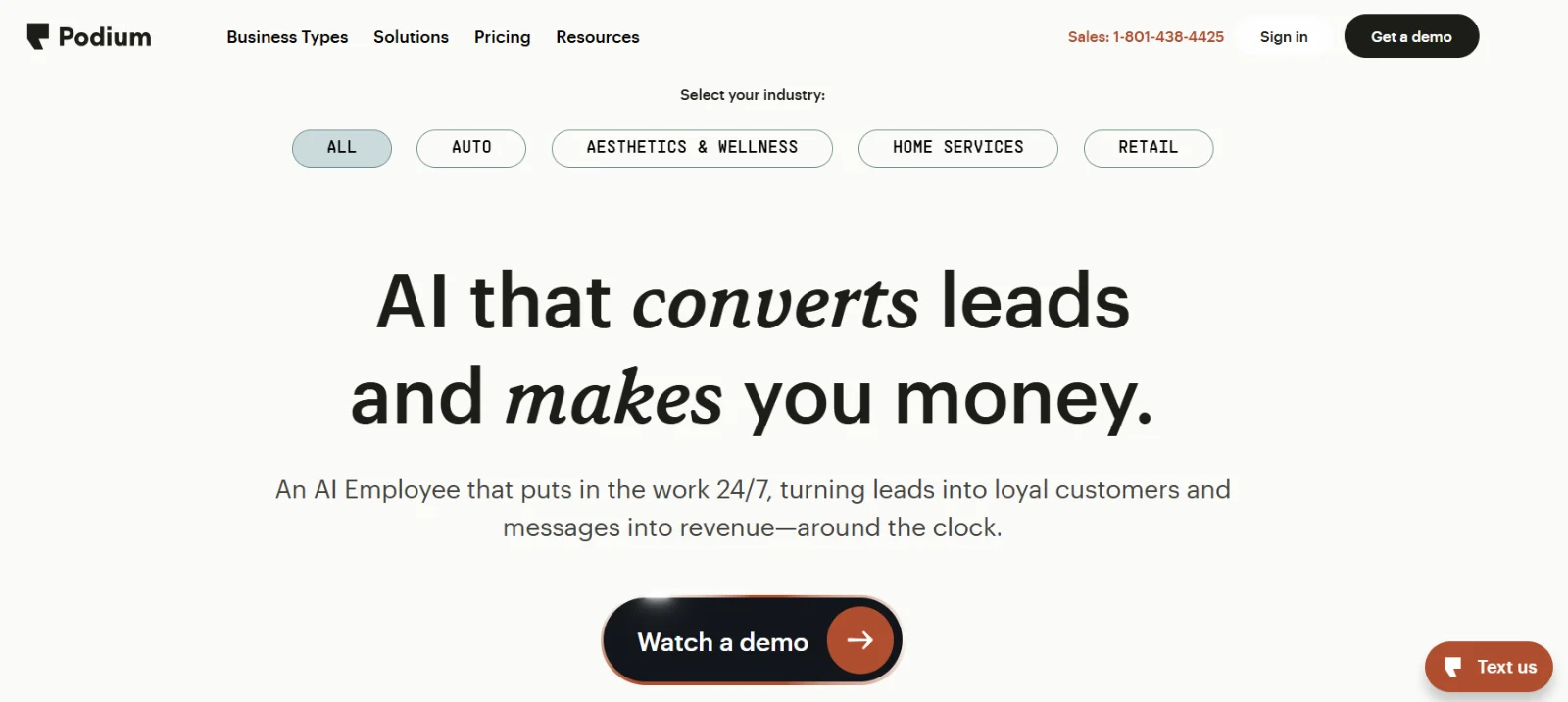
6. Podium: Best for Customer Texting, Lead Follow-Up and Booking
Choose Podium when the bigger problem is disconnected customer conversations. Reviews fit into a workflow that includes inquiries, follow-up, appointments and payments, rather than acting as the main analytical system.
Staff can continue a conversation in the inbox, send a review invitation after service and use reminders. The current Reviews product describes AI invitations and personalized replies. Its December 2024 AI reply guide describes editable suggestions and automatic replies for selected ratings. Ask to see the current controls separately from the inquiry-handling AI.
AI Employee uses business information, instructions, test conversations and escalation settings in AI Studio. A service team can test an after-hours inquiry and see when a person takes over. Information configured for an AI customer conversation should not automatically be assumed to reach the review responder.
Booking is product- and integration-specific. Automotive Service AI names Xtime and Tekion scheduling; home-services products have a separate field-service workflow. A collected appointment request and an appointment written to your scheduler are different results. Payment collection can also sit in the customer conversation when that product is included.
View full-size image (opens in a new tab)
Pricing: Podium’s current pricing route requests a quote. For budgeting, Pabau’s September 22, 2026 guide reports Core at about $399/month and Pro at $599/month on annual contracts, with Signature quoted separately. These are third-party benchmarks for the general local-business platform, not a confirmed current rate for an industry product or your deployment. Itemize locations, AI products, phone users, message allowances, booking integrations, payments, and setup. Get the contract term and renewal in writing, then compare the tools Podium would replace.
The tradeoff: Podium is worth comparing when missed inquiries and broken follow-up are the costly problem. If your inbox, scheduler and payments already work, another communication suite adds scope without necessarily improving the feedback analysis or issue reporting that prompted the switch.
What to verify: Demonstrate AI review replies and AI Employee separately. Have the latter complete a booking in your actual scheduler, including an unavailable time and a staff handoff. Confirm which customer information each AI uses and how a review complaint reaches the person responsible for resolving it.
7. GatherUp: Best for Public and Private Feedback Programs and Agencies
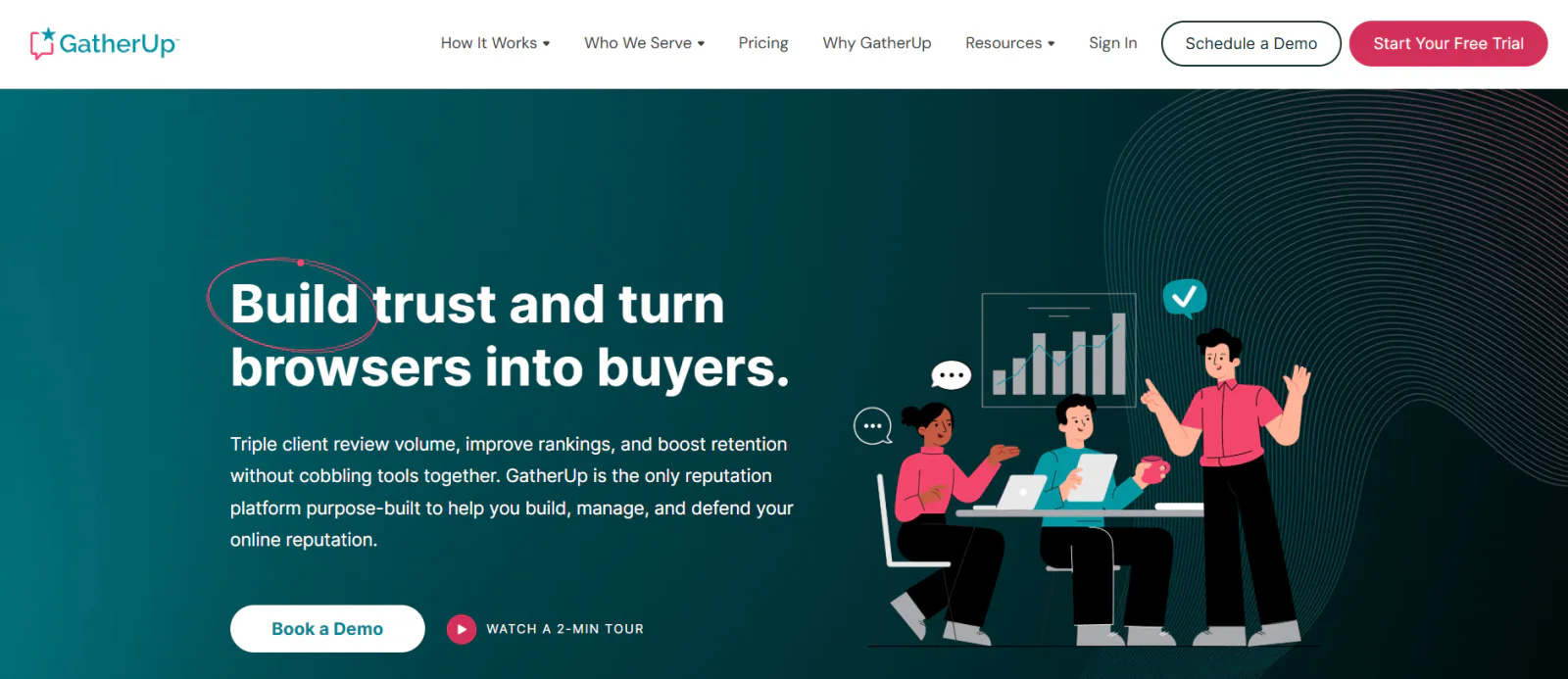
Choose GatherUp when you need a repeatable program for review requests, private feedback, surveys and client reporting. It offers a narrower way to keep those jobs together than adopting another large marketing suite.
Imported or connected customer records enter a location-branded request flow. Teams configure wording, reminders and sending volume; API, webhooks and Zapier support connected intake. Requests use a queue, so check delivery timing when replacing an event-triggered Reputation connector.
Generated replies use brand instructions and remain distinct from AutoReply’s complete saved responses. The 2024 release notes describe brand prompt editing, email response suggestions and selection from up to 50 prepared replies. Test those modes separately: choosing a complete answer is a different process from writing a new one.
Smart Insights groups public reviews and private feedback into themes, shows the contributing reviews and retains report history. Its April 2025 guide describes weekly refreshes when enough new reviews arrive, usually ten. This matters for a quiet location whose managers expect a fresh report every week.
The standard competitor report compares ratings, volume and recency. That should not be confused with detailed analysis of competitors’ customer-experience topics. Review Defense is a separate service for investigating suspicious Google-review patterns and supporting disputes; Google decides removal. Agencies can configure branded client programs and reporting, with the required access and white-label scope in their quote.
View full-size image (opens in a new tab)
Pricing: Monthly billing costs $124 for one location or $75 per location for 2–10. Annual billing works out to $99 or $60 per month respectively, with the annual commitment. The plans list up to 300 SMS and 3,000 email credits per location/month and a 14-day trial. The monthly location bands are $56 per location for 11–16, $44 for 17–25, $40 for 26–40, $36 for 41–100 and $31 for 101+. Check the applicable location band; agency pricing is quoted. Listings Hub adds $40 per location/month, and Review Defense is separately priced.
The tradeoff: GatherUp is a good fit for branded public/private feedback programs and agency delivery. Its simpler feedback flow is not equivalent to Reputation’s advanced surveys, accountable ticket queues and service escalations. If those are essential, preserve a system for them and include its cost.
What to verify: Demonstrate the generated and saved-reply modes, the request queue and a low-volume location’s Smart Insights refresh. Open the comments behind a theme. Agencies should inspect real client permissions and branding, while a CX buyer should show how private feedback reaches an owner and how resolution is recorded.
Free Option: Google Business Profile
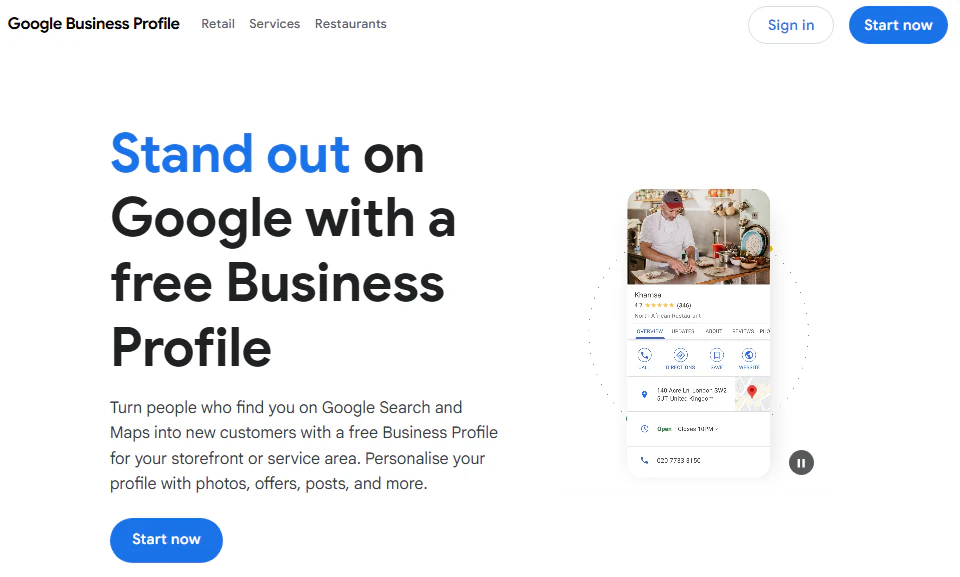
A verified Google Business Profile lets a business read and reply to Google reviews. You can also share a review link or QR code for free. It can be enough for a manageable number of Google reviews when one person owns the work.
View full-size image (opens in a new tab)
Pricing: No software subscription is required for Google’s native review tools. Staff time and any external reporting or request delivery still have a cost.
The tradeoff: This covers the Google channel. It does not replace Reputation’s multi-source analysis, survey program, corporate workflows or customer tickets.
What to verify: Confirm who owns and can access each profile, how local staff handle replies, and how a serious complaint reaches operations. A free reply interface is sufficient only when the surrounding process is manageable.
RightResponse AI vs. Reputation: What Are You Replacing?
The important distinction is how far the work continues after a review arrives. A team may need useful replies and feedback reports, or it may also need surveys, regional queues, service deadlines and escalations. Price those requirements before replacing a suite with a specialist.
| What matters | RightResponse AI | Reputation |
|---|---|---|
| Which buying need favors it? | Review replies, customer feedback and Maps when those lead the purchase | Strong when feedback must connect to surveys, assigned service work and wider location operations |
| Published pricing | USD/location/month: Core $19; Pro $29; Pro+ $44; PAYGO $10 plus credits | Rep Core $80; Core + Pulse $115; Core + Surveys $150 per location/month. Enterprise custom for 125+ locations |
| Information used in replies | Selects relevant approved Messages, plans the response and shows what it considered and used | Voice of Brand accepts business messages, rules, personality and location settings; Test Configuration previews results |
| Approvals and public release | Rating/text rules, delays, publishing hours and approval emails; Google direct posting | Responder/approver workflows and submitted/live/failed states. Brand-alignment warning can be overridden; verify the proposed automation mode |
| Customer feedback | Business-defined topics, phrase evidence, date/location comparisons; Pro+ adds competitor topics | Review/survey experience and journey reporting; confirm package scope and competitor upgrade |
| Maps and analysis allowances | Core excludes maps/competitor analysis. Pro 10 or Pro+ 25 combined scans/analyses per location/month, pooled | Confirm the local-search product, custom keywords, geography, refresh and competitor upgrade in the quote |
| Issue routing and surveys | Use a retained service system for owned cases. Eligible plans have survey capacity; advanced CX workflows are separate | Actions & Ticketing upgrade assigns owners, tracks service deadlines and escalates. Pulse has a basic survey; Surveys adds advanced templates |
| Commitment and total cost | Monthly or annual; twelve months for ten subscription payments. Usage, add-ons and SMS charges separate | Confirm billing, committed term, implementation, premium sources and integrations; public monthly prices do not establish monthly cancellation |
Sources: RightResponse AI pricing, AI responder controls, Reputation pricing, 2025 Insights guide and Actions.
A 50-location subscription comparison
Fifty locations on RightResponse AI Pro cost $1,450/month, or $17,400 over twelve months of monthly billing. Annual prepayment costs $14,500 under the twelve-months-for-ten-payments policy. Pro+ would be $2,200/month or $22,000 with annual prepayment. Usage packs, SMS charges and other tools are separate.
At Reputation’s published rates, fifty locations would cost $4,000/month for Rep Core, $5,750 for Core + Pulse or $7,500 for Core + Surveys, before upgrades and negotiated terms. Those packages buy different work: Core includes business listings, Pulse adds feedback tools and a basic survey, and Surveys adds more advanced private-feedback collection. Actions & Ticketing is an upgrade. The price difference is useful for budgeting; the saving from switching depends on which products and integrations you must keep or replace.
Which Reputation Alternative Matches Your Needs?
Build the shortlist around the work you need to improve and the systems you already intend to keep.
| Your main need | Consider | Why |
|---|---|---|
| Useful replies, customer feedback and Maps | RightResponse AI | Inspectable approved information in replies, business-defined topics and Maps on eligible plans |
| Assigned customer cases plus wider marketing/CX | Birdeye or retained Reputation | Compare ticket owners, deadlines, escalation, closure and surveys in the required package |
| Corporate/local marketing participation | SOCi | Shared review, search and social workflows with brand and local controls |
| Authoritative listings and location pages | Yext | Structured records distributed to publishers and used on local pages |
| Consistent review and experience reports | ReviewTrackers | Location/group monitoring, industry feedback categories and competitor views |
| Texts, inquiries and appointments | Podium | Reviews sit alongside customer conversations; booking depends on product and integration |
| Public/private feedback and agency delivery | GatherUp | Branded request flows, surveys, themes and client operations |
| A manageable number of Google reviews | Google Business Profile | Free native replies and review links; provide the surrounding process yourself |
Try the Software Before You Switch
Use the same real work in each trial or demonstration. If you have multiple locations, include a busy branch and a quieter one. Decide what a successful result should look like before you begin.
- Give the AI a positive review, a complaint, a star-only rating and a high-star review with serious criticism. Include an updated review with its earlier reply.
- Supply checked business information. If you have multiple locations, include two with different policies or contacts. Inspect what the AI uses, leaves out and allows staff to change.
- Follow a reply through required approval and actual source publication. Separately follow the underlying problem to an owner and a recorded resolution.
- Test a request with the right location, customer-event mapping, reminders and exclusions. Use a non-sending preview where supported before live delivery. Customers should have access to a public-review invitation regardless of sentiment.
- Read the comments behind a customer or competitor theme. Check whether the categories and comparison periods fit your business.
- Compare Maps measurements with the same search phrase, area and dates. Count scans and competitor analyses against the actual plan allowance.
- Record staff effort, edits, turnaround, failed requests and total usage cost. That tells you more than a feature count.
Compare RightResponse AI plans and start a trial. The seven-day trial includes 1,000 credits and most Pro features without a card. Free use ends early if the credits run out. Use your reviews and approved business details to judge whether the workflow produces useful replies and saves your team work.
Questions to Ask Before Leaving Reputation
- What is in the full bill? Include the required packages, premium sources, integrations, implementation, usage, renewals and tools you will retain.
- What happens to locations and contracts? Check the committed term, cancellation notice and whether adding, closing or selling a branch changes charges.
- What data can you export? Confirm reviews, replies, contacts, survey answers, topic reports, ticket history, templates and the usable identifiers connecting them.
- Who will own customer problems? Choose the system for assignment, deadlines, escalation and closure before removing Actions & Ticketing.
- Who can change business information and publish? If you have multiple locations, test corporate, regional and local responsibilities rather than inferring permissions from a multi-location label.
- Which sources and connections remain? Separate monitoring from direct replies, and test your CRM/EHR or other customer-event integration.
- Which survey and visibility tools remain? Match branching questions, feedback imports, scan geometry and reporting cadence to the actual requirements.
How to Switch from Reputation.com
Pilot the replacement before switching. If you have multiple locations, start with a small set before moving the portfolio.
- Map the jobs and owners. List review requests, replies, surveys, tickets, listings, social, local pages and reports. Decide what moves and who owns each retained system.
- Save and check your data. Export the available reviews, responses, customer records, survey answers, reports and ticket history. Open the files and preserve location IDs and source links.
- Rebuild approved information and access. Set up your business, staff permissions, business messages, request templates and reply rules. If you have multiple locations, check local differences and exception responsibilities.
- Test the complete workflow. Connect required review and customer systems. Check request mapping, failed records, approvals, public posting and a complaint’s path to resolution in the pilot.
- Cut over requests without duplication. Pause old campaigns, scheduled imports and reminders before enabling replacements. If you have multiple locations, move them in groups. Inspect delivery history.
- Keep location data and reporting continuous. Choose one authoritative system for listings. Confirm local pages and customer tickets still work, and record the changed topic definitions so old and new reports are not mistaken for identical measurements.
- Train staff and close the old account. Explain the daily process, approvals and issue handoffs. End the old subscription only after the replacement works and you have met the contract’s notice and export requirements.
More software research
Use the software comparison library to find platform reviews, or its pricing guides for procurement detail. Reputation’s pricing page, Actions product and public user guides explain the incumbent workflows discussed here.
How We Compared the Products
We compared documented workflows, buyer fit, prices and contract information across all seven alternatives, drawing on existing company research and relevant public product pages and help guides. We did not run a controlled hands-on test of all seven products. Screenshots illustrate interfaces, and older guide dates are identified where they affect the buying question. (Disclosure: RightResponse AI publishes this guide and evaluated all seven platforms against the same operational, pricing, and workflow criteria.)
Final Verdict: Choosing the Right Reputation.com Competitor
- Best for review aggregation, AI review responses, customer feedback analysis, and Google Maps visibility: RightResponse AI brings those workflows together on Pro at $29/location/month; Pro+ is $44 with higher limits, advanced automation, and competitor topic analysis. Core is $19 without maps or competitor analysis, and PAYGO starts at $10 plus usage credits. Monthly and annual subscriptions are available.
- Best for full-suite CX, ticketing, and multi-location marketing: Birdeye fits teams needing a wider CX and marketing system with assigned ticket follow-up; SOCi fits corporate and local marketing coordination; and Yext fits structured location information, listings, and pages. The required products and governance determine the replacement scope.
- Best for specialized workflows: ReviewTrackers fits monitoring and experience reports, Podium fits SMS customer conversations and booking, and GatherUp fits public/private feedback programs and agencies. Staying with Reputation.com can remain the right decision when its surveys, ticketing, and connected location workflows are actively used across departments.
Frequently Asked Questions
What is the best Reputation.com alternative?
RightResponse AI fits businesses buying primarily for review aggregation, context-aware AI review responses, customer feedback analysis, and Google Maps tracking across locations. Pro is USD $29 per location/month on monthly billing. Birdeye may fit a broader CX replacement involving customer tickets, surveys, conversations, and marketing tools; SOCi fits corporate and local marketing coordination. Required products and workflow depth should be checked in the proposed package.
Is RightResponse AI a full Reputation replacement?
RightResponse AI replaces the focused review workflow: requests, replies, customer feedback and local Maps investigation on eligible plans. Reputation’s broad listings, local pages, social suite, advanced surveys and ticketed service-resolution workflows need to be retained or replaced separately. Demonstrate the required permissions and issue handoffs before moving a multi-location program.
How much does RightResponse AI cost compared with Reputation?
Monthly USD prices per location are $19 for Core, $29 for Pro and $44 for Pro+; PAYGO starts at $10 plus credits. Core excludes maps and competitor analysis. Reputation lists Rep Core at $80, Core + Pulse at $115 and Core + Surveys at $150 per location/month, with upgrades and custom Enterprise pricing. Compare the same locations and required tools, including usage, integrations and the cost of replacing listings or ticketing.
Which alternative is best for customer complaints and tickets?
Compare Birdeye when replacing assigned customer-service work as well as reviews. Its ticketing products classify feedback, route it to owners and apply deadlines and escalation. Reputation’s own Actions & Ticketing may also remain the best fit. A response approval or review alert is not the same as an owned service case with recorded closure.
Can Reputation and its alternatives use business details in AI replies?
Yes. Reputation’s Voice of Brand uses business messages and location settings. Birdeye uses business context in its Review Response Agent, and Yext can insert location fields into instructions. RightResponse AI selects useful approved Messages for each review and shows what it considered and used. Compare the same reviews, local facts, editing and approval requirements.
Can I keep Reputation for surveys and use another review platform?
Yes, provided you assign ownership clearly and verify the connections. Decide which platform sends requests and reminders, publishes replies and maintains location data. Preserve the survey and ticket history your operations team needs. Two systems should not send duplicate invitations or overwrite each other’s listings.
Which plans include Maps and competitor feedback analysis?
RightResponse AI Pro includes 10 combined map scans or competitor analyses per location/month, pooled across the account. Pro+ includes 25 and adds analysis of competitors’ customer feedback. Core excludes maps and competitor analysis; PAYGO uses credits. Reputation’s local-search products and competitor insights have their own package and upgrade requirements, so verify keywords, geography, refresh and reports in the offer.
Can Google Business Profile replace Reputation for free?
It can be enough to read and reply to a manageable number of Google reviews and share a review link. It does not replace multi-source feedback analysis, customer surveys, tickets, corporate/local workflows or recurring Maps comparisons. Choose it when one person can manage the Google channel and the surrounding process is already covered.
Sources by Company
Key sources for this comparison. Product sections link to more detailed documentation.
- RightResponse AI: AI responder; Message-Informed responses; pricing; managed services.
- Reputation: pricing; Actions; 2025 Insights guide (PDF).
- Birdeye: Review Response Agent guide; ticketing; pricing explanation; CostBench external price benchmarks (last verified August 26, 2026; checked October 21).
- SOCi: Genius Reputation; Shield; contract FAQs; Vendr reported pricing benchmarks (February 2026 guide; checked September 16, 2026).
- Yext: Generative Response guide; Reviews Insights; Vendr reported bundle pricing (February 2026 guide; checked September 16, 2026).
- ReviewTrackers: plans; AI reply guide; G2 reported starting price (price entry updated October 9, 2024; checked October 21, 2026).
- Podium: Reviews; AI Studio; Reported Core/Pro pricing (Pabau, Sept. 22, 2026); Historical vendor-price observation (Aug. 23; removal reported Sept. 2, 2026).
- GatherUp: pricing; Smart Insights (April 2025).
- Google Business Profile: manage reviews.