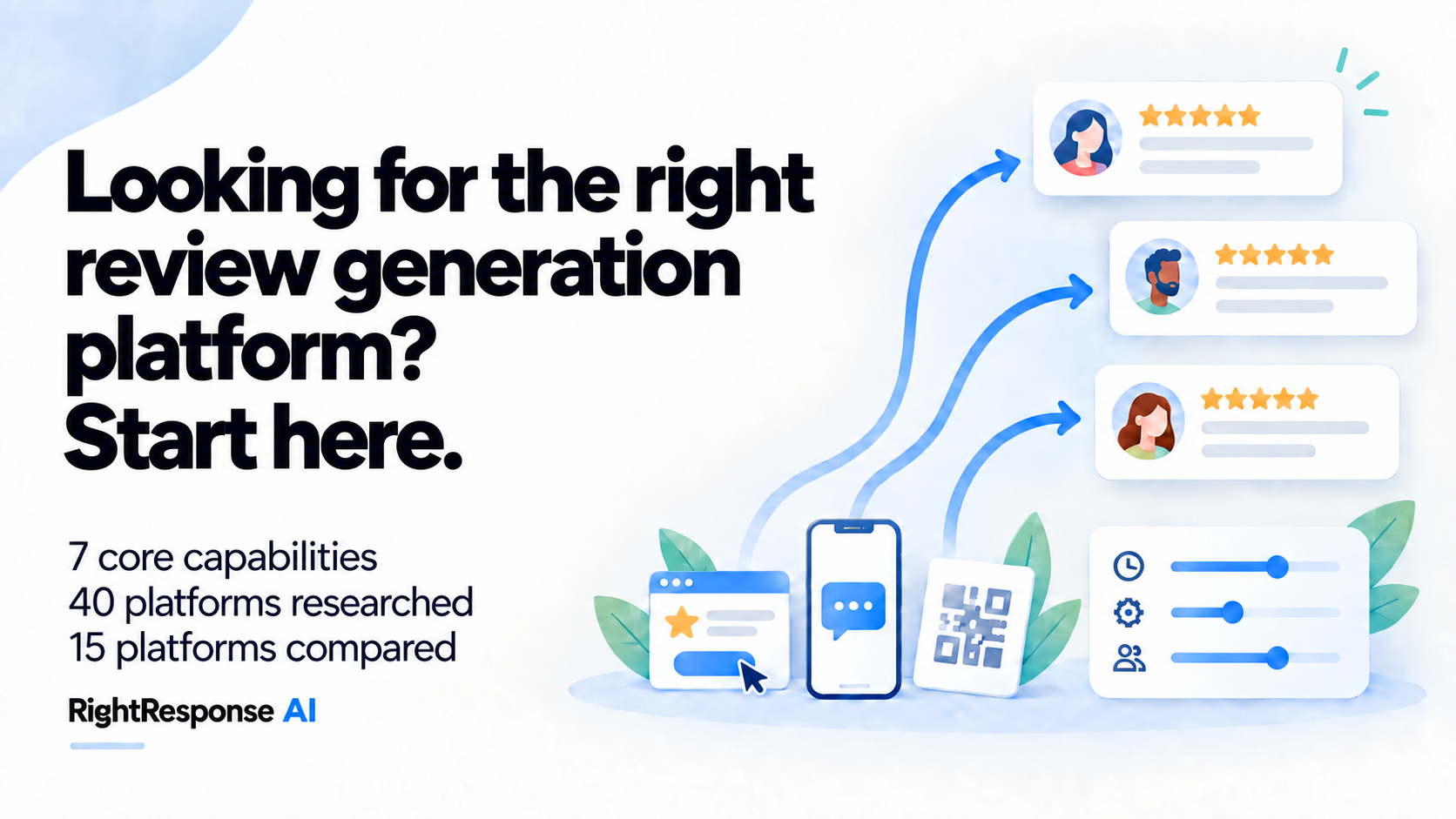
Seven core capabilities help distinguish review request and generation platforms. Drawing on existing research across 40 providers, this guide compares 15: RightResponse AI, NiceJob, ReviewFlowz, rater8, GatherUp, Cloutly, Swell, ReviewTrackers, Birdeye, Podium, Reputation.com, SOCi, Yext, BrightLocal and Broadly.
RightResponse AI offers AI-personalized email and SMS, job photos and relevant questions in email, shared Google Sheet intake and employee QR codes. NiceJob can include a tagged CompanyCam photo in supported campaign invitations; GatherUp combines private feedback with review requests; rater8 routes healthcare requests to practitioner or practice profiles; Birdeye personalizes templates using contact and location fields.
Each section explains what a basic setup does, what advanced controls accomplish and when a business needs them. The companion review-response capabilities guide covers what happens after reviews arrive.
The seven core capabilities are:
- Getting contacts in and choosing who to ask. How customer information reaches the platform, and what you can do with it.
- Choosing the review site. How requests are directed to the profiles you want to build.
- Personalizing the request. How fields, photos, questions, video and AI can make the message more relevant.
- Making the review easy to complete. What the customer has to do after clicking or scanning.
- Following up. When another message goes out, what stops it and when you can ask again.
- Coordinating locations and practitioners. How requests reach the right profile and who controls the process.
- Measuring results. What you can learn from the numbers and how you can use that information to improve.
The tables use a consistent platform order, with RightResponse AI listed first because RightResponse AI publishes this research, followed by review-generation specialists and broader multi-location suites. That order is not a ranking. Source links sit beside the features they explain.
Research into the other platforms is based on publicly available documentation and product pages. Some documentation is only available after logging in, so omitting a feature here does not necessarily mean a platform does not offer it.
1. Getting contacts in and choosing who to ask
Two things matter here: where the customer details come from, and what control you have over the requests they start. A small team may be able to add customers after each completed job. As volume grows, a connection to your business software can reduce that manual work and supply the information needed to decide who gets a request and when.
Adding customers manually. Staff can enter customers one at a time or upload a list. GatherUp's staff-entry form accepts individual customers or a CSV file without a platform login. RightResponse AI also provides a shared Google Sheet: anyone with access can add a customer without needing a platform account, and that row starts the configured request sequence. The person who served the customer can start the process, while the platform handles the messages and follow-ups.
Connecting through Zapier. Zapier passes information between applications when a chosen event occurs, such as a job being marked complete. Direct integrations take time and money to build and maintain, so Zapier can help a platform connect to software it does not support directly. ReviewTrackers' Zapier setup uses a location identifier from the other system to send from the correct branch. RightResponse AI can start a request from a supported Zapier workflow, directing the customer to the appropriate branch and saved request sequence. The connection needs to carry both the event and the customer information your request requires.
Using a direct integration. A built-in connection brings details from your appointment, customer or job-management system. For example, rater8 describes how pollin8 uses connected appointment information to trigger requests and match patients to the right provider and location. Look at the fields a particular connection supplies: appointment status, practitioner, branch and type of work can give you more control than a name and email address alone.
Building a custom connection. An API lets a developer pass customer information directly to the review platform. RightResponse AI offers API access by request. This gives you another option when a ready-made connection does not meet your needs, provided you can arrange the development and ongoing maintenance.
Choosing the event that starts a request. A new customer record does not tell you that the person has received the service. Swell, for example, lets you start an automation when an appointment ends or a patient is checked out. The checked-out trigger is available through certain integrations and typically relies on staff marking the patient checked out. It ties the request to that recorded event, so keeping the appointment status accurate matters.
Choosing which customers qualify. Once the connection supplies the relevant fields, rules can determine who receives a request. Swell lets you combine appointment conditions, with every selected condition needing to match. To illustrate, a practice could ask patients who saw a particular practitioner for a particular appointment type, while excluding cancelled visits.

These rules can also sit in Zapier filters before the contact reaches the review platform. Zapier lets you require every condition to match, or accept a match on any one. Reputation.com's RepConnect filters offer the same choice when deciding which records to skip. Whoever sets up the connection needs to map the incoming fields and maintain those rules.
Preparing and testing the customer data. For larger batches, Reputation.com's RepConnect lets a central team match file columns to the platform's fields and change incoming values. For example, you can identify the column containing the branch code. You can also run a test batch without sending messages to check the field mapping and rules. That extra checking is useful when one mistake could affect thousands of customers.
| Platform | How customers are added | How you decide whom to ask |
|---|---|---|
| RightResponse AI | Staff add customers through a shared Google Sheet or directly in the platform; Zapier can pass them from another system. A developer can request API access for a custom connection. | Choose the branch and saved request sequence for each customer. Anyone with access to the shared Google Sheet can add customers without needing a platform login. |
| NiceJob | Staff can add customers, or a connected job or payment system can start the request. | Choose which events start a campaign. Customer tags can keep someone out of it; the available events depend on the system you connect. |
| ReviewFlowz | Upload a customer list or connect a customer or booking system. | Choose a customer segment. A connected event, such as an attended appointment or delivered order, starts the request. List imports can assign each customer to the location named in their row. |
| rater8 | A supported medical-record or practice-management system supplies visit information. | The completed visit connects the patient to the practitioner and location, so the request can lead to the profile of the person or practice that treated them. |
| GatherUp | Staff use a form or upload a customer list; software connections can add customers automatically. | Send manually or place requests in a waiting list for automatic sending. Adding a customer does not have to send a message immediately. |
| Cloutly | Add customers manually, upload a list or connect another system. | The documented Mindbody connection waits for a qualifying appointment to end. Deleting the appointment cancels the pending request, helping avoid asking after a visit that did not happen. |
| Swell | Appointment software can supply the customer details; developers can also build a custom connection through its Enterprise Events API. | Combine conditions such as practitioner and appointment type. Some integrations can start the request at checkout; others supply less precise timing or fewer details. |
| ReviewTrackers | Staff enter customers or upload a list; Zapier can add them automatically. | The connected system supplies an identifier for the branch. Rules in that system or Zapier can decide which customers qualify before their details reach ReviewTrackers. |
| Birdeye | Import contacts or connect a customer or appointment system. | Some connections let you choose which appointment statuses qualify, so requests follow the visit status you select. |
| Podium | Staff send an invitation from a customer conversation; connected systems can also start requests. | Staff choose the customer conversation and send a saved invitation from it, making it easy to ask during an existing exchange. |
| Reputation.com | Bring customer information in through files or a custom connection, using RepConnect. | Match incoming details to the fields the platform needs, change values and exclude unsuitable records. Test a batch without sending messages, then inspect any requests that failed or were skipped. |
| SOCi | Staff add customers individually or in a list and choose a location campaign. | Choose the recipients and the location campaign they enter. Each campaign provides the messages and review destinations for that location. |
| Yext | Enter customers, upload a list or have another system supply the records. | Include the location identifier and any chosen template or sending time. Import logs show which customer records could not be processed. |
| BrightLocal | Staff enter customers or upload a list into a campaign. | Choose the recipients for a location campaign and start it when you are ready to ask them. |
| Broadly | An event in the customer-management system starts the request process. | You choose who receives it, how long to wait, which message to use and which review site to open. |
2. Choosing which review site receives the request
If Google is the only profile you want to build, a link to your Google review form may be all you need. The decision becomes more interesting when you want reviews on several sites, or when you have separate profiles for a practice and its practitioners. Each request gives you an opportunity to strengthen one of those profiles.
Setting the share of requests for each site. If you know how you want to divide requests, you can set the proportions yourself. RightResponse AI lets you specify the percentage of requests that goes to each review source. For example, you could send 80% to Google and 20% to another site, then change those percentages as your priorities change. You control the distribution of requests. It doesn't guarantee the same proportions of completed reviews, because customers may be more willing or able to finish on one site than another.
Routing toward a review target. Other platforms use the reviews already collected to adjust where the next request goes. ReviewFlowz's Magic Links let you set a target average rating or number of five-star reviews for a destination. The link keeps sending people to a site while it is short of its goal. If several sites still need reviews, it chooses one of them at random. You can change the goals without replacing a printed link. This is useful if you want to build a particular profile to a target and then put the requests elsewhere. The decision uses the profile's results, not a prediction of what the next customer will write.

Prioritizing profiles by their review activity. ReviewTrackers' Smart Suggest considers review volume, rating and recency when suggesting sites. Its treatment of volume is worth understanding: a site with more reviews can receive priority because that volume signals its importance. Lower ratings and older review activity can also increase a site's priority. So it isn't simply directing people to whichever profile has the fewest reviews.
Yext lets you give each review site a weight and add priorities for profiles whose rating is below the location average or which lack a recent review.
Considering where the customer is signed in. Yext also offers three ways to direct customers: work toward your chosen distribution, favor sites where the customer is already signed in, or work toward your distribution using only sites where they are signed in. The last option combines your priorities with the convenience of avoiding another sign-in.
NiceJob's Optimize setting also considers convenience, including whether someone is signed in. If a returning customer has already reviewed you on one channel, it can favor another. Existing reviews and the importance of the channel also influence the order. You can switch this off and arrange the sites yourself. The added value is that you don't have to keep making those adjustments manually.
Choosing between practice and practitioner profiles. For a healthcare practice, there is another choice to make: whose profile needs the review? rater8’s pollin8 looks across connected provider and practice profiles and selects one destination for the patient. A visit can help build the reputation of the individual practitioner or the practice, so choosing the profile matters as well as choosing the review site.
| Platform | How the review site is chosen | When the difference matters |
|---|---|---|
| RightResponse AI | Set the percentage of requests directed to each review source. | For example, send 80% of requests to Google and 20% to a secondary site, then adjust the split as priorities change. See the review-request flow overview. |
| NiceJob | Optimize changes the order of sites using sign-in convenience, prior reviews and the importance of each site. | A returning reviewer can be offered a different site. Switch Optimize off if you prefer to choose the order yourself. |
| ReviewFlowz | Set a target rating or number of five-star reviews for each site. Magic Links send people to sites still short of their goals. | If several sites need reviews, the link chooses one at random. You can change the goals without replacing a printed link. |
| rater8 | pollin8 chooses one provider or practice profile using its existing reviews and the business's preferences. | Useful when several clinicians and the practice need reviews. You can also choose a preferred review platform for the practice or an individual doctor. |
| GatherUp | Choose review sites for each location's request sequence. | You decide which profiles to offer. Whether to ask private feedback questions first is a separate setting. |
| Cloutly | Choose up to three review sites for the request page. | The customer gets a choice among those sites. Each location has its own QR code leading to its page. |
| Swell | Add the review-platform links you want to use to the request template. | Appointment rules can select a campaign, so different practitioners or appointment types can lead to different sets of review links. |
| ReviewTrackers | Smart Suggest uses existing review counts, ratings and recency to suggest sites. | A site with more reviews can get priority because it appears important; lower ratings or older reviews can also raise priority. You can choose sites manually instead. |
| Birdeye | The Review Generation Agent describes choosing destinations automatically. Email templates also let you choose the review buttons yourself. | In an email template, choose the review buttons customers will see. This gives you direct control over the profiles offered in that request. |
| Podium | Choose from the connected review sites when sending invitations. | Direct customers to the connected profiles you want to build when you send the invitation. |
| Reputation.com | Choose sites yourself, or let the platform select two from your allowed list. | The automatic choice aims to improve your business's score in Reputation.com's Reputation Score system. You can override it and select the sites yourself. |
| SOCi | Choose review destinations for the campaign; Yelp is excluded. | Set the destinations for each campaign to support the profiles you want that location to build. |
| Yext | Give review sites different priorities; also consider low ratings, older reviews and whether the customer is already signed in. | Choose your target distribution, favor sites where the customer is signed in, or apply your distribution only among signed-in sites. |
| BrightLocal | Choose up to three review sites for the campaign. | Customers choose from the sites you have selected for that campaign. |
| Broadly | Set a Google override URL to send customers directly to Google. | Check that the link opens the profile you want: a review on Broadly's own My Listing page is separate from a Google review. |
3. Personalizing requests with photos, questions, and job details
Photos and helpful questions can make a request easier to recognize and a review easier to begin. Two different workflows matter: prompting a public review in the invitation, and collecting answers directly through private feedback.
- In the outbound request: RightResponse AI can combine a customer or project photo with relevant questions in an email. Its personalized SMS uses customer and job details in a shorter message. NiceJob can include a tagged CompanyCam project photo in supported campaign invitations, while rater8 shows the provider’s photo and name at the start of its patient survey. The customer writes the public review on the destination site and can add photos there where that site supports them.
- In a private-feedback step: RightResponse AI offers a separate private-survey flow, including NPS; Birdeye offers surveys with an optional review-request question; GatherUp offers survey-and-review flows; BrightLocal offers rating feedback with optional written comments. These are different from questions that simply help a customer begin a public review. RightResponse AI’s Private Feedback form keeps the public-review link available regardless of rating; private surveys can also run without requesting a public review.
Asking face to face with a QR code. The most personal request is often made in person after service. In RightResponse AI’s experience, roughly 60–75% of people who scan a QR code after a face-to-face request go on to leave a review. That is the percentage of people who scanned, not everyone asked. The company has seen these personal requests perform best, followed by SMS and then email; this is an observation, not a controlled comparison of channels. A person who has just helped the customer can create a connection that a code sitting on a counter does not create by itself. Employee QR codes let a team repeat that personal ask.
Filling a template with customer details. With a text or email, the aim is to bring some of that connection into the message. A template can start with the customer's name and add the employee, location or service. For example, “Hi Maya, how was your appointment with Anna?” gives the customer more to recognize than a general request from the business. Birdeye supports contact, location and custom-field placeholders, and Yext also merges fields into templates. RightResponse AI offers reusable email and SMS templates alongside individual AI-written requests, so you can choose the approach for each request sequence. The quality of the result depends partly on the information you have available.
Including a photo of the job or person. Photos can make the connection more immediate. In healthcare, rater8 starts its patient surveys with the provider’s photo and name to help patients recognize the practitioner. RightResponse AI lets you include a customer or project photo in an email request. Think of a roofer sending a picture of the completed roof and the crew: the customer is being reminded of their own job and the people who did it. NiceJob's CompanyCam connection adds a useful way to automate that attachment. Staff tag the image, and a supported campaign event brings one associated project photo into the invitation.
Recording a video request. Cloutly offers recorded video requests as another way to make the person asking recognizable. The recording can be reused in a campaign; it doesn't have to be newly made for every customer.
Asking a relevant question. A question can help a willing customer decide what to write without scripting the opinion. RightResponse AI can choose relevant questions and vary them between requests. A returning customer might be asked what brought them back; a repair customer might be asked how clearly the technician explained the work. Those prompts leave the customer to describe their own experience. A question in an invitation is a writing prompt, while a survey question collects an answer directly.
Writing an individual request with AI. RightResponse AI’s AI review requester writes an individual email or SMS using the customer and business information supplied. It can connect the service performed, technician, returning-customer history and useful project details. Email can add the photo and fuller context; SMS keeps the request concise. With only a name and email address, a reusable template may be sufficient. Among the fixed subscription plans, Core at $19/location/month uses template requests, Pro at $29 adds included AI-request capacity, and Pro+ is $44. PAYGO also offers eligible AI-request access through purchased credits; SMS fees and additional usage are separate.
The example on the RightResponse AI product page shows a returning roofing customer. The AI connects the customer’s history, technician, job details and supplied photo: it thanks the customer for coming back, refers to the completed work and photo, and asks what brought them back this time. Teams can supply the customer or job information they have rather than a fixed list of merge fields. Email gives room for the photo and fuller message; SMS uses the information in a shorter request. The visual editor lets the team edit and preview the request setup before activating the sequence.

Birdeye also describes adapting requests to customer and location information, including whether someone is a first-time or returning customer.
Using AI to edit a reusable template. Yext’s AI editor helps you revise a template: you can ask it to change the tone, design or brand colors, then review and apply the edits.
| Platform | What can make the request personal | What your team does |
|---|---|---|
| RightResponse AI | Choose a reusable email or SMS template, or an AI-written request using customer and job details. Email can include a supplied photo and relevant questions. | Choose template or AI for the sequence. For AI, supply useful customer and job information; add photos and questions to the email experience, then edit and preview the request setup before activating the sequence. |
| NiceJob | Include customer details and a tagged CompanyCam project photo. | Staff tag the photo. A supported campaign event brings one associated project image into the invitation, saving staff from attaching it each time. |
| ReviewFlowz | Configure separate email, SMS or WhatsApp requests for the customer group you want to reach. | For email, edit the subject, message, sender name, reply-to address and button wording. WhatsApp requests use a template approved by Meta. |
| rater8 | Patient surveys can open with the practitioner's name and photo. | Use the treating practitioner’s name and photo at the start of the patient survey to remind the patient whose care they are being asked about. |
| GatherUp | Edit the wording and branding of the steps in a request sequence. | Write the messages and customize the steps in the request sequence. Add a private questionnaire when you want more detail about the customer’s experience. |
| Cloutly | Insert customer details and add a recorded video request. | Record the person making the request once, then reuse the video in the campaign. Customer fields add the recipient’s details to the message. |
| Swell | Edit the message, insert customer and practice names, and add an optional image. | Prepare the wording for each campaign. Appointment conditions can then select which campaign a patient receives. |
| ReviewTrackers | Insert customer, sender and location details, with replacement wording for missing information. | Authorized staff prepare the templates. Set sensible replacement text so a missing customer name does not leave an awkward gap in the invitation. |
| Birdeye | The generation agent describes writing that uses customer and location information. Ordinary templates can also insert contact and custom fields. | Choose between reusing wording with filled-in details and the agent's advertised individual adaptation. The latter needs useful customer information to work with. |
| Podium | Use saved templates or the advertised AI-crafted invitations. | Prepare saved invitations with fields for customer, sender and location details, then send them from the customer conversation. |
| Reputation.com | Branded templates insert customer and location details. | A central team prepares and previews the wording, then connects the incoming customer details to the places where they belong in the message. |
| SOCi | Share editable email and text templates across campaigns. | Control who may edit the wording and see which campaigns and reminders use each template before changing it. |
| Yext | Insert customer details and use AI to revise a template’s tone, design and brand colors. Prepare versions in different languages. | Tell the AI editor what you want to change, then review and apply its edits. Preview the email for a particular location and language on desktop and mobile. Supply translations for your custom templates. |
| BrightLocal | Edit the email’s subject, introduction and sign-off, and insert the customer’s first name and business name. | Add your branding and write the message around those fields. Preview desktop and mobile versions, and edit the follow-up message separately. |
| Broadly | Edit the email subject, preview text and body, with fields such as the business name. | Send a test email to see the finished request before activating it. The direct SMS request screen sends the default message. |
4. Making the review easy to complete
Once someone follows the link, you want them to be able to finish what you've asked them to do. A text link, email button or QR code can all take them to the same review form. Google still controls its own sign-in and submission steps, so the request software can't simply remove those requirements.
Opening the chosen public-review form. One useful simplification is to avoid asking the customer to choose a destination when you've already decided where the review should go. ReviewTrackers can skip the selection page when only one review source is configured. rater8 selects one provider or practice profile. RightResponse AI's employee QR code opens the selected review destination, so the employee can ask and the customer can act on their own phone. If your goal is a public review on that profile, the customer has one fewer decision to make.
Collecting private feedback. You may also want private feedback about the experience. GatherUp offers a direct request for a public review as well as longer sequences that ask for ratings or survey answers. BrightLocal offers public-only and feedback-first options. RightResponse AI offers a separate private survey, including Net Promoter Score (NPS), which measures customers’ willingness to recommend the business. The longer approach gives you more information, at the cost of asking the customer to do more. It makes sense when you'll use those answers to improve the business.

Keeping public reviews available to every customer. Unhappy customers should still be able to leave a public review: RightResponse AI's private-feedback form retains a public-review link regardless of the rating, and GatherUp's quick-start guide shows public-review links on its negative-feedback page. Keeping that link available helps avoid review gating: giving happy customers an easy route to a public review while making it harder for unhappy customers to do the same. Google's policy prohibits selectively soliciting positive reviews or offering review incentives. The FTC also explains that filtering public-review invitations by private feedback can be an unfair or deceptive practice.
Look for a public-review option regardless of the customer’s rating. If a platform makes it harder for unhappy customers to post publicly, that’s review gating—and a reason to look for another provider.
Choosing what a QR code or kiosk opens. A QR code or kiosk can start different kinds of interaction. ReviewTrackers' kiosk mode collects contact details and sends the customer an email to use later. The customer isn't publishing a public review from the business's shared tablet. RightResponse AI and Cloutly provide staff codes that support an in-person request. BrightLocal's QR workflow uses a campaign link that you put into an external QR generator, so creating the code is a separate step.
These details matter when you picture the interaction at your own counter or reception desk. Decide whether you want the customer to review you there on their phone, leave details for later or complete a private feedback form, then compare the platforms that support that interaction.
| Platform | What the customer does | What to know before choosing this approach |
|---|---|---|
| RightResponse AI | Scan an employee's QR code to open the selected review site on their phone, or follow an emailed or texted link. | You can also set up a separate private survey. The private-feedback form keeps a public-review link available regardless of the customer's rating. |
| NiceJob | Follow an invitation link or scan the branded QR code. | Optional feedback choices offer both a public review and a private response. Sending private feedback does not automatically stop later reminders. |
| ReviewFlowz | Open a Magic Link, which chooses one site still short of its review goal. | The customer does not need to choose among sites. You can change the goals while keeping the same printed link. |
| rater8 | Follow a link to the selected practitioner or practice profile. | The patient gets one destination, avoiding the need to choose among several clinicians or business profiles. |
| GatherUp | Go straight to public-review options, or complete rating or survey steps first. | The shorter option reduces the work needed to reach a public review. The longer options collect additional information for the business. |
| Cloutly | Scan the QR code for that location, or use an individual staff member's code. | Each location’s code opens its own request page, with up to three review sites for the customer to choose from. |
| Swell | Follow the review link in the message. | A separate survey campaign collects private answers. Those answers are for the business; the customer still submits a public review on the review site. |
| ReviewTrackers | Follow a request link or scan a code; a single-site request can skip the page asking them to choose a site. | Kiosk mode collects the customer’s contact details, then sends the review request by email for them to complete later. |
| Birdeye | Choose a review button in the invitation. | You control which buttons appear. Offering several sites gives the customer a choice; one relevant destination removes that decision. |
| Podium | Open a review link sent during a customer conversation. | Staff can make the request as part of an existing exchange. The customer follows the link to submit the review on the external site. |
| Reputation.com | Use an email or text link, or a request started through a kiosk. | Configure the review sites offered in the request and any private-feedback steps you want the customer to complete. |
| SOCi | Get Reviews sends the customer to the chosen review site. | The separate Surveys product can also show public-review buttons during or after feedback. Confirm which product your package includes if you want both. |
| Yext | Follow an invitation or direct link, or scan a QR code. | Yext's invitation report does not count collection through direct links or QR codes. Include that activity separately when judging results. |
| BrightLocal | Take a public-review path, or answer private-feedback questions first; link and kiosk options are also available. | To print a QR code, put the campaign link into an external QR generator. Creating the code is an extra setup step. |
| Broadly | Follow the review link selected for the request. | You can replace the destination with your Google review link. Otherwise, check whether the request leads to Broadly's own My Listing page, where the review would appear instead. |
5. Following up without pestering customers
A customer can mean to leave a review and simply forget. A reminder gives them another opportunity, but you also want the software to recognize when another message is unnecessary. This is where the rules behind the reminders become more useful than the number of messages you can send.
Setting message delays and sending hours. At the simplest level, you choose the delay before the next message. Cloutly supports up to four email/SMS steps, and Swell lets you set campaign steps and timing. RightResponse AI lets you configure follow-up steps and approved sending hours. For example, a request queued late in the evening can wait until the allowed sending hours begin.

Stopping after a link click. The next question is what happens if the customer acts before that delay is over. ReviewTrackers sends its email reminder only to people who haven't clicked. RightResponse AI stops all follow-ups once the customer clicks either a public-review link or a private-feedback link. A click tells you that someone followed the link; it doesn't tell you whether they finished the review.
Stopping after a matched public review. NiceJob uses a different signal: it tries to match the name on an incoming public review to a customer’s name in your contacts and ends the campaign when it finds a match. A correctly matched review is evidence that the customer posted, but this approach depends on recognizing who wrote it.
Google lets reviewers use a custom public name and picture instead of their Google Account name and picture. For example, a customer you know as Maria Smith could review as “Mountain Walker.” A name-based system may not connect those records, so reminders can continue even though the customer has reviewed. NiceJob acknowledges this problem when names differ and lets staff remove the customer from the campaign manually. Stopping after a click avoids that name-matching problem, but can end reminders before the customer finishes the review.
Combining review, click and unsubscribe stops. ReviewFlowz stops the sequence after a review, link click or unsubscribe. Its review check also looks back 48 hours before the request was sent, so a review posted just before the invitation arrived can stop later reminders.
Preventing duplicate campaigns. Cloutly prevents a returning customer from starting duplicate requests. Its customer record keeps track of campaign participation, so a new booking or upload does not restart a campaign the customer is already in. Its repeat-customer guide extends that protection to customers who have already been through the campaign. Separately, its campaign page describes skipping people who reviewed within the last 90 days. One safeguard avoids repeating a campaign; the other checks recent review activity.
Setting a waiting period before asking again. You also need to decide what happens when the same customer returns. RightResponse AI lets you set a “No Contact Period” in each campaign to control repeat requests. You can change the period to suit how often your customers return. GatherUp has repeat-customer settings. Yext lets you apply sending-frequency limits across all locations or separately to each one. Suppose someone visits two branches in the same week. A company-wide limit can prevent the second branch from asking again; a limit within one campaign may not. The extra control is useful when customers move among your locations.
Trying another channel after failed delivery. Failed delivery needs a different response from a customer who received the message and ignored it. rater8 offers an optional email fallback after a failed survey text. The second channel gives the practice another way to reach the patient.
| Platform | How reminders and repeat requests work | Timing and sending controls |
|---|---|---|
| RightResponse AI | Choose follow-up delays and allowed sending hours. Set a No Contact Period for each campaign to avoid asking again too soon. | Clicking either a public-review or private-feedback link stops all follow-ups. Each campaign has its own adjustable No Contact Period. |
| NiceJob | Set the campaign steps and, with Jobber, when a returning customer can be asked again. Matching a new review to a customer ends the campaign. | Matches reviews to contacts by name. A Google alias can prevent a match, leaving reminders running after a review is posted. Staff can remove the customer from the campaign manually. |
| ReviewFlowz | Send up to three messages on one channel, each with its own delay from when the customer enters the sequence. | A review, link click or unsubscribe stops the sequence. The review check also looks back 48 hours before the first request, covering customers who reviewed before the invitation arrived. |
| rater8 | A waiting period prevents another request being sent too soon. | In the patient-survey flow, an email can follow a failed text, giving the practice another way to reach that patient. |
| GatherUp | Choose reminder timing and how soon returning customers can be asked again. | Set a daily limit for queued requests. Choose email, SMS or both in each location’s feedback settings. |
| Cloutly | Build a sequence of up to four email or text messages with chosen delays. | Avoid restarting a campaign for returning contacts. Separately, the campaign page describes excluding people who reviewed in the last 90 days. Repeat-customer guide; campaign page. |
| Swell | Set message timing; the default interval between review invitations is 60 days, adjustable through support. | Blocking a contact stops all incoming and outgoing messages. Unenrolling stops automatic outgoing messages. A customer replying STOP opts out of texts. |
| ReviewTrackers | Send one reminder email, with the same wording, to people who have not clicked. | By default, the account waits 30 days before emailing that customer another request. Support can change the period. Clicking stops this reminder; a completed review is not required. |
| Birdeye | Set delays by duration, day, time or customer event; the agent also offers an optimal-send-time option. | In the documented workflow, a link click ends the sequence. If the customer has not clicked by the chosen deadline, the agent sends the reminder email you selected. |
| Podium | Podium advertises automatic invitations and reminders. | Staff can also send a saved invitation directly from a customer conversation. |
| Reputation.com | Send reminders to people who have not clicked, and use separate limits to avoid asking too often. | A customer who clicks can stop qualifying for that reminder even if they never finish the public review. |
| SOCi | Manage campaign and reminder templates and use Get Reviews' protection against repeated requests. | Manage reminder wording in the shared Template Manager. See every campaign and reminder using a template before editing it. |
| Yext | Set up to three email follow-ups and limit how frequently the same customer receives requests. | Apply the repeat-request limit across all branches together or separately for each branch. |
| BrightLocal | Enable an email follow-up after 48 hours or an SMS follow-up after 72 hours. | Check the schedule for the method you use. Its guides disagree about some follow-ups after link and kiosk requests, so one schedule should not be assumed for every method. |
| Broadly | Set how many days after a transaction or interaction the email request goes out, and optionally choose the time of day. | Send to all customers or a selected segment. Turn the request automation on or off from its configuration screen. |
6. Coordinating locations and practitioners
With one location, there is usually little doubt about which business profile a customer should review. As you add branches or practitioners, you need the customer record, invitation and review destination to stay connected. You also need to decide which settings local staff can change and which ones the central team controls.
Giving each location its own request setup. The basic approach is to give each location its own campaign or link. GatherUp provides separate location profiles and review links. RightResponse AI connects each incoming customer to a location and saved request sequence, so each branch can use the request setup that fits its customers. Staff add customers through the shared sheet, and the saved sequence supplies the message and schedule. That can be enough when each team manages its own customers.
Sending each customer record to the right branch. When a customer list covers several branches, an identifier on each record tells the software which branch to use. ReviewTrackers accepts these location identifiers in customer-list imports. Yext also includes the location or business-record identifier with each invitation.
Connecting the visit to the practitioner. A practice with several clinicians also needs to keep track of who treated the patient. rater8 connects visits to provider and practice profiles, then allocates requests among those profiles. Swell can use provider and appointment conditions to select the campaign. The first helps decide which profile to build; the second helps decide which request the appointment qualifies for. A practice may need both kinds of control.
Giving clients permission to send requests. BrightLocal lets an agency's clients run requests through an external dashboard using the templates and destinations the agency has configured.

Controlling shared templates and staff access. A central team also needs control over shared messages. SOCi’s Template Manager shows which campaigns and reminders use each template and controls who can edit it. That helps you see where a wording change will matter. ReviewTrackers controls template access by staff role. Choosing which template staff use is a separate decision: changing the administrator’s default does not automatically change each user’s default. If head office introduces a new standard message, it needs to check that staff have selected it.
Finding and correcting request-processing problems. At larger volumes, you also want mistakes to be visible. Reputation.com's tools for testing customer records and investigating requests let you check a batch before messages go out and find requests that failed, were delayed or were skipped afterward. A central team can investigate the affected customers and branches instead of just noticing that the total is lower than expected. Birdeye's Salesforce guide illustrates why that checking matters: a missing location reference can cause a contact to be assigned to a random location. Correctly connecting a system involves more than seeing its name on an integrations list. Someone needs to check that the records arrive with the information that directs each request to the right place.
| Platform | How locations and staff are connected | What the central team can manage |
|---|---|---|
| RightResponse AI | Give incoming customers the right location and request sequence, and give employees individual QR codes. | Staff can add customers through the shared sheet. Managers can see QR scans by employee and location, with overall review totals reported separately. |
| NiceJob | Keep company profiles and compare their results together or side by side. | Compare branch results together or side by side. For requests with CompanyCam photos, the connected customer and project supply the image used in the invitation. |
| ReviewFlowz | Use connected bookings to connect reviews with locations and staff. | With a supported booking system, a review can be credited to the employee who served the customer even when the review does not name them. |
| rater8 | Connect completed visits to the correct practitioner and practice profiles. | pollin8 chooses among those profiles for the request. Keep practitioner and location relationships current so patients are directed to the right profile. |
| GatherUp | Give locations their own review profiles and message sequences. | Staff entry and customer-list uploads can serve several locations. Each location’s sequence keeps its own request settings. |
| Cloutly | Use a separate QR code for each location. | Give staff the right code to display. With Mindbody, connect appointments to the appropriate campaign so automated requests also use the intended location. |
| Swell | Use practitioner, appointment and location conditions to choose campaigns. | The connection must supply the required details. If the request starts at checkout, staff also need to complete checkout correctly in the appointment system. |
| ReviewTrackers | Group locations and use location identifiers to send each customer's request from the right branch. | Control which staff can use particular templates. Also check each user's default message: changing the administrator's default does not automatically change everyone else's. |
| Birdeye | Manage templates centrally and connect customers to locations. | In the documented Salesforce connection, a missing location reference can assign a contact to a random location. Check the incoming location information before enabling automatic requests. |
| Podium | Use location and organization details in invitations sent through customer conversations. | Use location fields to identify the branch in a saved invitation, so staff can reuse the wording with the relevant location details filled in. |
| Reputation.com | Connect customer files or systems to centrally managed locations and templates. | Test a batch without sending requests, then find records that failed, were delayed or were skipped. This helps investigate problems across many locations. |
| SOCi | Share templates across location campaigns through Template Manager. | See which campaigns and reminders use each template, and choose who can create or edit the wording. |
| Yext | Include a location or business-record identifier in each invitation, with the appropriate template and language. | File-import logs show failed records. You can also limit repeated requests across all branches together or within each branch. |
| BrightLocal | An agency configures location campaigns and gives clients access through an external dashboard. | Clients can run requests themselves using the templates and review sites the agency has prepared. |
| Broadly | Set up request automations for the relevant business or location. | Review reporting can cover several locations. Each location's request still needs the correct destination link. |
7. Measuring results and improving the next request
Reporting should help you decide what to do next: ask more customers, fix a sending problem, change the message or help staff make the request in person. Start with sends, opens and clicks to see where customers drop off. Matching requests to reviews, comparing locations and testing messages can help answer more specific questions.
Tracking sends, clicks and requests waiting to go out. The first useful numbers tell you whether requests are going out and whether people are opening or clicking them. Broadly’s single-location performance graph plots requests sent and reviews received over a selected date range, so you can see how both change over time.
RightResponse AI’s dashboard separates contacts, unsent and sent requests, and email/SMS send and click activity. It also reports employee QR scans by employee and location, with overall reviews received shown separately. Managers can distinguish an unsent queue from requests with low click engagement and compare request activity with review growth, without treating every click or scan as a completed review.
The reporting details can also explain why percentages on two dashboards aren't directly comparable. ReviewTrackers says requests blocked by repeat-contact rules or rejected can remain in its Sent total, and Yext does not include direct-link and QR collection in its invitation report. Check which customers and which requests the number includes before using it to judge performance.
Connecting a request to a completed review. RightResponse AI records email/SMS link-click activity and employee QR scans, with overall reviews received reported separately. Those measures show request engagement and review growth; a click or scan does not identify the reviewer or verify that a particular request produced a completed public review. Contact-matching tools add a different connection, subject to their matching rules.
NiceJob matches incoming reviews to customer records. Podium describes connecting reviews to customer contacts, and Broadly’s Reputation AI documentation explains matching reviews to contacts. That connection helps you see which customers have reviewed. With name-based matching, a Google alias can leave a genuine review unconnected to its customer record. An unmatched customer is therefore not proof that no review was written.
Tracking employee QR scans. If staff ask customers in person, you'll also want to understand how that effort contributes. RightResponse AI gives employees their own codes and reports QR scans by employee and location, with weekly leaderboards. A manager can recognize participation and see which teams' codes customers are using. If one branch has frequent scans and another has very few, that gives you a reason to discuss how staff are making the ask. These are scan counts; overall review volume is reported separately.
Connecting QR scans to completed reviews. NiceJob's QR tracking has a particularly specific rule: when a review arrives within ten minutes of a scan, it tries to match the reviewer to customers with a job or payment recorded today or yesterday. That can connect a scan to an outcome, but reviews outside the time window and customers it can't match won't be captured in the same way. The rule matters as much as the headline claim that QR reviews are tracked.
Giving staff credit for the reviews they helped earn. ReviewFlowz can identify a staff name in review text or match a reviewer to booking data through supported connections. The booking approach can give credit to the person who served the customer even when the review doesn't mention them by name.
Comparing results with industry benchmarks. Once you understand your own numbers, comparisons can help you decide where to improve. GatherUp's industry benchmarks compare request activity, click-through and review-profile measures with other businesses. You might discover that you ask relatively few customers, or that you ask plenty but fewer people follow the link. Those are different problems, and the comparison gives you a better starting point than your own total alone.
Testing messages and choosing a winner. You can also compare different messages sent during the same period. Yext lets you divide invitations among templates by percentages you choose, such as 50% to each of two versions. Birdeye adds a test with a defined end date and automatic winner selection. For email, you choose up to five templates, the percentage of recipients for each, and whether the winner is determined by opens, clicks or reviews written. After the test ends, the workflow uses the winner; you also choose a fallback template for an inconclusive result. If your aim is more reviews, choosing reviews written as the measure keeps the test focused on that outcome rather than just attracting clicks.

| Platform | What the reporting helps you understand | How to use the results |
|---|---|---|
| RightResponse AI | See requests sent, link clicks and QR scans by employee and location, including weekly leaderboards. | See which employees’ codes customers use and compare activity across locations. Read those scan counts alongside the separately reported review totals. |
| NiceJob | See results for campaign steps and QR scans, clicks and matched reviews. | QR matching looks for reviews within ten minutes of a scan and customers with a job or payment today or yesterday. Use the matched reviews to assess what follows an in-person ask. |
| ReviewFlowz | Credit an employee named in a review, or use booking records to identify who served the reviewer. | Booking records connect the review to the employee’s work even when the customer leaves their name out of the review. |
| rater8 | See the reviews on practitioner and practice profiles that guide where new requests go. | Compare public-review results for clinicians and practice locations. Use patient-survey results separately to understand the care experience. |
| GatherUp | Compare request activity, click rates and review performance with industry benchmarks. | Benchmarks can show whether you ask fewer customers or get fewer clicks than similar businesses. A No Requests Sent alert can also notify selected people when a location has sent no requests for a week or month. |
| Cloutly | Compare sends, opens, clicks and reviews at different steps in a campaign. | Look at the results for each step to see how the first invitation and later follow-ups contribute to the campaign. |
| Swell | Investigate why an invitation did not send. | A scheduled delay, blocked contact or waiting period between requests can explain an unsent message. Check those before treating it as a delivery failure. |
| ReviewTrackers | See requests received, opened and clicked. | The campaign report does not count completed public reviews. Customers prevented from receiving a repeat request can remain in Sent totals, so Sent does not mean delivered. |
| Birdeye | Test up to five email templates with chosen distribution percentages, an end date and a winning metric. | Choose opens, clicks or reviews written to determine the winner. After the test, use the winner or your selected fallback if results are inconclusive. |
| Podium | See review totals and the advertised connection between reviews and customer contacts. | Open the customer record associated with a review to put that feedback in the context of the customer relationship. |
| Reputation.com | See requests, opens and clicks. Inspect customer records that were tested or skipped. | Use the request records to distinguish messages held for testing, skipped requests and invitations customers opened or clicked. |
| SOCi | See which campaigns and reminders use each shared template. | Check where shared wording is in use before changing it, so you can see which campaigns and reminders will be affected. |
| Yext | Follow invitation activity and inspect failed records. Split invitations among templates by percentages you choose. | Direct-link and QR collection are outside this report. Email and text also provide different tracking information, so compare the same type of activity. |
| BrightLocal | See campaign activity, customer feedback and follow-ups. | Follow customer activity through the request and feedback steps, then use those results to revise your wording or campaign setup. |
| Broadly | Connect reviews to contacts and report responses across locations. | Compare requests sent and reviews received over a chosen date range to see changes in outreach and review volume. |
Putting the capabilities together
You probably don't need the most sophisticated version of all seven core capabilities. Start with how your business already works and where the effort or frustration sits. If staff forget to add customers, elaborate rules for choosing review sites won't solve that problem. If the process runs reliably but every request sounds impersonal, a better use of the information you already have may be more valuable than another sending rule.
If staff need an easy way to start a request and you want it to reflect the work you did, you could combine RightResponse AI’s shared sheet or Zapier connection with an individually written request using the job details and photo. Employee QR codes give staff another way to ask when they see the customer in person. If you need to build reviews across several clinicians’ profiles, rater8’s choice of practitioner or practice profile addresses that decision. If you process large customer lists centrally, Reputation.com lets you check a batch before sending and find the records that failed.
As you narrow the choice, ask to see the platform follow a customer through a situation you recognize: a completed job, a repeat visit or an appointment with a particular practitioner. Look at the information it receives, the request the customer sees and what happens afterward.
What does review generation software cost?
Once you know which capabilities matter to your business, the next question is what they cost. The table below brings together the useful pricing we found for these 15 platforms. Some publish their prices; others require a quote. Where a useful outside report exists, we include it and identify the source so you have something to work with before speaking to sales.
Compare the plan that does the job you need. A low starting price may cover basic review management but leave automated requests in a higher tier. A larger package may include messaging, listings or other services you would otherwise buy separately. For an annual plan advertised at a monthly equivalent, check both when payments are due and how long you are committed. Dollar figures follow the cited source, so confirm the currency when requesting a quote.
| Platform | Published or reported pricing | What that buys | Costs and conditions |
|---|---|---|---|
| RightResponse AI | Published: Core US$19; Pro US$29; Pro+ US$44 per location/month. Annual subscriptions cost ten monthly payments. | Core: 1,000 basic email requests/month. Pro: AI requests, 2,000 emails + 200 SMS. Pro+: 5,000 emails + 500 SMS. | SMS adds US$25 registration and US$3/month for a local number or US$4 for toll-free; other carrier fees may apply. Extra capacity is separate. |
| NiceJob | Published: Starter US$75/month; Pro US$125/month. | Starter covers SMS/email requests and follow-ups. Pro adds AI replies, repeat-business and referral campaigns, and other tools. | No contract lock-in stated. Confirm pricing for multiple locations. Its website service is separate. |
| ReviewFlowz | Published: Pro US$50; Premium US$80 per location/month. Annual equivalents: US$45 / US$70. | Both include request campaigns and review balancing. Premium adds collection forms, staff attribution and advanced reporting. | On Pro/Premium, delivery costs US$5 per 1,000 emails or 100 SMS. WhatsApp charges come from Meta. |
| rater8 | Published: Lite US$99; Pro US$119 per physician/month. Annual equivalents: US$89 / US$109. | Lite includes review generation and AI-assisted replies. Pro adds patient surveys, NPS and healthcare benchmarking. | US$250/month minimum, plus setup. Free Monitoring is not the review-generation plan. Confirm contract length as well as billing frequency. |
| GatherUp | Observed: one location $124/month, or $99/month equivalent annually. For 2–10: $75/location/month, or $60/month with annual billing. | Requests, feedback, monitoring and replies, with up to 300 SMS and 3,000 email credits per location/month. | Monthly rates come from our earlier billing-selector check; confirm the selected term. Listings Hub is a separate $40/location/month add-on. |
| Cloutly | Indicative US pricing: Starter US$39; Essentials US$55; Growth US$69 per location/month. | All include multi-step requests and QR links. Video testimonials require Essentials or above. | Includes 50 / 100 / 200 SMS credits respectively; extra credits cost more. Published price snapshot may differ from live checkout and local taxes. |
| Swell | Custom quote. Main Street Picks reports a starting figure around $199/month. | Current healthcare offer is priced per location, with reputation and patient-experience products bought separately or together. | The report does not specify currency, location allowance, modules or term. Swell currently advertises 3,000 texts/month; confirm the allowance in your quote. |
| ReviewTrackers | Custom quote. G2 lists a starting benchmark of $89/location/month; the underlying price entry dates to 2024. | Current Starter includes review and feedback requests, monitoring and replies. Essential adds deeper analysis. | The G2 figure is not a confirmed current Starter quote. Check annual commitment, SMS charges and any added services. |
| Birdeye | Custom quote. CostBench reports $299–$449 per location/month for Starter, Growth and Dominate. | A benchmark for broader reputation packages; it is not a quote for every Review Generation Agent feature described here. | CostBench dates its check to August 2026. Confirm current package names, generation features, usage and term; multi-location quotes can differ. |
| Podium | Custom quote. Pabau reports Core around $399/month and Pro around $599/month. | Reported packages combine review requests with messaging and payments. They are not prices for Podium’s separate clinical product. | Pabau sells a competing product and describes annual contracts. Confirm location count, AI features, the number of included messages and setup in the quote. |
| Reputation.com | Published: Core $80; Core + Pulse $115; Core + Surveys $150 per location/month. | Core includes review requests, responses and listings. Higher tiers add analytics and survey capabilities. | Request allowances vary by plan. Check SMS and integration costs; published descriptions and detailed terms do not always place features in the same tier. |
| SOCi | Custom quote. Vendr reports $400–$1,800 per location/year for mid-market packages. | A multi-product benchmark, not the standalone cost of sending review requests. | From Vendr’s February 2026 comparison. Ask which products are included, the minimum number of locations, the amount of usage covered and the contract term; currency is not explicit in the report. |
| Yext | Custom quote. Vendr reports $800–$2,500 per location/year for bundles covering 10–100 locations. | A multi-product benchmark. Obtain a package that explicitly includes the review-generation features you need. | From Vendr’s February 2026 report; currency is not explicit. Legacy PowerListings rates price a different offer and should not be used for this comparison. |
| BrightLocal | Published: Grow US$65/month for one location, or US$584/year. The 11–20-location bundle is US$197/month total. | Grow includes Reputation Manager alongside local-search and listings tools. Lower-priced Track and Manage are not equivalent request plans. | SMS credits are extra: US$0.05 per US/Canada message. Larger bundles have their own prices; do not multiply the one-location rate. |
| Broadly | Published: Reputation AI Standard $79/month; Pro $89/month. Premium is quoted. | Standard manages Google/Facebook reviews; Pro adds AI reply drafting. Automated review requests and responses are listed under Premium. | Do not budget $79 or $89 for the automated request workflow without confirmation. Ask for standalone Premium pricing, how many locations it covers and how many messages it includes. |
When you ask for a quote, give each company the same numbers: locations or practitioners, customers you expect to contact each month, and the channels and integrations you need. Ask for the subscription, message charges and setup costs separately, with the contract term beside them. That will tell you far more than comparing the smallest number on each pricing page.
Disclosure and methodology: This guide is published by RightResponse AI and draws on research across 40 providers, with 15 compared here. Competitor research uses publicly available product pages, help documentation and other sources. Not every platform has been tested, and no controlled conversion study is reported. Targeted capability passages were checked on October 21, 2026. Pricing retains the source dates and qualifications stated alongside the amounts. RightResponse AI supplied the configuration details for review-site allocation, reminder stop clicks, repeat-request limits, shared-sheet access and API access by request. Its public product documentation provides additional context. The QR conversion figure reflects the company’s experience, with scanners as the denominator.