Birdeye and Uberall both manage reviews across locations. Birdeye ties that work to marketing and customer service, including messaging, surveys and tickets. Uberall puts more emphasis on keeping location information, listings and local pages consistent.
If you want a focused review management suite, RightResponse AI belongs in the comparison. It combines review requests, sophisticated Message-Informed replies, customer-feedback analysis and Google Maps visibility for single-location businesses, multi-location brands, franchises and agencies.
Quick Verdict
- Choose Birdeye when reviews need to connect with broader marketing, surveys and customer-service workflows, including ticketing.
- Choose Uberall when accurate location data, listings, local pages and coordinated local publishing drive the decision.
- Choose RightResponse AI when you want the four core review-management jobs without buying a wider marketing platform. Its focused suite offers published self-serve pricing and approachable support. Pro at $29 or Pro+ at $44 per location/month covers the broader workflow.
Birdeye vs Uberall vs RightResponse AI at a glance
| What you need | Birdeye | Uberall | RightResponse AI |
|---|---|---|---|
| Best fit | Reviews connected to broader marketing and customer-service work | Location data, listings, pages and local publishing | Focused review suite: requests, Message-Informed replies, feedback and Maps visibility |
| Pricing | Custom quote. Previously reported plans: Starter $299, Growth $349 and Dominate $449 per location/month. | Custom quote for Show Up, Stand Out and Connect. Separate GEO Studio plans start at $109/month. | PAYGO $10/location/month plus credits; Core $19, Pro $29, Pro+ $44. Broader suite features start with Pro. |
| Review requests | Automated outreach, request workflows and review marketing | Branded email, SMS and QR requests; CRM-triggered workflows | Template email on Core; AI-personalized email/SMS, employee QR codes and surveys on broader plans |
| AI replies | Brand settings and AI prompts; automatic or approval-based publishing | Brand/location guidelines, AI drafts and bulk replies; UB-I prepares work for approval | 20-agent Intelligent Review Responder selects approved Messages, plans and checks the reply |
| Customer feedback | Sentiment, editable snippets, location insights and ticketing | Themes, sentiment trends and location comparisons | Custom topics, phrase-level analysis and historical reviews on broader plans; separate paid competitor VoC packs on Pro/Pro+ |
| Local visibility | Listings, search visibility and competitor tools | Listings, Local Performance Score, pages and GEO Studio | Maps grids, Rewind history and competitor performance; Pro/Pro+ include 10/25 combined scans or analyses |
| Wider tools | Social, surveys, marketing automation, chatbot and service workflows | Local pages, locator, social publishing and ads | Keeps the purchase focused on review work; retain other tools for listings, social, chat and payments |
| Commercial terms | Order-specific term; standard nonrenewal notice is 90 days unless the order says otherwise | Main platform term and renewal conditions come from the signed agreement | Published monthly and annual self-serve options; enterprise, White-Label and managed services scoped separately |
Pricing: Compare the Complete Purchase
Birdeye’s current pricing page quotes by the products and locations you deploy. It does not publish a current dollar price.
A pricing report from SocialPilot lists Birdeye’s older Starter, Growth and Dominate plans at $299, $349 and $449 per location/month. Today’s packages require a custom quote.
Birdeye’s standard terms renew for the original term unless you give written nonrenewal notice at least 90 days in advance. Your order can set different terms.
Uberall’s main packages are Show Up for listings, Stand Out for listings and reviews, and Connect for those jobs plus local social. Core-platform prices require a quote.
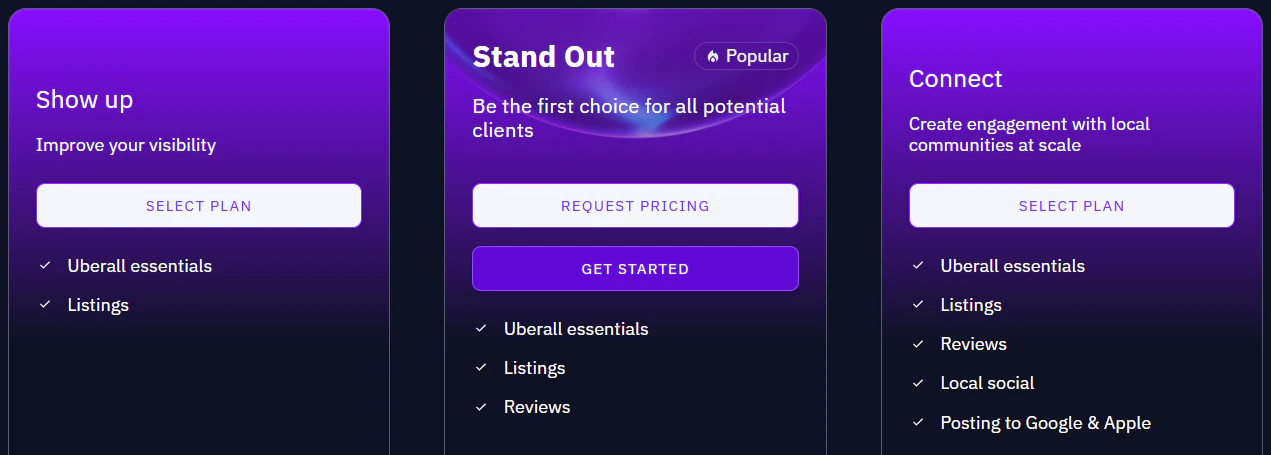
Uberall also sells Reviews Plus, Analytics Plus, Collaborate Plus, local pages and other additions. The products you choose determine the total price.
Uberall does publish prices for its separate GEO Studio product: GEO Starter is USD $109/month and GEO Scale is $449/month. These buy AI-search monitoring, not the main listings-and-reviews package.
RightResponse AI offers monthly and annual plans. Monthly prices are per location:
PAYGO is $10 plus credits for usage, with access to most Pro features. It suits lighter or uneven activity.
The fixed plans provide defined feature access and monthly allowances:
Core — $19: 100 replies, 1,000 template email requests and basic sentiment. SMS, surveys, Maps and competitor analysis are outside this plan.
Pro — $29: 200 replies, 2,000 emails, 200 SMS segments, 200 survey responses and 10 combined Maps scans or competitor-performance analyses. It adds AI-personalized requests and advanced analysis.
Pro+ — $44: 500 replies, 5,000 emails, 500 SMS segments, 500 survey responses and 25 combined scans or analyses, with additional automation and bulk processing.
Competitor Voice of Customer uses separately purchased packs on Pro or Pro+. Enterprise arrangements, White-Label services and managed work are quoted separately.
Allowances pool across locations within the same company account. Annual billing gives 12 months for the price of 10 monthly payments. SMS setup, phone numbers, extra usage and capacity packs add to the total.
Source: RightResponse AI
For a larger deployment, contact RightResponse AI to discuss an enterprise plan.
RightResponse AI relies on inbound search rather than paid advertising or a large sales force. Lower acquisition costs help keep the price per location down.
Review collection: Getting more reviews in the first place
More reviews generally support better local rankings, all else equal. The practical question is how easily your team can ask at the right moment and keep the requests going.
Birdeye automates review outreach and connects it with review marketing. Uberall documents branded email, SMS and QR requests, including CRM-triggered campaigns.
During a demonstration, follow one customer from a completed visit or job into the request workflow. Check the trigger, the message the customer receives and the follow-up.
RightResponse AI’s review requester uses customer and job details to make the request more personal:
- Email and SMS: Pro and Pro+ support both channels; Core provides template email requests.
- Personalization: AI can use details about the customer’s actual experience. Email can also include a relevant project or customer photo.
- Useful questions: Rotating questions give customers a starting point, such as what they appreciated about the work or the team.
- Follow-ups: Core supports up to 2 follow-ups, Pro 4 and Pro+ 10. Set the timing to suit the service and customer relationship.
- Employee QR codes: Staff can ask face-to-face and give the customer a quick route to the review form. Scan and engagement reporting helps managers see which requests are getting attention.
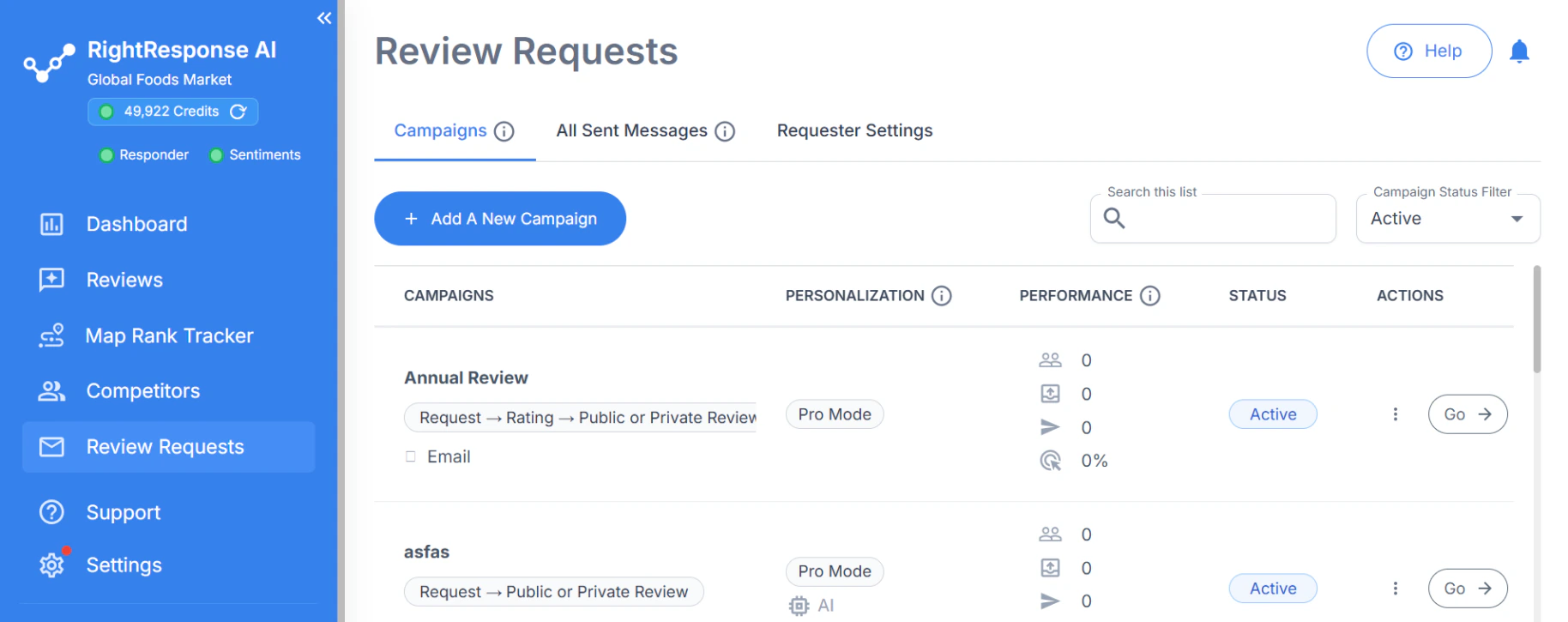
A finished roof, a repaired car or a helpful visit gives the request something specific to reference. That is a more inviting starting point than an anonymous “Please review us.”
AI Replies: What Information Does the System Use?
All three platforms generate AI replies. The useful test is what each reply adds for the next customer reading it.
Birdeye’s BirdAI controls include brand personality, tone, style and custom AI prompts. Staff can regenerate or edit drafts, then use automatic publishing or an approval process.
Uberall’s UB-I prepares review replies alongside listing updates and local social posts. Its current description puts people in control of approval and publication.
Uberall also documents location-specific brand and tone guidelines, AI bulk replies and multilingual response support. These are useful capabilities for a team coordinating many locations.
RightResponse AI’s Intelligent Review Responder uses 20 specialized agents to understand the review, select approved business Messages, plan a reply and check the result.
For example, a customer praises how clearly a repair was explained. A Message-Informed reply can add a relevant approved fact about the business’s inspection or estimate process. That gives the next customer useful information beyond a thank-you.
Three parts of the workflow matter when evaluating it:
- Business knowledge: Approved company, brand and location Messages provide service details, policies and points of difference. The system selects what fits the review.
- Response controls: Set length, tone and handling instructions, then choose automatic publishing or human approval for the work your team wants to review.
- Inspection: Staff can examine the selected Messages and response process, edit the draft and improve the business information behind it.
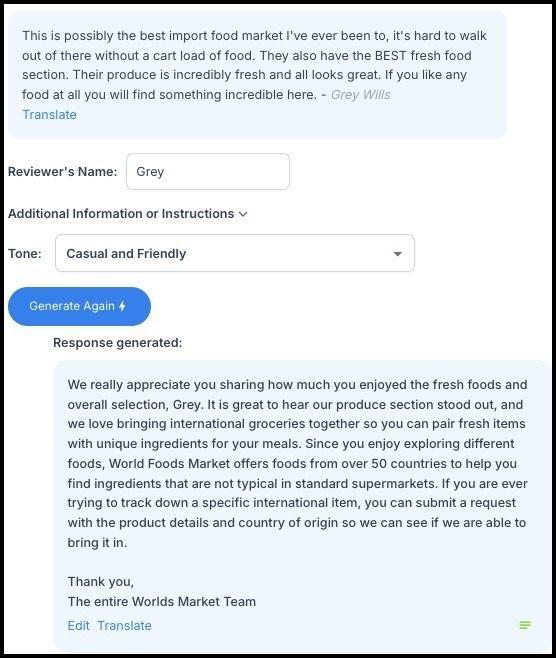
Use the same real reviews when trying each system. Look for relevant business information, clear answers and writing you would be comfortable publishing.
Managing Reviews Across Locations
Birdeye brings incoming reviews into a shared workspace with location and source filters.
Its review workflow connects with the broader platform’s marketing and customer-service tools. That connection matters when a complaint needs a ticket, an owner and follow-up. Birdeye’s current reviews overview describes this connection.
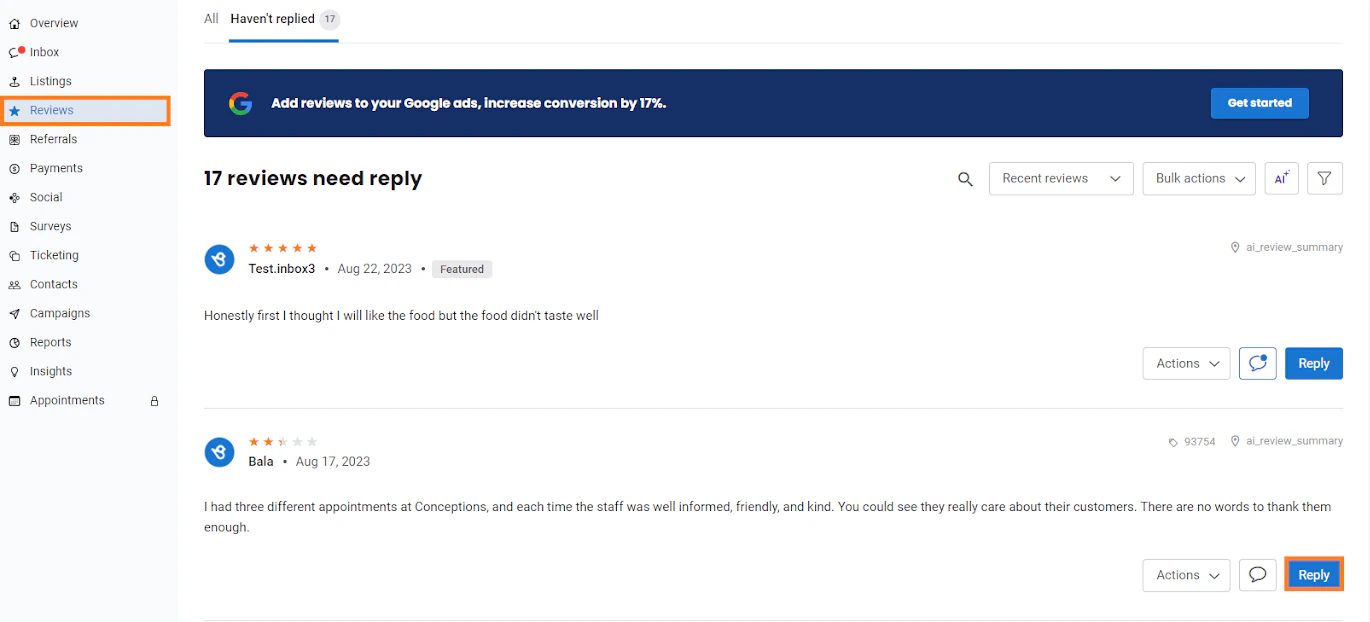
Source: Birdeye
Uberall’s review workspace combines major review sources with location filters, alerts and team permissions.
Local teams can manage their locations while central teams set brand standards. Collaborate Plus adds approval and user-management tools.
RightResponse AI gives teams location-specific business Messages, shared standards and reply controls. Requests, replies, feedback analysis and Maps performance sit in the same suite, so a manager can follow the customer experience beyond an individual response.
Review update detection helps staff revisit a changed review. Language handling supports multilingual customers, while review checks and approval rules help the team identify replies needing attention.
Private feedback and surveys give customers another way to describe a problem and give your team information for follow-up. They sit alongside public-review requests.
For help running the program, Done For You starts at $175 per location/month. The managed scope is agreed in the quote; agencies can also explore the White-Label portal.
Customer Feedback: Find the Problem Behind the Rating
Birdeye’s analysis goes beyond a single positive-or-negative label. Its Athena documentation shows sentiment assigned to individual snippets, with controls to edit, remove or add them.
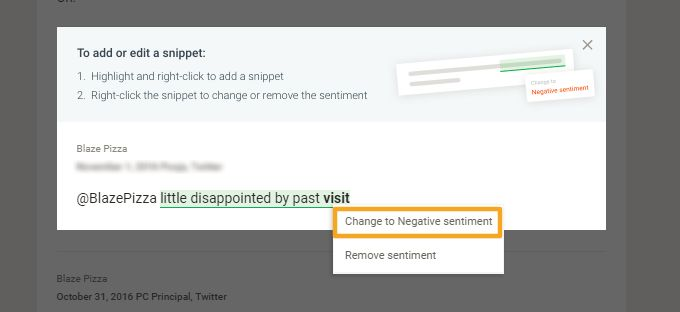
Source: Birdeye
The wider Insights product connects location-level priorities with action tracking and tickets. That is useful when feedback needs to become assigned service work.
Uberall identifies recurring praise, complaints and themes across locations. Its current review page also describes custom-fit themes and location benchmarking.
That gives central teams a way to compare recurring issues across their network. Sentiment analysis and AI bulk replies appear in Reviews Plus; confirm those items in the selected package.
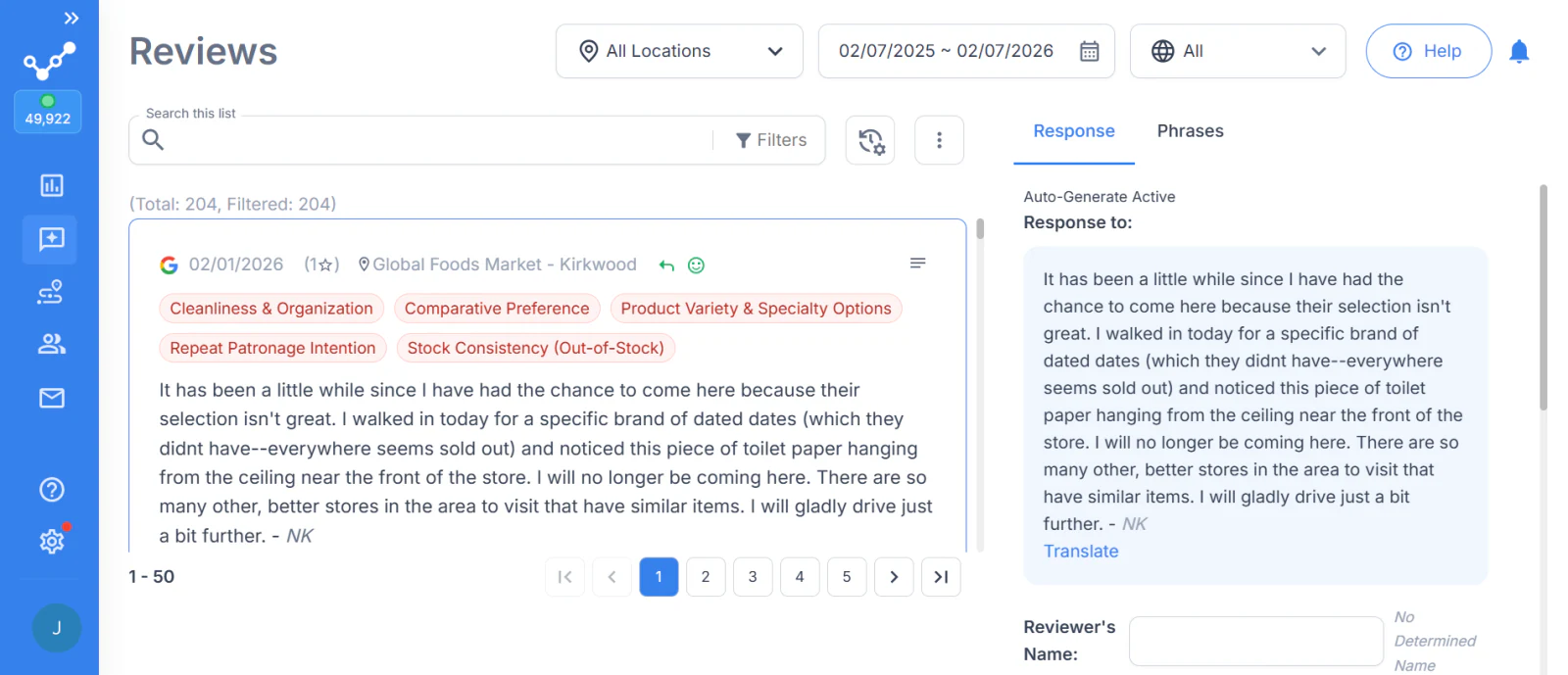
RightResponse AI’s Voice of the Customer analysis separates feedback by topic. A restaurant review might praise the food and criticize the wait, helping a manager see what to improve and what customers already love.
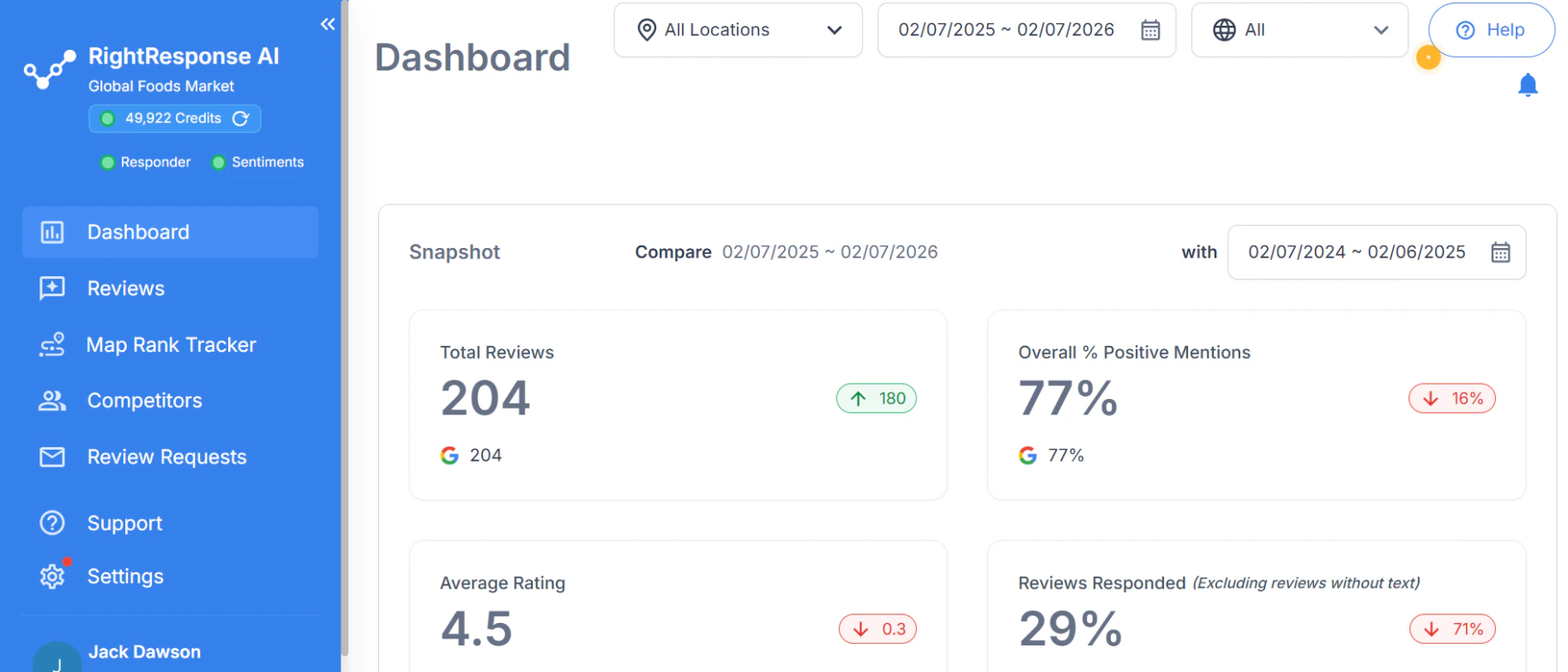
Custom topics let teams organize feedback around their operation: scheduling, communication, service quality, price or another concern. Staff can inspect the phrases behind a pattern and compare it across locations and time.
Pro and Pro+ provide the broader analysis workflow; Core provides basic sentiment. Historical analysis can reveal whether a recurring complaint is improving. Competitor Voice of Customer packs add comparable topic analysis of selected competitors’ reviews.
The best demonstration is a real operating question: “Why are wait-time complaints rising at these locations?” Ask each vendor to show the supporting comments, the comparison and how a manager uses the result.
Local SEO and visibility tracking compared
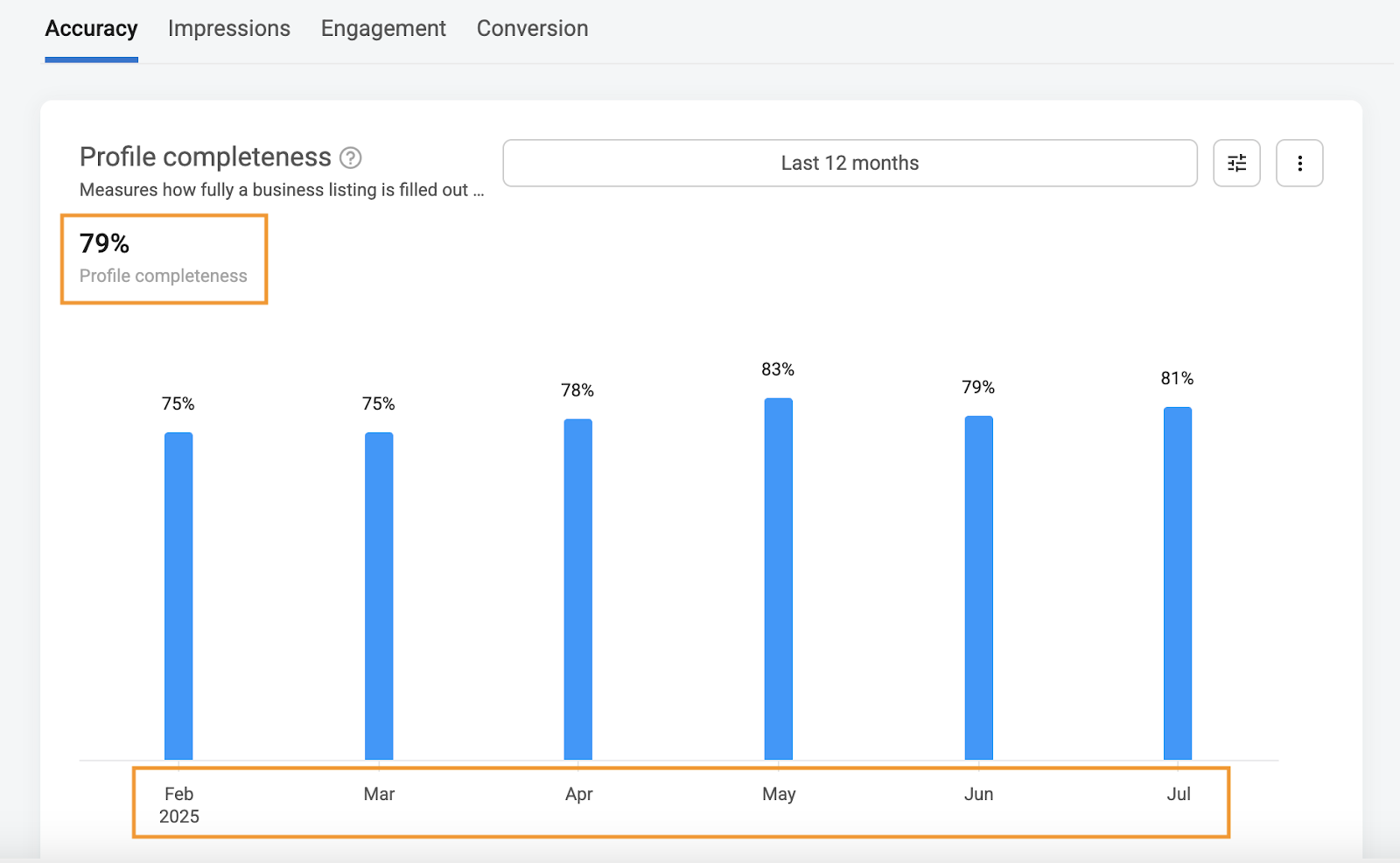
Birdeye combines listing reports with search-visibility and competitor tools.
Its listing reports show profile completeness and performance. Select the search and competitor products that answer your local-marketing questions.
Source: Birdeye
Uberall combines listings and location performance reporting with local pages and search tools. Its Local Performance Score brings several location signals together.
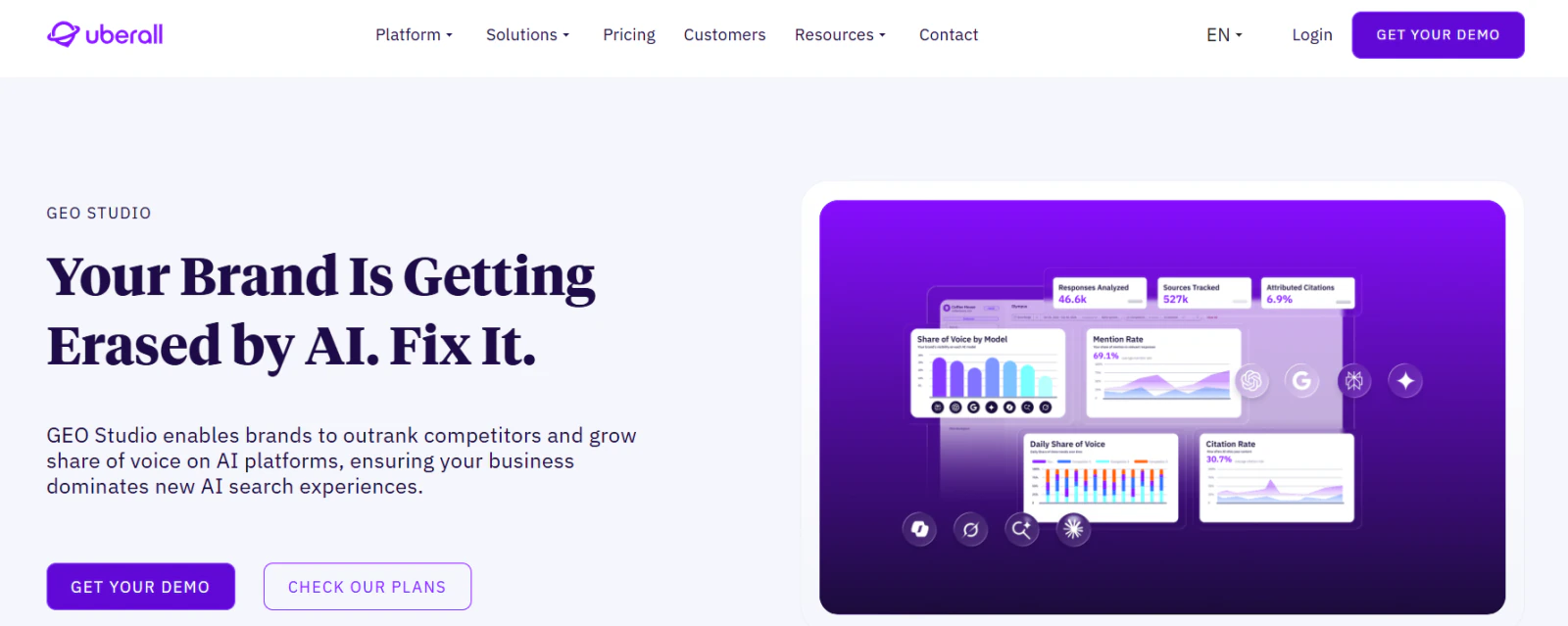
Its separate GEO Studio tracks how brands appear in AI answers, including share of voice and competitor comparisons. That serves a different need from a Google Maps rank grid.
RightResponse AI’s Google Maps Rank Tracker shows your position across the area you serve. Choose a keyword and geographic grid to see where you rank at each point. This gives you a fuller picture than checking from one spot.
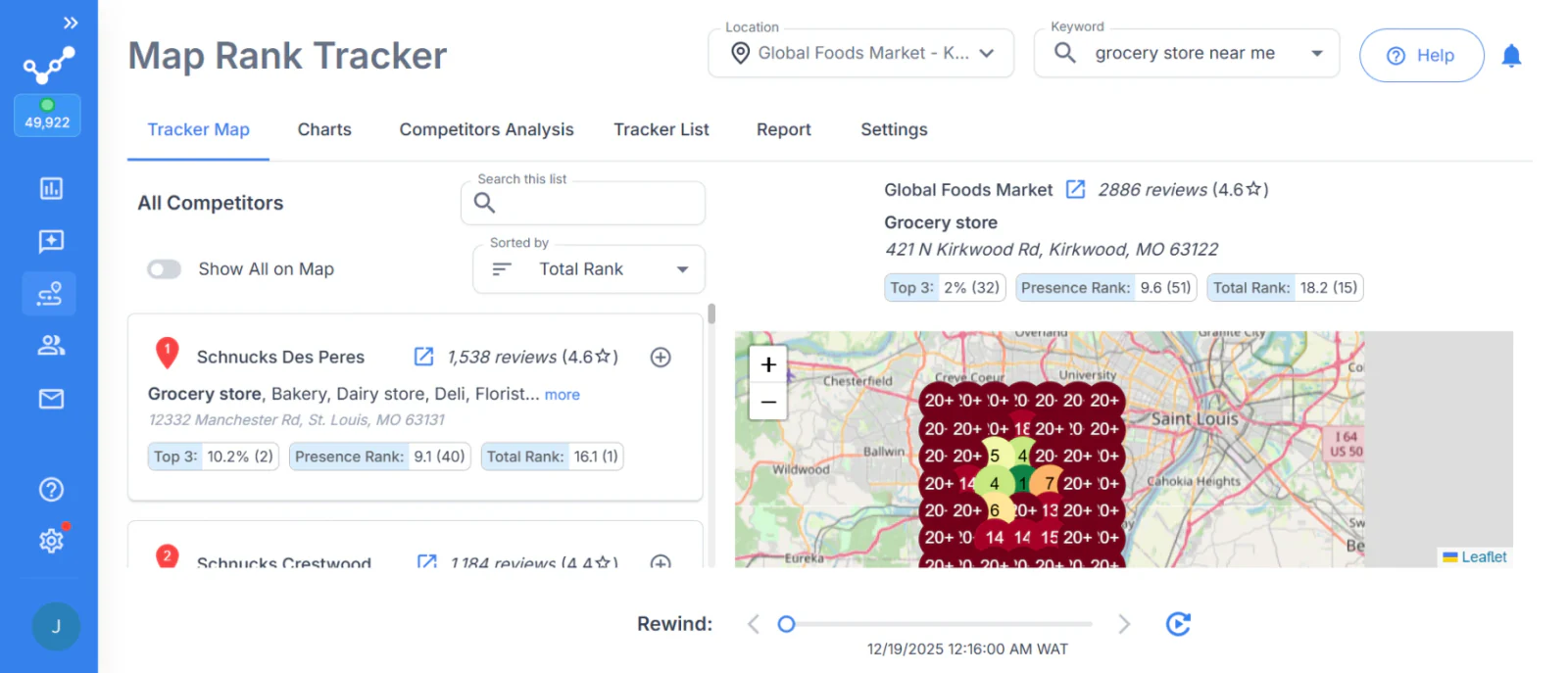
Key capabilities include:
- Pin-level rankings showing your position at specific geographic points
- Competitor identification and tracking within your grid
- Rewind history to compare saved rankings over time
- Metrics including Top 3% (how often you appear in top three results), Presence Rank, and Total Rank
Competitor performance compares review counts, ratings, response rates and recent activity. Pro and Pro+ include 10 and 25 combined Maps scans or competitor-performance analyses per month. Topic-level competitor feedback uses separate paid Voice of Customer packs.
Use the view to identify where you are competitive, where nearby businesses are ahead and where to focus your next review or local-search effort.
When the Wider Platform Is Worth Buying
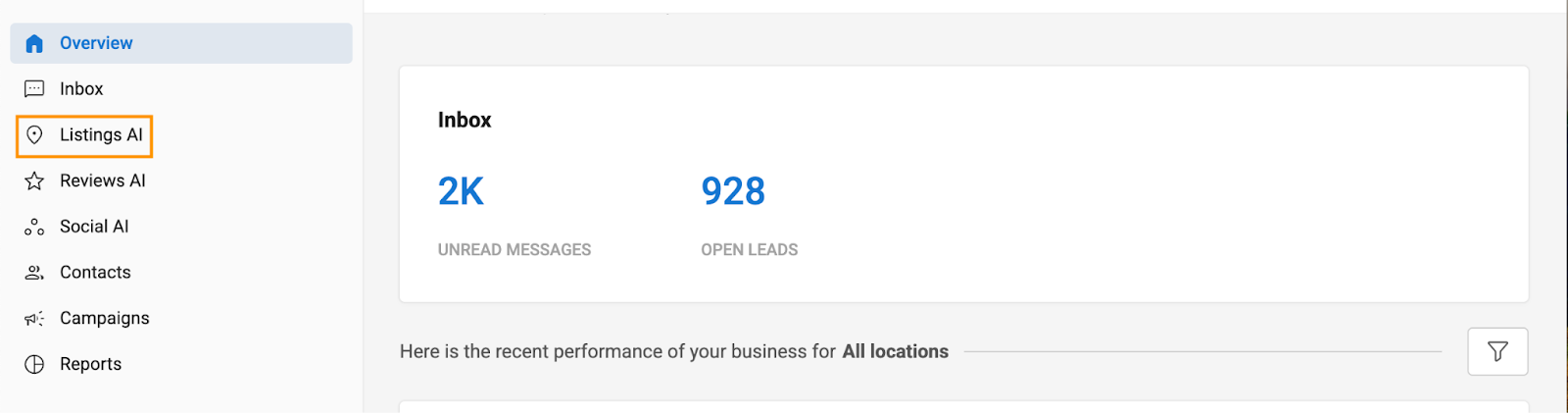
Birdeye is worth a broader evaluation when the same team wants reviews, listings, social publishing, marketing automation, surveys and service recovery connected.
Source: Birdeye
Consolidation can reduce the work of passing information between systems. Build the quote around the products you will use, and compare that total with the cost of keeping your existing tools.
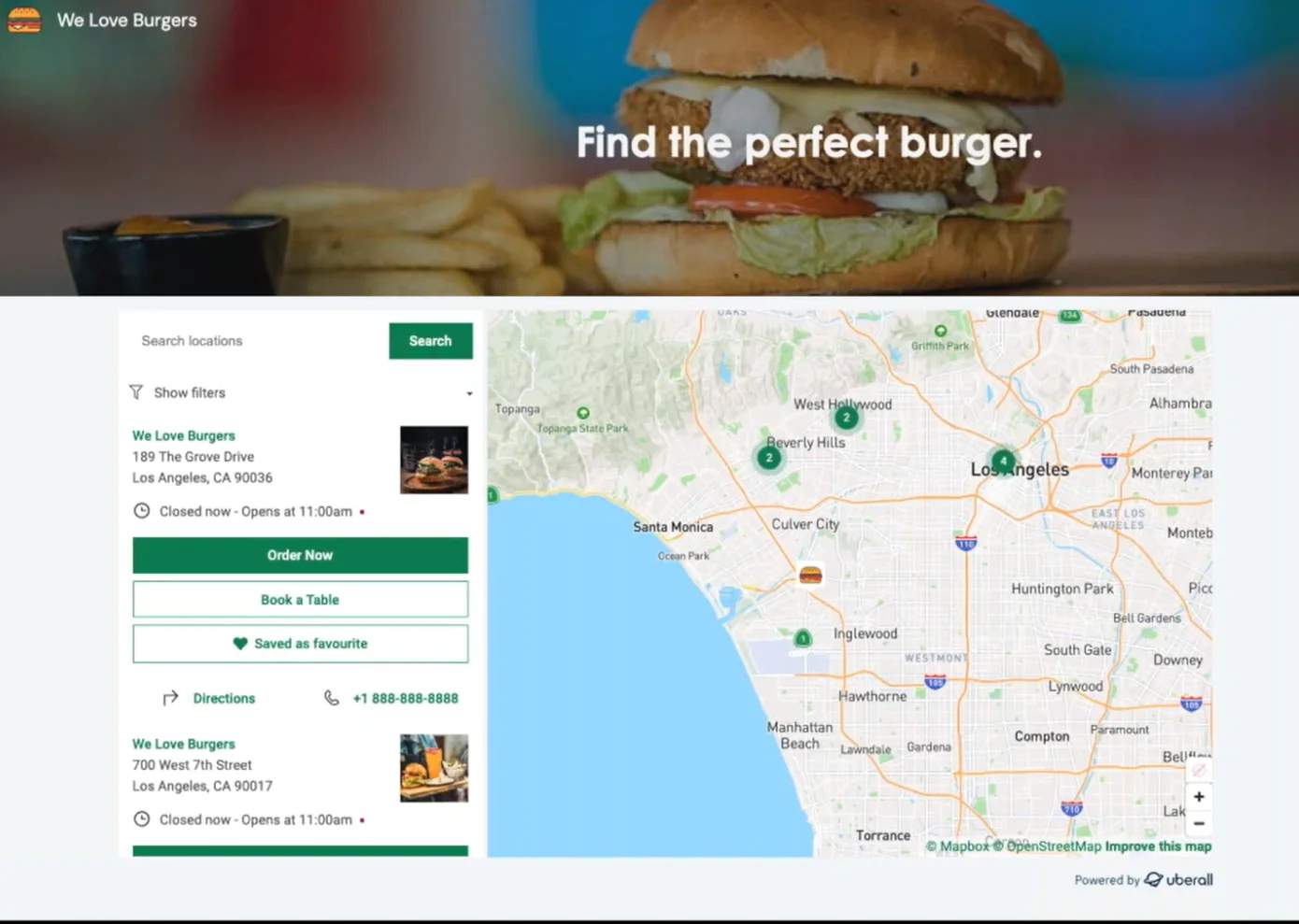
Uberall makes particular sense when you need to coordinate location information, listings, local pages and store locators, and local publishing.
Source: Uberall
Those jobs matter to franchises and distributed teams that need corporate standards with local contribution. The value comes from running the location network more consistently.
RightResponse AI brings review requests, sophisticated Message-Informed replies, customer feedback and local visibility together. It serves large location networks as well as single-location businesses.
Keep your existing tools for listings distribution, general social publishing, webchat and payments. RightResponse AI does include surveys and private feedback; it is not a replacement for a broad customer-service ticketing platform.
Published self-serve prices make it easier to budget, with support and managed services available when you need help.
Try the Daily Work Before Choosing
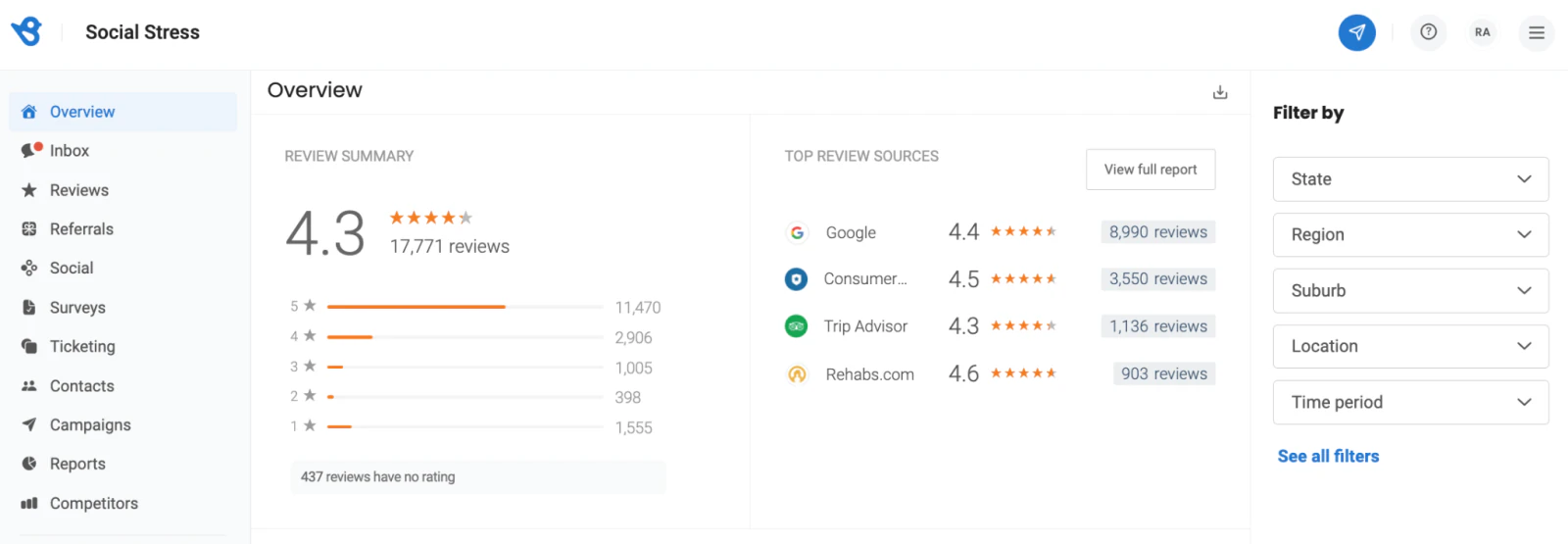
For Birdeye, ask a location manager to find an unanswered review, prepare a reply and route a complaint to the right person.
Then have the central team compare locations and follow the issue through the reporting or ticketing workflow. That shows whether the broader platform will simplify your actual work.
Source: Birdeye
For Uberall, test a location update, a review reply and a local post with the staff permissions you expect to use. The Uberall Academy provides training for teams learning the platform.
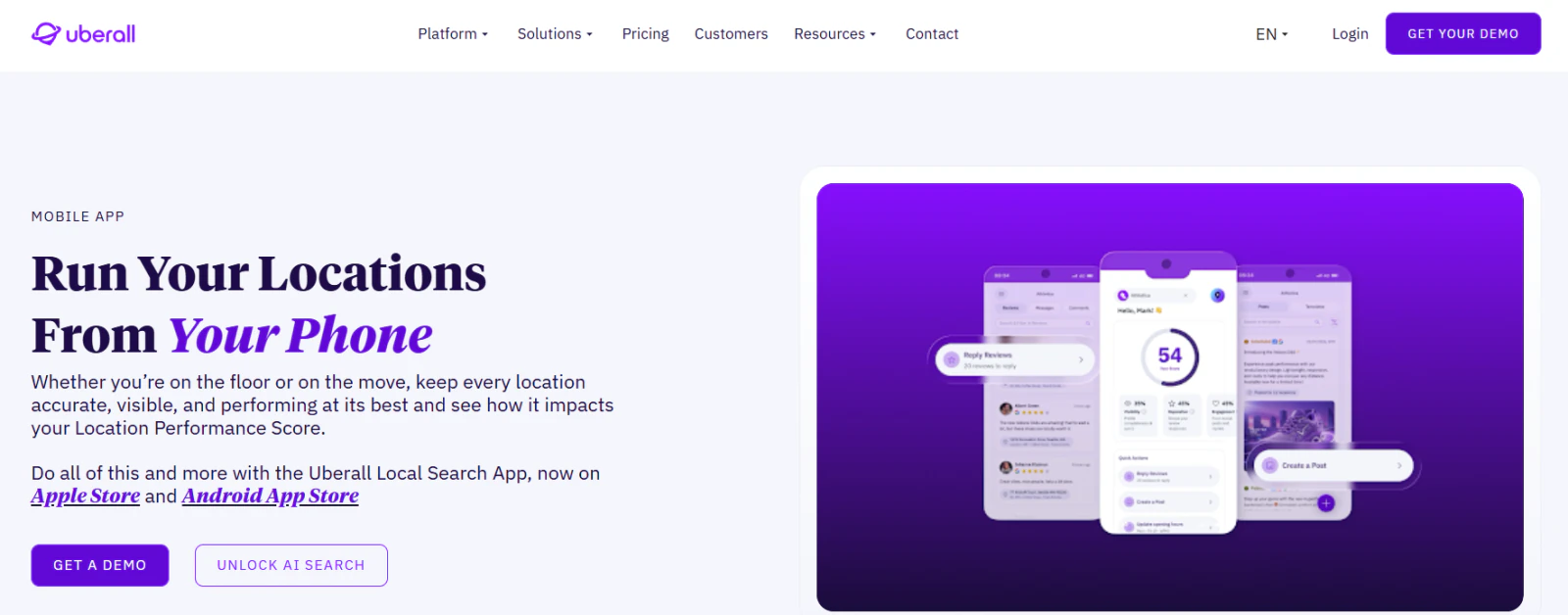
Include a manager working from a phone. Uberall’s mobile app supports location activity away from a desk.
For RightResponse AI, connect a location, review the proposed business Messages, send a request and inspect a reply.
Use a real customer experience and check whether the request feels personal and the response adds useful business information. Then compare feedback topics and a Maps grid. These are the four jobs the suite is designed to connect.
The seven-day trial includes 1,000 credits and access to most Pro features; free use ends if the credits run out. Ask the support team for help with setup, or discuss managed services if you want someone to run the program.
Birdeye, Uberall or RightResponse AI: Making the Choice
Make the final decision with three real tasks: send a request, answer a review and investigate a location-level problem. Compare the results, the staff effort and the complete price. That will tell you more than a long feature list.
Frequently Asked Questions
What is the main difference between Birdeye and Uberall?
Birdeye connects reviews with wider marketing and customer-service workflows, including social, surveys and ticketing. Uberall centers on location data, listings, local pages and coordinated publishing. Both serve multi-location organizations. RightResponse AI offers a focused review suite for teams that want requests, Message-Informed replies, feedback analysis and local visibility together.
How much do Birdeye and Uberall cost?
Birdeye and Uberall provide custom quotes for their main platforms. A pricing report from SocialPilot lists older Birdeye plans at $299, $349 and $449 per location/month. Uberall’s separate GEO Studio product starts at $109/month for AI-search monitoring.
Which platform has the best AI for review responses?
Birdeye supports custom prompts, brand and tone controls, and automatic or approval-based publishing. Uberall offers location guidelines, bulk replies and UB-I drafts for approval. RightResponse AI is a strong option for replies that add relevant, approved business information: its 20-agent Intelligent Review Responder selects Messages and checks the response. Compare replies to the same reviews and judge the useful information, writing and controls.
Can I cancel Birdeye or Uberall anytime?
Birdeye’s standard agreement requires written nonrenewal notice at least 90 days before renewal unless the order says otherwise. Uberall’s main-platform term and renewal conditions depend on the agreement. Its separate self-serve GEO Studio plans are advertised as cancel-anytime.
Which platform is best for small businesses?
RightResponse AI gives a single-location business a straightforward way to start with replies and requests, then add broader review and local-visibility tools through Pro or Pro+. The same suite supports multi-location brands, franchises and agencies. Birdeye or Uberall may be a better fit when the business also wants their wider marketing or location-management tools.
How We Compared These Platforms
We rechecked the linked product pages, pricing and material claims on November 9, 2026. The comparison covers review requests, replies, feedback analysis, local visibility, wider tools and commercial terms. Historical reported prices are identified where used. Product screenshots illustrate the workflows discussed.
Disclosure: RightResponse AI publishes this comparison and is one of the products evaluated.
For more options, see the review management software comparison library.
Try RightResponse AI
Test requests, replies, customer feedback and local visibility with RightResponse AI’s seven-day, 1,000-credit trial. Most Pro features are available; free use ends if credits run out.