The 7 best Broadly alternatives for review management and local business workflows in 2026 are RightResponse AI for review aggregation, AI review responses, customer feedback analysis, and Google Maps rank tracking; Birdeye for coordinating reviews and customer work across locations; Podium for texting, lead follow-up, and booking; NiceJob for review requests, referrals, and repeat visits; GatherUp for public and private feedback programs and agencies; Thryv for CRM, scheduling, invoicing, and marketing; and DemandHub for missed-call follow-up and shared customer messaging.
Broadly combines review work with customer conversations, an AI receptionist, a website, listings, and other local marketing tools. Its advertised AI Workforce bundle is $799/month. Earlier standalone Reputation AI figures were $79/month for Standard and $89/month for Pro, recorded September 16, 2026; the incumbent pricing discussion explains those offers and the need to confirm current availability. Replacing only the review workflow is a different purchase from replacing the receptionist, inbox, website, and marketing operation together. A lower review-software subscription does not by itself establish a lower cost for that whole job.
This guide compares the seven alternatives for local and multi-location businesses—companies serving customers at physical locations or within local service areas, from one business to a larger network. It focuses on business reviews, customer feedback, local visibility, and the communication or operational tools a team would need to retain. Pricing and material product details were checked on October 21, 2026; uncertain plan, integration, or contractual details are identified where they affect the decision.
Quick Verdict: Which Broadly Alternative Fits Your Business?
The right Broadly alternative depends on which daily work needs replacing. These three groups distinguish a focused review platform, a broader communication or operations purchase, and review-request or feedback programs:
- Best for review aggregation, AI review responses, customer feedback analysis, and Google Maps tracking: RightResponse AI uses relevant approved business details in replies and shows the relevant candidate Messages and those selected for the reply. Pro is $29/location/month and Pro+ is $44 with higher allowances, advanced automation, and competitor customer-feedback analysis. Core is $19 with a narrower feature set; PAYGO starts at $10/location/month plus purchased usage credits. These prices do not include a replacement receptionist, general messaging inbox, website, or social-publishing suite.
- Best for broader customer communication or business operations: Birdeye fits teams coordinating locations, reviews, messaging, and assigned customer work; Podium fits lead conversations and connected booking; DemandHub fits missed-call recovery and shared messages; and Thryv fits CRM, scheduling, invoices, and marketing. Compare the actual products, integrations, locations, and usage in the proposal rather than treating these suites as interchangeable.
- Best for review requests, referrals, or feedback programs: NiceJob combines review campaigns with displays and, on Pro, referrals and repeat-visit campaigns ($75/month Starter or $125/month Pro). GatherUp combines review requests, private feedback, reports, and agency delivery: one location is $124/month on monthly billing, or a $99 monthly equivalent when billed annually; 2–10 locations are $75 or $60/location respectively.
This comparison draws on company websites, public help documentation, blogs, and other public information. A short source summary by company is at the end. RightResponse AI publishes this guide; the methodology explains the research and its limits.
How We Evaluate Broadly Alternatives
Broadly buyers can be choosing between improving review work and replacing several connected business tools. We use the following criteria to distinguish those purchases:
- Replacement scope. Does the team need review software, or must it also replace phone handling, an inbox, a website, local listings, social publishing, booking, or payment workflows?
- Reply information and control. What business information can guide a reply? Can staff inspect, edit, approve, delay, or stop it? What happens when the customer changes the review?
- Requests and follow-up. Which real customer event starts a request, what information shapes the wording, how do reminders stop, and how are contacts associated with the location that served them?
- Feedback and local visibility. Can a manager investigate particular experiences, open the underlying comments, compare locations, or inspect geographically consistent Maps scans? Ratings, topic analysis, and rank tracking answer different questions.
- Team and integration fit. Which users, locations, clients, customer systems, calendars, or payment tools can participate, and what still requires staff or a separate product?
- Total price and commitment. Compare the same locations, modules, usage, billing period, onboarding, retained tools, and renewal or cancellation terms.
- Buyer fit. Does the product solve the business’s main problem at its actual scale without adding tools the team will not use?
For a review-focused purchase, useful business information in replies, inspectable feedback, local rank visibility, and clear per-location pricing carry more weight. For a full Broadly replacement, communication, booking, website continuity, and daily operational work matter more. The ordering reflects qualitative fit across those jobs, not a weighted feature score or a controlled test of finished AI replies.
Broadly Alternatives at a Glance
All seven candidates belong to the same comparison, but they replace different parts of Broadly. Dollar prices below retain the vendor’s stated units and billing qualifications. A price for one location or a limited module should not be multiplied into an enterprise estimate without checking the offer.
| Platform | Best for | Price and scope | Commitment or trial | What to check |
|---|---|---|---|---|
| RightResponse AI | Review aggregation, business-informed AI replies, feedback analysis, and Maps tracking | Per location/month on monthly billing: Core $19; Pro $29; Pro+ $44. PAYGO $10 base plus credits. Core covers Google reviews and a basic dashboard; Maps and competitor analysis are excluded. | Monthly or annual; seven-day trial, 1,000 credits, most Pro features, no card. Free use ends if credits run out. | Advanced topics and updated-review tracking require an eligible plan; map/competitor allowances are combined; extra usage/SMS fees and retained communication tools affect cost. |
| Birdeye | Coordinated location review work with messaging and follow-up | Reported benchmark: about $299–$449/location/month (CostBench); actual products, locations and contract are quoted. | Agreements typically annual; invoice frequency can differ | Exact review-response, messaging, ticketing, social, listings, and integration scope. |
| Podium | Customer texting, lead follow-up, and connected booking | Reported benchmark: ~$399 Core / ~$599 Pro per month (Pabau, Sept. 22, 2026; annual contracts). Current industry quote required; products and usage vary. | Confirm term, onboarding, messaging limits, and trial/demo conditions | Demonstrate the actual appointment system and separate review AI from the customer-conversation agent. |
| NiceJob | Review requests, displays, referrals, and repeat-visit campaigns | Starter $75/month; Pro $125/month. AI Replies, Repeats, and Referrals are Pro features. | 14-day trial; confirm location and account terms | Campaign steps, contact matching, automatic reply timing, and the analytics included. |
| GatherUp | Requests, private feedback, surveys, and agency programs | Monthly: $124 for one location; $75/location for 2–10. Annual monthly equivalents: $99 or $60. | Monthly or annual; 14-day trial; agency quotes differ | AI generation versus templates; included messaging; Listings Hub and Review Defense are separate scope. |
| Thryv | CRM, scheduling, invoicing, and marketing | Starter $99/month; Signature $399/month on monthly billing (checked Oct. 21, 2026); Custom quoted. Confirm CRM, scheduling, invoicing, and managed-service scope separately. | Verify subscription commitment, setup, usage, and renewal terms | Which operational and marketing products are included; data and scheduling migration. |
| DemandHub | Missed-call follow-up and shared customer messages | General offer quoted. Kia Canada partner benchmark: Base $599 / Pro $699 / Pro+ $849 monthly (undated sheet; checked Oct. 21, 2026). Dealer-specific eligibility and currency code need confirmation. | Confirm trial, billing term, messaging allowance, and integration fees | Existing-number support, human handoff, contact/practitioner limits, and healthcare agreement scope if relevant. |
Why Do Businesses Look for Broadly Alternatives?
A team can be satisfied with parts of Broadly and still have a specific reason to compare alternatives. The useful starting point is the work that needs to improve:
- The business already has communication and website tools. A company with a working phone service, CRM, website, and booking system may want stronger review operations without another bundle of overlapping products.
- The review workflow needs closer inspection. Staff may need to see the information used in replies, handle changed reviews consistently, investigate a recurring complaint, or understand exactly what can publish automatically.
- Requests and retention are the main job. Review invitations, referrals, repeat-visit campaigns, private feedback, and agency reporting can justify a focused product even when an existing inbox works well.
- Location or operational work has changed. A growing team may need different permissions, integrations, assigned follow-up, scheduling, invoicing, or location reporting.
- The cost comparison is incomplete. A review-only price and a workforce bundle cover different jobs. Include retained subscriptions, additional usage, setup, and staff administration before estimating a saving.
Define a concrete success condition before changing products: fewer reply edits, a reliable service-to-request trigger, a clearer view of complaints, or fewer missed inquiries. Switching software does not by itself repair an inaccurate customer record or an unowned customer-service problem.
When Broadly May Still Be the Right Choice
Broadly remains relevant when the business will actively use several connected tools. Its AI Workforce pricing advertises a $799/month bundle, month-to-month service, and no setup or per-user fees; optional advertising and precise location, integration, and usage scope need checking. A September 16, 2026 check of Broadly’s public pricing content recorded standalone Reputation AI Standard at $79/month and Pro at $89/month; Premium, with automated requests and replies, was quoted. These historical figures need confirmation: the rendered October 21 flagship page foregrounds Workforce. Confirm current standalone availability, prices, location limits, and included automation.
Its AI Reputation Specialist uses connected business knowledge to create review replies. A knowledge base is required. The Knowledge Base accepts Business Profile details, website pages, uploaded documents, and manual entries. Current help also describes draft-ready emails and an approval/editing path for connected Google and Facebook reviews, with different handling for other sources. Automation rules, rating or platform selection, delays, and the treatment of already-posted versus unpublished replies deserve a demonstration.
Broadly also offers Local SEO tools with geographic rank reporting. Its documented local grid and keyword reports mean that Maps visibility is not unique to a competing review platform. The meaningful comparison is which scans, history, competitor investigation, and allowances the business will actually use.
For example, a small repair shop may value one place for missed inquiries, website leads, customer messages, and review work more than deeper analysis in a separate dashboard. Staying with Broadly can make sense if the connected workflows perform well and the bundle replaces subscriptions the shop would otherwise retain. Ask it to demonstrate the current knowledge-base and approval features before assuming they are absent.
View full-size image (opens in a new tab)
1. RightResponse AI: Best for AI Review Responses, Feedback Analysis, and Google Maps Tracking
RightResponse AI fits businesses seeking a focused review workflow alongside existing communication or operational tools. It combines review responses and requests with customer-feedback analysis, competitor investigation, and Google Maps rank tracking on eligible plans. Its distinction is inspectable use of approved business information alongside feedback and local-visibility tools, with published per-location pricing.
Context-Aware Replies Using Approved Business Messages
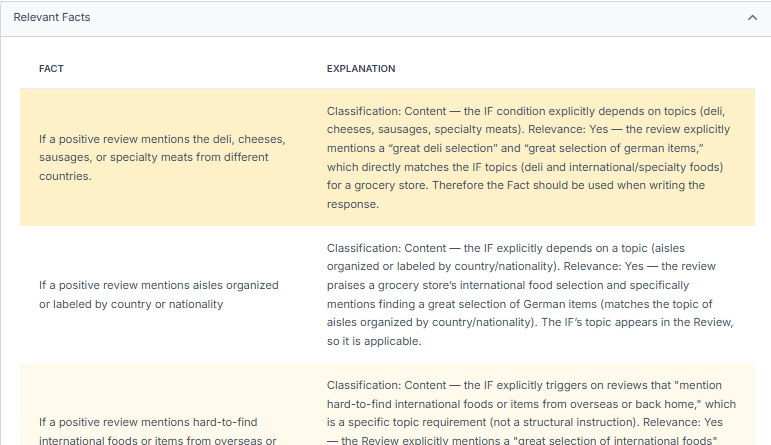
The AI review responder uses approved company, brand, and location Messages. It analyzes the review, determines whether relevant business knowledge would help, plans the response, writes it, and checks the result against configured rules. Staff can see the relevant candidate Messages and those selected for the reply and can correct the business information or edit the finished reply. A useful Message is omitted when it does not belong.
A relevant business detail can make a reply more useful to prospective customers. Suppose a repair-shop reviewer praises a clear explanation of the work, and the shop has approved a Message stating that estimates include digital inspection photos. An illustrative reply could say: “We’re glad the explanation helped. We include digital inspection photos with estimates so customers can see what needs attention before deciding on repairs.” The added detail explains the shop’s process. The same Message would not answer an unrelated billing complaint and should be omitted there.
View full-size image (opens in a new tab)
Response handling is also part of the purchase. Teams can configure star-rating and text-based publication rules, delays, and active hours, and hold or edit responses. On plans that include updated-review tracking, the system compares the changed review with the original review and response before planning a new reply. Direct response publishing is supported for Google. Monitoring other review sources does not establish direct publishing to each one.
Customer Feedback, Competitor Topics, and Local Rank Visibility
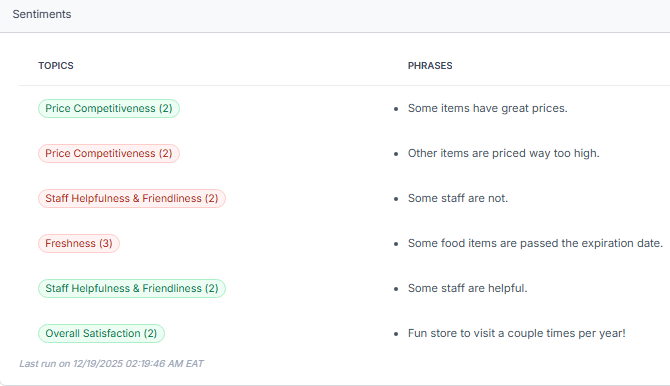
Customer-feedback analysis separates comments about particular experiences. A review can praise a technician and criticize a long wait; a single overall star rating would not preserve that distinction. Teams can modify or supply the topics used, inspect the phrases and underlying reviews, compare locations or periods, and investigate a negative topic even when the overall rating is positive. Plan eligibility matters: Core provides a basic dashboard, while teams requiring advanced topic and analysis controls need to compare the eligible plans.
View full-size image (opens in a new tab)
Pro includes competitor comparisons; Pro+ adds competitor customer-feedback analysis. That distinction matters when the question changes from “How many reviews does the nearby shop have?” to “What do its customers praise or criticize about communication, waiting, or value?” Claims about those experiences should remain traceable to the comments behind a summary.
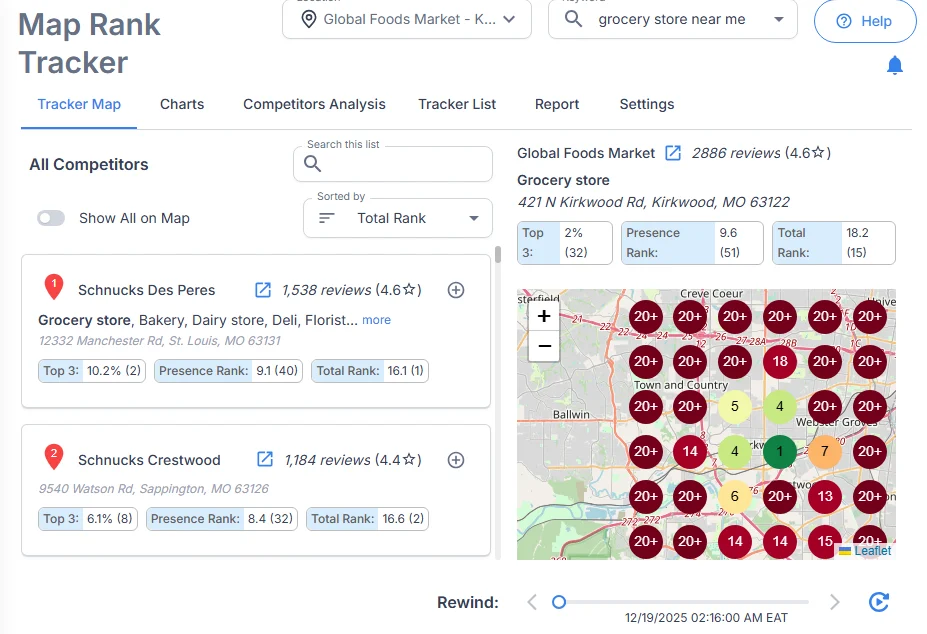
The Map Rank Tracker shows rankings at points around a location for a chosen search and retains earlier scans. Staff can investigate the businesses detected at those points and compare consistent areas over time. It measures geographic visibility; it does not establish that a particular reply caused a visit, a ranking change, or a sale.
View full-size image (opens in a new tab)
Requests, Reminders, and Daily Administration
Review requests can use customer or job information supplied through supported inputs such as a connected Sheet, Zapier, or manual entry. Eligible plans support AI-written wording, photos, guiding questions, and reminders. Templates remain useful when a business needs a simpler invitation. Location mapping and sending schedules must reflect the customer’s actual experience.
Reminder limits vary by plan: Core includes two follow-ups per campaign, Pro four, and Pro+ ten. Employee QR and request-link activity can help a team investigate outreach, but a click or scan alone does not prove that a review was posted or identify a causal effect on revenue. Confirm the current attribution and integration behavior in the required plan.
Pricing, Monthly Allowances, and Plan Boundaries
| Plan | Monthly price per location | Included reply/request capacity | Maps and competitor work | Buyer fit |
|---|---|---|---|---|
| Core | $19 | 100 responses; 1,000 email requests; basic dashboard and request templates | Maps and competitor analysis excluded | Google-review replies, template email requests, and a basic dashboard; Maps, competitor analysis, and advanced topic tools are excluded. |
| Pro | $29 | 200 responses; 2,000 email requests; 200 SMS segments; eligible AI request features | 10 combined map scans or competitor analyses per location/month | Review work with feedback, Maps visibility, and competitor comparisons. |
| Pro+ | $44 | 500 responses; 5,000 email requests; 500 SMS segments; higher automation and follow-up limits | 25 combined scans/analyses; competitor customer-feedback analysis | Higher volume, automation, and topic-based competitor investigation. |
| PAYGO | $10 base plus purchased credits | Eligible usage consumes credits; access to most Pro features | Eligible map/competitor usage consumes credits | Variable usage where the business budgets for both subscription and activity. |
The published pricing and feature table should be checked for the exact source coverage, analysis tools, request controls, and add-ons required. Monthly allowances pool across account locations. Pro’s ten and Pro+’s twenty-five cover map scans and competitor analyses together, not a separate allowance for each. Additional usage packs, SMS registration, numbers, and delivery can affect the total. Annual subscriptions and custom enterprise arrangements have their own scope.
The tradeoff: the focused subscription can suit a business that already has a receptionist, website, messaging, booking, and invoicing. Those functions need to be retained or sourced separately when replacing a Broadly bundle. Broadly also supports business knowledge in replies and a local ranking grid. The useful comparison is the information each reply adds, the controls staff can inspect, and the geographic or customer-feedback analysis included.
What to verify: use the same mixed review, changed review, and approved business facts in each demonstration. Inspect what was selected, what can publish, and how an exception reaches a person. Then compare the actual review sources, feedback tools, locations, map scans, and extra usage in the proposed plan.
2. Birdeye: Best for Coordinating Reviews and Customer Work Across Locations
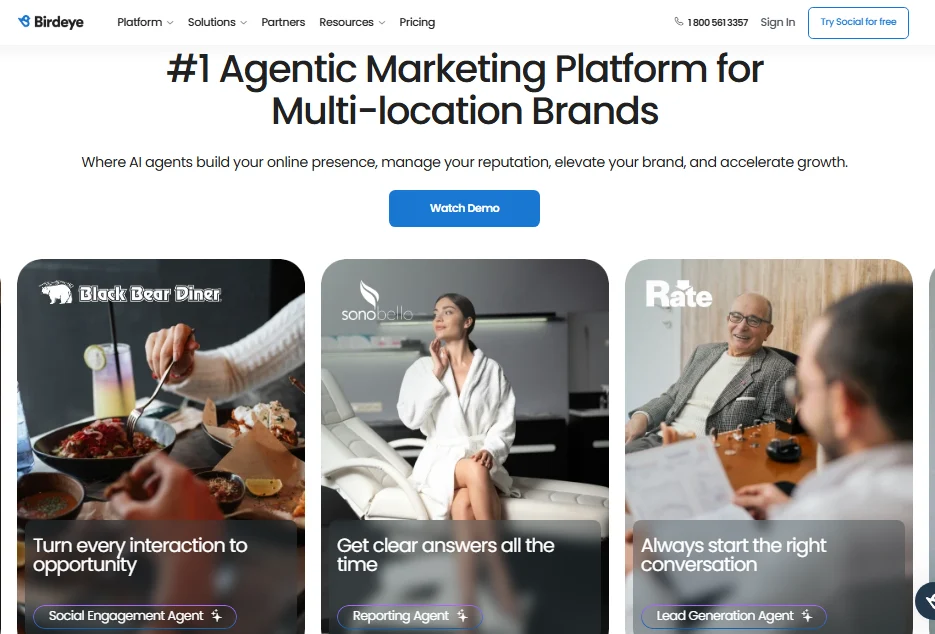
Birdeye fits organizations that need central and local teams to coordinate reviews, customer follow-up, listings, and marketing. Its useful distinction is the control over how work moves between people and automated steps. The required products and setup determine how much of that wider platform a buyer actually receives.
The Review Response Agent guide describes a workflow triggered by a new or updated review. Triage checks for spam or irrelevant content; a branch can send an internal alert instead of continuing to write a reply. Review analysis identifies topics, sentiment, severity, language, staff mentions, and other information that can guide generation.
Business category, services, products, and description supply additional context. Teams can configure separate template, autonomous, suggested-reply, or human-approval approaches. Run test exposes the inputs and outputs of the configured steps, including response reasoning. That lets a manager investigate why a reply was produced and change the configuration.
The workflow can extend beyond writing a public reply. Birdeye documents creating a service ticket from a review, assigning it to a team member, and changing its status. A review about a repeated billing problem can therefore become owned follow-up work rather than ending when a response is posted.
This breadth is most useful when several locations and departments share responsibility. It also creates administration: someone must maintain business context, configure the routes, and decide who approves or resolves the work. Listings, social, messaging, and other products should be scoped individually instead of assumed to be included in a Reviews purchase.
View full-size image (opens in a new tab)
Pricing, Tradeoffs, and What to Verify
Pricing: For budgeting, CostBench reports Starter around $299, Growth $349 and Dominate $449 per location/month (last verified August 26, 2026; checked October 21). Birdeye provides a custom quote by products, locations, and contract. Its pricing explanation says agreements are typically annual, although payment schedules vary. Include approvals, ticketing, messaging, integrations, implementation, and any retained tools in the comparison.
The tradeoff: Coordinated workflows can reduce separate handoffs, but a wider suite adds configuration and module decisions. The value depends on using those connected operations, not simply having access to more features.
What to verify: Run a mixed review and an updated review through the proposed configuration. Inspect the selected branch, business context, generated reply, required approval, and final public result. Then assign the underlying issue as a ticket and show who owns its resolution.
3. Podium: Best for Texting, Lead Follow-Up, and Booking
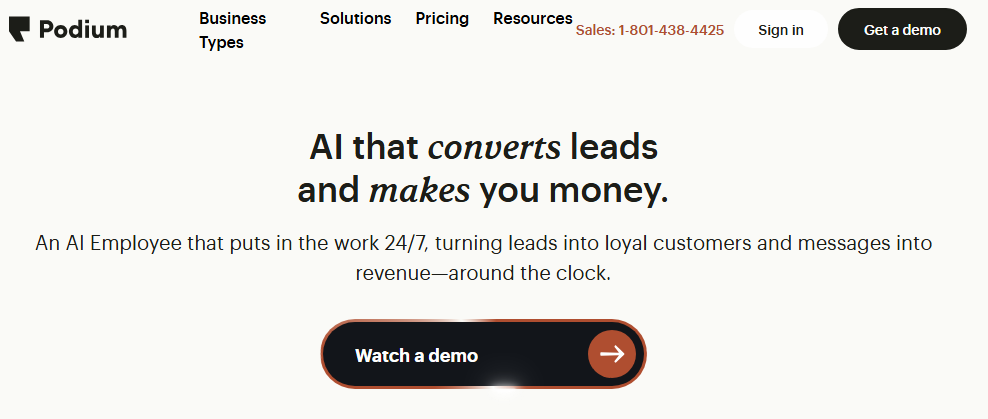
Podium fits a business whose main problem is moving customer inquiries toward appointments and paid work. Texting, calls, website leads, reviews, and payments sit within a broader customer-conversation operation. The right comparison is the purchased industry workflow and the systems it connects, rather than a generic promise that an AI can book everything.
Its reviews product describes automated textable invitations and reminders, customer-linked review information, and an AI Reputation Specialist that generates invitations and replies. Those capabilities can keep review work connected to the same customer journey. Buyers should have the review-specific information inputs, editing, and release settings demonstrated separately from the AI Employee's sales-conversation controls.
For the wider lead workflow, Podium's AI Studio explanation describes configuring instructions and playbooks, simulating conversations, and using feedback to revise behavior. A team can test a routine question and a request that needs staff attention before enabling the workflow.
The current home-service FSM offers a concrete booking route for HVAC, plumbing, and electrical businesses: customer and job history connect to scheduling, dispatch, estimates, and payments, with Larry booking onto Podium's dispatch board using technician availability. A business keeping a different scheduler needs that integration demonstrated; native dispatch-board functionality does not prove the same behavior in every external system.
Podium Payments can place an invoice link in a text conversation, support recurring payments, and accept in-person payments through readers or phone tap-to-pay. This can matter when the same staff answer the inquiry, arrange the work, and chase payment. The current home-service offer also identifies Membership AI separately, so it should not be assumed to come with every package.
View full-size image (opens in a new tab)
Pricing, Tradeoffs, and What to Verify
Pricing: Request a current industry quote. For budgeting, Pabau’s September 22, 2026 guide reports Core at about $399/month and Pro at $599/month on annual contracts, with Signature quoted separately. These are third-party benchmarks for the general local-business platform, not a confirmed current rate for an industry product or your deployment. Include AI products, phones, messaging limits, integrations, setup, and payment fees. Podium's terms default to a 12-month term and equal renewals with at least 30 days' written non-renewal notice, unless the Subscription Documentation states otherwise.
The tradeoff: Podium is a larger operational purchase when communications and booking drive the decision. If the existing phone, CRM, and payment systems already work, replacing or connecting those functions adds cost and implementation work beyond review management.
What to verify: Follow an after-hours inquiry into the exact scheduler and payment workflow. Show staff escalation, a changed appointment, and whether booking is direct or staff-approved. Obtain written limits, overages, cancellation terms, and any trial arrangement for the specific offer.
4. NiceJob: Best for Review Requests, Referrals, and Repeat Visits
NiceJob fits service businesses that want completed work to trigger review requests and repeat-customer follow-up while keeping their existing customer-management tools. Its strength is the connection between the customer record, campaign timing, and reusable social proof, rather than a replacement for every front-office system.
Staff can edit campaign wording, merge fields, delays, and SMS or email steps. Staff can add, delete, or pause steps to match the service cycle. Customer matching stops follow-up when a connected review is matched to the invited contact. Different reviewer names can require staff correction or manual removal from a campaign.
The CompanyCam integration adds recognizable job context. With the customer systems correctly linked, staff tag a project photo with NJReview; the most recently tagged photo can accompany the review invitation when the connected job event occurs. One photo is attached per invite. The attached photo helps the customer recognize the job.
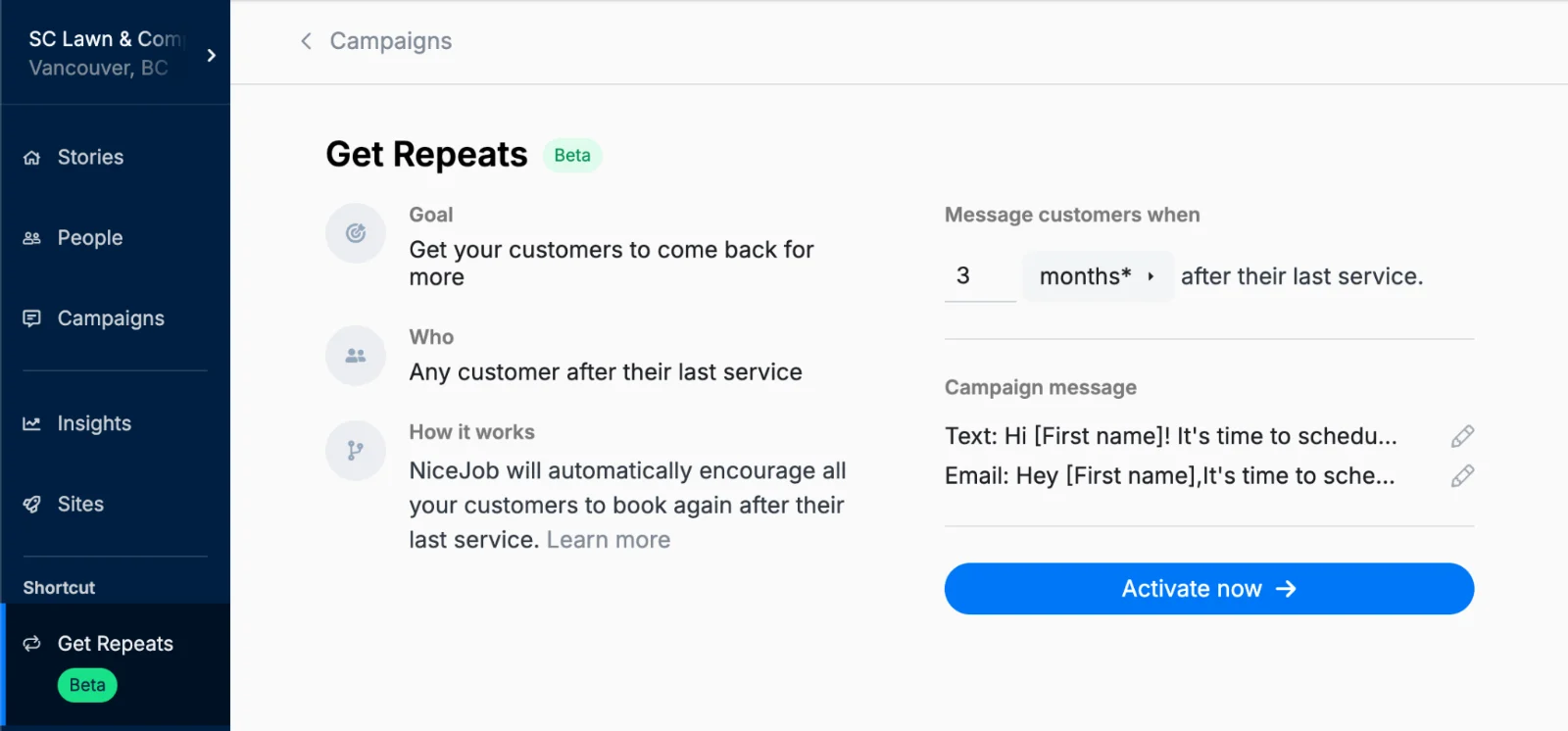
On Pro, Get Repeats uses a connected customer's last service date and chosen timing to send rebooking reminders. Pro also includes referrals and Competitive Intel, which compares up to three competitors' review volume, rating, and recency. NiceJob's separate Topic Insights guide describes contextual topics and example reviews.
AI Replies supports tone, voice, and length settings and an editable Google-review draft. Pro automatic replies process eligible recent Google reviews daily; the guide excludes historical backfill. Posting requires an authorized Google connection, not only a review-site URL. Those boundaries matter when a team expects immediate replies or wants to clear an older backlog.

View full-size image (opens in a new tab)
View full-size image (opens in a new tab)
Pricing, Tradeoffs, and What to Verify
Pricing: Current USD monthly plans are Starter at $75 and Pro at $125. AI Replies, Repeats, Referrals, and Competitive Intel belong to Pro. Sites costs $99/month plus $199 setup. The page advertises a 14-day trial and no contracts; confirm location entitlements and add-ons.
The tradeoff: NiceJob keeps the purchase focused on reviews and customer follow-up. A business replacing a shared inbox, receptionist, or full scheduling operation still needs those requirements covered separately. Customer matching and integration setup also require attention.
What to verify: Trigger an invitation from the actual job system, check the photo/customer match, edit a reminder, and confirm suppression after a matched review. For Pro, test rating eligibility, Google authorization, staff handling of excluded reviews, and the competitor comparison.
5. GatherUp: Best for Review Requests, Private Feedback, and Agency Programs
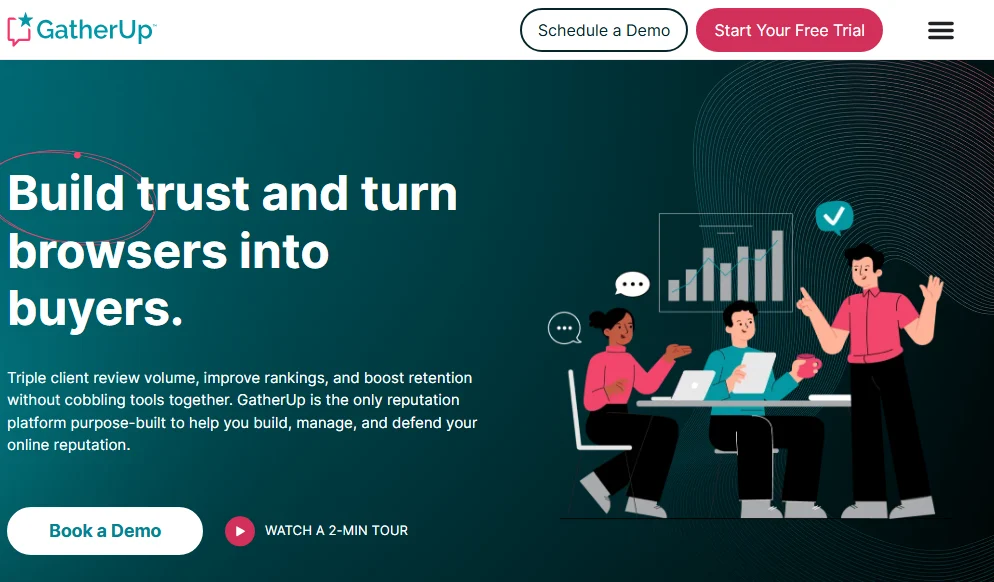
GatherUp fits businesses and agencies that want a repeatable review and customer-feedback program. It combines requests, first-party surveys, public-review monitoring, response tools and website review displays, with agency branding and multi-location options. Its published plans include monitoring across more than 100 sites, but monitoring a site does not mean a reply can be published directly to it.
The distinction between public reviews and private feedback matters. A business can collect feedback through email, SMS or a kiosk and analyze those comments alongside public reviews. The first-party feedback update describes email notifications containing suggested replies. Authorized Google and Facebook connections allow approval from that email; other connections require copying the suggestion and following the publisher link.
Its response tools should be compared as separate methods. SmartReply generates draft text, while custom prompts let an account supply brand guidance. The optional Auto Reply Templates method selects from up to 50 complete, prewritten responses for positive Google and Facebook reviews. Rating thresholds control eligibility, and this template method sends nothing if no templates have been uploaded.
Smart Insights also draws on public reviews and first-party feedback to summarize themes and sentiment. This is useful when a client needs to compare comments from customers who completed a survey with those who chose to publish a review. A meaningful demonstration should open the comments behind a theme, rather than stop at a summary chart. Agency branding and website review widgets then help an agency deliver and present the program for clients.
View full-size image (opens in a new tab)
Pricing, Tradeoffs, and What to Verify
Pricing: The current pricing selector lists one location at $124/month on monthly billing or a $99 monthly equivalent with annual billing. For 2–10 locations, the corresponding figures are $75 or $60 per location/month. It lists up to 300 SMS and 3,000 email credits per location/month and a 14-day trial. Agency pricing is quoted; Listings Hub is a separate $40/location/month add-on. Confirm currency and any extra delivery or branding costs.
The tradeoff: GatherUp is attractive when public reviews and private feedback belong in the same ongoing program. Rebuilding that program still requires customer intake, request rules, review-source connections and staff ownership; it should not be evaluated as a replacement for unrelated phone or scheduling work merely because the review subscription costs less.
What to verify: Trigger a request from the actual customer system, inspect both feedback types, and compare a generated reply with template automation. Check publisher authorization, the review drill-down behind Smart Insights, client/location access, billing cadence and any white-label fees.
6. Thryv: Best for CRM, Scheduling, Invoicing, and Marketing
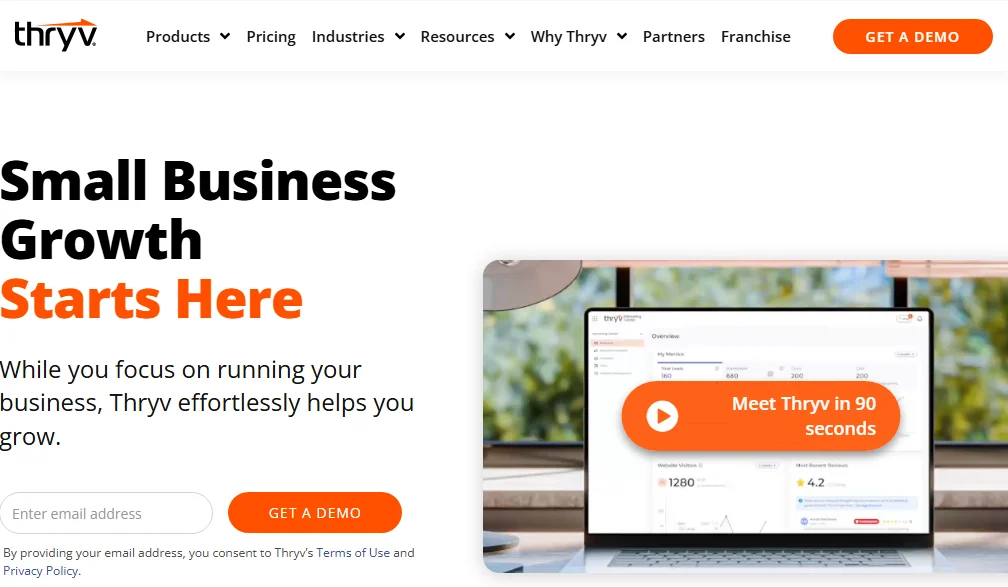
Thryv fits local service businesses considering a wider change to customer administration and marketing. Its relevant products include customer records, scheduling, invoices and payments as well as listings, websites, campaigns and reputation tools. These capabilities sit in different products and purchased modules, including Business Center and Keap; a headline marketing-package price should not be treated as the price of the entire operating system.
The Business Center scheduling documentation illustrates the operational depth. A booking can combine up to five compatible services with one confirmation and payment request. Matching staff, location and availability determine which services fit together, and the most restrictive booking rule applies. Separate resource controls can reserve limited-capacity equipment or rooms, although that guide limits resource selection to the back office and one resource per appointment.
Follow-up can connect to that operational record. The completed-appointment campaign trigger supports the first completed meeting ever, in the month or in the quarter. This gives a business specific controls for when a configured message should run. It does not establish that AI writes a new account of each customer’s service experience.
Review responses have a different control pattern. The AI response walkthrough describes generating a suggestion from the review’s content and tone, editing or regenerating it, and clicking Post Reply. It explicitly says AI-generated replies are not posted automatically. This human release step can suit a team that wants assistance while retaining a person’s decision on every response.
View full-size image (opens in a new tab)
Pricing, Tradeoffs, and What to Verify
Pricing: Thryv’s current pricing page shows Starter at $99/month and Signature at $399/month with Monthly selected, verified October 21, 2026; Custom is quoted. These are the advertised marketing packages. Price the CRM, scheduling, invoicing, Keap, and managed services you actually require separately rather than assuming every module is included. Confirm locations, setup, migration, users, messages, payment processing, add-ons, and any annual offer. The current terms tie the commitment to the Order and purchased services; monthly billing alone does not establish cancel-anytime service.
The tradeoff: Consolidation can be valuable when customer records, appointments and financial follow-up are fragmented. A business already satisfied with its CRM, booking and invoicing systems may create more migration work and overlap than it removes. Different modules also create entitlement and setup questions that a single feature list can hide.
What to verify: Have the demonstration use the proposed modules: book and change a multi-service appointment, apply a resource limit, convert an estimate to an invoice and trigger a completed-appointment follow-up. Separately draft and publish a review reply. Confirm calendar-sync behavior, regional availability, processor fees and the actual renewal/cancellation terms.
7. DemandHub: Best for Missed-Call Follow-Up and Shared Customer Messaging
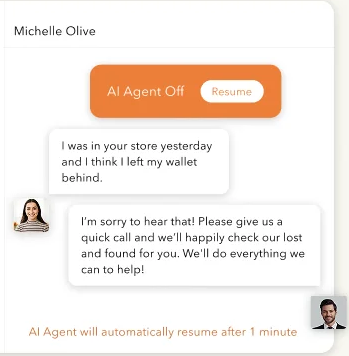
DemandHub fits teams that need to turn missed inquiries into ongoing text conversations. Its AI Receptionist describes website- and FAQ-informed messaging, voicemail transcription and follow-up texts after missed calls. These are useful recovery workflows for a busy front desk. They should be demonstrated separately from a live voice receptionist or a completed calendar booking, since those outcomes are not established simply by the product name.
The conversational agent can be configured with a website, FAQs, explicit questions and answers, or documents. Staff can take over a conversation and allow the agent to resume afterward. That makes the quality of the maintained knowledge and handoff process part of the purchase: a team needs to see what happens when a customer asks something the agent should not answer, or when a staff member is already handling the issue.
Its practice integrations add a concrete post-visit workflow. The Dentrix connector names G5 and higher; ClinicMaster names V8.X and higher on desktop or its Web version. Both describe using a patient’s name, email address and phone number to send review invitations under configured rules. That is useful evidence for request automation, rather than proof that every appointment action or bidirectional data field is supported.
The Review Coordinator also describes AI replies and sentiment themes. The knowledge available to the conversational agent should not automatically be assumed to feed the review writer. For healthcare buyers, DemandHub publishes a Business Associate Agreement for covered-entity customers transferring protected health information. This is a contractual procurement consideration, not proof that every messaging channel, integration or AI setting is suitable for every patient-information workflow.

View full-size image (opens in a new tab)
View full-size image (opens in a new tab)
Pricing, Tradeoffs, and What to Verify
Pricing: DemandHub’s general pricing route requests a quote. For a concrete partner benchmark, an undated DemandHub offer in Kia Canada’s dealer program lists Base at $599/month, Pro at $699/month, and Pro+ at $849/month, with a separate Local SEO offer at $349/month (checked October 21, 2026). This is dealership-program pricing, not a general-business or healthcare quote. The sheet does not state a currency code, issue date, or subscription commitment; confirm current eligibility and terms. Price contacts, bulk messages, users or practitioners, AI modules, integrations, extra usage, and locations for your deployment. Current practice offers use AI Front Desk, Recall Pro, and Scale. The pricing FAQ describes a 14-day trial after a demo discussion and discounts for additional locations; confirm the offered scope and commitment.
The tradeoff: Missed-call follow-up and shared messaging can address work that review software alone does not cover. The value depends on the actual phone number, integration, and staff-handoff behavior. The Kia dealer benchmark gives some budget context; compare an applicable quote that itemizes your industry, locations, AI products, and usage.
What to verify: Simulate a missed call and voicemail, inspect the text follow-up, take over and resume an AI conversation, then trigger a request from the real practice-system version. Establish where an appointment inquiry becomes a confirmed booking. A healthcare practice should confirm BAA coverage, permitted channels and access settings for its specific workflow.
Free Option: Google Business Profile
For a business handling a manageable number of Google reviews, Google Business Profile provides a native starting point: verified businesses can read and reply to reviews, and share a review link or QR code. It may be enough when the requirement is limited to Google and staff can perform the work consistently.
It does not replace a broader receptionist, inbox, website, customer campaign, or invoicing product. Nor should it be treated as the same purchase as cross-source review monitoring, topic-based feedback analysis, or a recurring geographic rank-tracking workflow. Evaluate the work left to staff before comparing a free dashboard with a managed process.
RightResponse AI vs. Broadly: What Are You Replacing?
This is a scope comparison between a focused review platform and a broader business bundle. It does not assume that one product wins every workflow or that a review subscription replaces all of Broadly’s tools.
| What matters | RightResponse AI | Broadly |
|---|---|---|
| Primary fit | Review aggregation, AI review responses, feedback analysis, and Google Maps tracking on eligible plans | Reviews alongside a wider AI workforce, communication, website, and local marketing operation |
| Business information in replies | Approved company/brand/location Messages; staff can inspect relevant candidates and those selected for a reply | Required connected knowledge base for the Reputation Specialist; confirm inputs and the evidence shown for an individual review |
| Response release | Google direct publishing, configured review/rating rules, delays, active hours, editing and approval | Automatic replies for connected Google and Facebook under rating/platform/delay rules; draft emails open an app confirmation; other sources require manual platform work. Confirm the purchased edition. |
| Feedback and visibility | Topic/phrase analysis on eligible plans; Pro+ competitor topic analysis; Maps scans and history | Review reporting plus Local SEO grid and keyword tools; compare the actual reports, history, and module entitlements |
| Price basis | Core $19, Pro $29, Pro+ $44/location/month monthly; PAYGO $10 plus credits | Current visible AI Workforce: $799/month. Historical standalone content recorded Sept. 16, 2026: Reputation AI Standard $79/month; Pro $89/month; automated Premium quoted. Confirm current availability and location/usage scope. |
| Remaining tools | Receptionist, general customer inbox, website, social publishing, booking, and invoicing remain separate | Bundle value depends on using its connected tools; verify each workflow and retained system |
Sources: RightResponse AI pricing, AI responder documentation, Broadly Workforce pricing, and Broadly Reputation Specialist help.
For example, one location using Pro has a $29/month base subscription before extra usage and retained tools. Comparing that figure directly with $799/month would omit the different jobs covered by the workforce bundle. The historical standalone Reputation AI benchmarks of $79/month for Standard and $89/month for Pro provide a closer software-only reference, with current availability and automation scope still to confirm. The useful calculation adds the receptionist, website, inbox, and other tools the business still needs, then compares equivalent coverage and staff work.
Which Broadly Alternative Fits the Main Buying Job?
| Primary need | Consider | Why |
|---|---|---|
| Reviews, useful AI replies, feedback analysis, and Maps tracking | RightResponse AI | Focused review workflow with inspectable approved Messages and published per-location plan boundaries. |
| Coordinated location reviews and customer follow-up | Birdeye | Review, messaging, automation, and assigned customer work can be scoped together. |
| Lead conversations, texting, and connected booking | Podium | Customer inquiries and follow-up are the central purchase; demonstrate the actual scheduling integration. |
| Review requests, referrals, and repeat visits | NiceJob | Campaign automation and review displays, with broader retention tools on Pro. |
| Public/private feedback and agency delivery | GatherUp | Requests, surveys, review work, and agency reporting; compare generated and template reply modes separately. |
| CRM, calendar, invoices, and marketing | Thryv | Operational consolidation rather than a review-only replacement. |
| Missed calls and shared customer messages | DemandHub | Text follow-up, voicemail/conversation handling, and human handoff; verify industry and integration scope. |
Try the Software Before You Switch
Give each shortlisted product the same real work. Remove private customer details from demonstration material and define success before the trial:
- Use the same reviews. Include praise, a complaint, mixed feedback, a star-only review, and a review that has changed after a reply.
- Supply the same approved business details. Include a relevant service fact and an unrelated fact. Check what the reply adds, what it omits, and how a person can inspect or correct it.
- Run a real request workflow. Test the customer event or import, correct location association, opt-out handling, reminders, and what stops follow-up. A sent invitation is not a confirmed review.
- Trace a difficult case. Inspect editing, approval, automatic posting, delays, changed-review handling, and the path to the responsible staff member.
- Inspect a report’s evidence. Open the original comments behind a topic or summary. Compare the same locations, time periods, and, for Maps, search terms and geographic area.
- Test the wider replacement. If Broadly handles calls, booking, messages, a website, or invoices, demonstrate those jobs in the replacement and count work still requiring staff.
- Record the full cost. Include subscriptions, modules, locations, usage, onboarding, retained tools, integration effort, and staff time.
A useful result is a record of the work completed, edits needed, exceptions, and total cost. It is stronger evidence for this business than a longer feature list or a single polished vendor example.
Compare RightResponse AI plans and start a trial. The trial includes seven days, 1,000 credits, and most Pro features without a card; free use ends if the credits run out. Use the same reviews and business details tested elsewhere.
Questions to Ask Before Switching from Broadly
- What must actually be replaced? List review work separately from phone handling, customer conversations, website hosting, listings, social accounts, booking, and payments.
- What is the comparable price? Identify locations, users or practitioners, modules, contacts, messages, scans, implementation, and add-ons. Separate subscription term from invoice frequency.
- Which records can be exported? Check contacts, consent and opt-out records, review/reply history, conversation records, website content, reports, and account ownership where applicable.
- Who controls the phone number and connected accounts? Confirm administrative access and any porting, integration, or website transition requirements before disconnecting anything.
- What can publish automatically? Test review sources, star/text conditions, draft emails, approvals, delays, and changed reviews. Require a demonstration of the settings in the proposed package.
- What can each staff member access? Test the actual location, client, and role permissions needed; support for many locations does not establish every approval or access arrangement.
- What applies to sensitive workflows? If the business handles healthcare or other sensitive information, verify the applicable agreement, connected channels, user access, and permitted data flows for the actual deployment. A marketing label does not describe every integration.
How to Switch from Broadly
- Map the retained and replacement tools. Name an owner and list every job Broadly currently performs. If the business has multiple locations, identify which settings, accounts, and staff differ.
- Export and inspect the records. Save the data the contract and product allow, including customer and consent records, reports, replies, and relevant configuration. Open the exports and check ownership of the connected business accounts.
- Configure the replacement. Set up the real location or locations, users, approved business information, review sources, request schedules, and exception handling. Connect only the systems included in the agreed scope.
- Test before disconnecting. Run a small set of reviews, customer events, approvals, and communication workflows. Confirm that messages, appointments, and payments appear in the actual destination systems where those jobs are included.
- Prevent duplicate requests and interrupted service. Pause old campaigns and reminders before enabling replacements. Coordinate phone, website, inbox, and integration changes so staff know which system owns each job.
- Check daily work and train staff. Verify incoming reviews, response editing/release, request stops, alerts, reports, and staff access. If there are multiple locations, move them in groups the team can check.
- Close the old service under its terms. Confirm the replacement works, exports are usable, and any retained service is accounted for. Meet the applicable cancellation and account-transfer requirements before closing Broadly.
Further Research on Broadly and Review Management
The review management software comparison library connects platform reviews, pricing analyses, alternatives, and head-to-head evaluations. For the incumbent’s current scope, compare Broadly’s Workforce offer with its Reputation Specialist help and Local SEO tools. The offer and operational documentation answer different parts of the replacement decision.
How We Compared the Products
This is a documentation-based comparison using existing company research, current public product pages, help documentation, and published pricing or procurement information. The same relevant criteria—replacement scope, reply information and release controls, requests, feedback, local visibility, team work, integration effort, and cost—guide the comparisons. We did not run a controlled hands-on test across all seven products or establish that one AI produces the best finished reply in every situation.
Screenshots illustrate earlier product interfaces. Their original capture dates are not established; they do not certify current plan entitlements or prices. Publicly undocumented details are identified as matters to verify rather than treated as proof that a capability does not exist. (Disclosure: RightResponse AI publishes this guide and is one of the products compared.)
Final Verdict: Choosing the Right Broadly Competitor
- Best for focused review management, customer feedback, and Maps tracking: RightResponse AI combines inspectable approved business Messages with review workflows, feedback tools, and local visibility on eligible plans. Pro at $29/location/month covers the core combination; Pro+ at $44 adds higher limits, automation, and competitor topic analysis. Core and PAYGO have different inclusion and usage boundaries.
- Best for a wider communication or operational replacement: Birdeye fits coordinated location review and customer work; Podium fits lead conversations and booking; DemandHub fits missed-call follow-up and shared messages; Thryv fits CRM, scheduling, invoicing, and marketing. Staying with Broadly can be the right choice when its connected workforce tools are actively used and the proposed alternatives would leave more systems to administer.
- Best for review requests, retention, or feedback programs: NiceJob fits campaigns, displays, referrals, and repeat visits; GatherUp fits public/private feedback and agency programs. Their strengths should be compared against the business’s actual request triggers, contact records, review/reply process, and reporting needs.
Frequently Asked Questions
What are the best Broadly alternatives for review management?
RightResponse AI fits businesses seeking review aggregation, AI replies using approved business information, customer-feedback analysis, and Google Maps tracking on eligible plans. NiceJob fits review requests and retention campaigns; GatherUp fits public/private feedback and agency programs. Birdeye, Podium, Thryv, and DemandHub should also be considered when the replacement includes broader location, communication, or operational work.
Can RightResponse AI replace the entire Broadly AI Workforce?
It is a focused review platform rather than a replacement for every receptionist, general messaging, website, social-publishing, booking, or invoicing tool. Businesses replacing a Broadly bundle need to retain or separately source those jobs. Pro is $29/location/month and Pro+ is $44 on monthly billing; Core and PAYGO provide different scope and usage arrangements.
What is the most affordable Broadly alternative?
The answer depends on required coverage and usage. RightResponse AI’s PAYGO base is $10/location/month plus purchased credits, while Core, Pro, and Pro+ cost $19, $29, and $44 on monthly billing. NiceJob lists $75 Starter and $125 Pro. GatherUp is $124/month for one location on monthly billing or a $99 monthly equivalent with annual billing. Compare included features, locations, extra usage, retained tools, and contract terms before declaring a lowest total cost.
Does Broadly use business information in AI review responses?
Yes. The current AI Reputation Specialist documentation requires connected knowledge sources. Broadly’s business knowledge can inform replies; its help also describes draft email and connected Google/Facebook editing and approval paths. Compare the information used, what staff can inspect, and the release rules using the same review and business details.
Which alternative fits multi-location businesses?
RightResponse AI fits review and feedback work with location-specific approved Messages and eligible Maps tools; its monthly allowances pool across account locations. Birdeye fits a broader coordinated location operation, and GatherUp has multi-location and agency feedback programs. Test exact roles, approvals, account structure, integrations, and included locations in every proposal instead of treating a multi-location label as a guarantee of enterprise governance.
How do GatherUp’s generated replies and saved templates differ?
SmartReply generates draft response text, while Auto Reply Templates selects from uploaded, prewritten replies for eligible positive Google and Facebook reviews. Custom prompts can supply brand guidance for generated replies. Compare each method’s information inputs, review eligibility, approval, and publishing behavior separately.
What should a healthcare business check before changing communication platforms?
DemandHub publishes a Business Associate Agreement for applicable covered-entity customer relationships. A practice should verify the actual agreement, channels, integration, user or practitioner limits, access, and data flows proposed for its deployment. A public claim about healthcare use or an AI feature is not proof that every connected workflow has the same scope.
Will switching review software improve Google Maps rankings?
A rank tracker can measure visibility across an area and compare scans over time. That measurement does not establish that changing software or publishing a particular reply caused a ranking improvement. Use consistent searches, locations, grid areas, and dates, and evaluate the review workflow’s operational benefits separately from search outcomes.
Sources by Company
Key product and operational sources for the comparison; the relevant passages link to them above. These sources establish documented behavior and offer terms, not a controlled output-quality or commercial-impact test.
- Broadly: Workforce pricing and historical standalone content (recorded Sept. 16, 2026); AI Reputation Specialist; Knowledge Base; Local SEO.
- RightResponse AI: AI review responder; Pricing and feature limits; Customer-feedback analysis; Maps and competitors; Review requests.
- Birdeye: Review Response Agent; Ticket creation; Pricing and commitment; CostBench external price benchmarks (last verified August 26, 2026; checked October 21).
- Podium: Pricing; Home-service workflow; Payments; Contract terms; Reported Core/Pro pricing (Pabau, Sept. 22, 2026); Historical vendor-price observation (Aug. 23; removal reported Sept. 2, 2026).
- NiceJob: Pricing; AI Replies; Campaign editing; Topic Insights.
- GatherUp: Pricing and billing selector; SmartReply; Auto Reply Templates; First-party feedback updates.
- Thryv: Current packages; AI review-response walkthrough; Business terms.
- DemandHub: AI Receptionist; Review Coordinator; Pricing; Business Associate Agreement; Kia Canada dealer-program price sheet (undated; checked Oct. 21, 2026).
- Google Business Profile: Reviews, replies, and review links.