The 7 best Uberall alternatives are RightResponse AI for AI review responses, customer-feedback analysis and Maps investigation; Birdeye for coordinated location feedback and assigned follow-up; Podium for customer texting and connected booking; Synup for branded client operations and an agent with published account bands; Yext for structured location facts, listings and pages; Localo for guided Google Business Profile work; and NiceJob for completed-job review campaigns, referrals and repeat visits.
Uberall connects location data, listings, reviews, local publishing and pages, with separate AI-search visibility tools and package add-ons. Replacing its review workflow is a different purchase from replacing directory governance, pages, franchise permissions and distributed content. Some alternatives can complement the existing platform rather than replace every module.
This guide is for local businesses, agencies and teams managing multiple physical locations or service areas. It compares documented workflows and buying consequences. Current material details were reopened on October 21, 2026; attributed historical and third-party prices keep their own dates and scope.
Quick Verdict: Which Uberall Alternative Fits Your Business?
Choose according to the work that needs to change and the tools that must remain:
- Best for focused review responses, feedback investigation and Maps tracking: RightResponse AI combines those jobs on eligible plans. Monthly Core is $19/location with a narrower scope; Pro $29 and Pro+ $44 include Maps/competitor capacity. PAYGO starts at $10 plus purchased credits with eligible access. It does not replace a directory/page/social operation by itself.
- Best for wider location and client operations: Birdeye fits coordinated feedback and owned follow-up; Yext fits structured location distribution and pages; Synup fits branded client delivery and agent-assisted local marketing. Birdeye has reported $299–$449/location/month benchmarks (CostBench); Yext has scoped annual Vendr benchmarks detailed below; Synup publishes monthly account bands from $49 for one location.
- Best for communication, guided local work or review collection: Podium fits texting and supported booking, with reported Core/Pro benchmarks around $399/$599 per month (Pabau). Localo’s USD Single Business offer is $39/month, with different monitoring/optimization capacity on Pro. NiceJob Starter is USD $75/month; Pro $125 adds AI Replies, referrals, private NPS and repeat-service workflows.
The comparison draws on existing company research, public product and help documentation, and official or attributed reported pricing. The Sources by Company section identifies key evidence. RightResponse AI publishes this guide and is one of the products compared.
How We Evaluate Uberall Alternatives
The same criteria apply to the incumbent and every shortlisted alternative. Broader product scope is useful only when the business needs those additional jobs:
- Information used in replies. What comes from the review, approved business knowledge, instructions or reusable templates? Can staff inspect and correct the result?
- Control of public actions. Separate generating a draft, requesting approval, publishing a reply and resolving a customer problem. Check permissions, location scope, exceptions and changed reviews.
- Requests and customer records. Examine the actual trigger, recipient/location matching, opt-outs, reminders and duplicate prevention rather than relying on an integration logo.
- Feedback and competitive evidence. Follow a theme to supporting comments; keep ratings, topic analysis, geographic rankings and AI-answer visibility as separate measurements.
- Location or client operations. Compare listing corrections, pages, social publishing, client roles, reporting, data ownership, export and any retained agency workflow.
- Total comparable cost. Match modules, locations, billing period, usage, implementation, extra services, retained software and staff work. Include useful reported prices with their actual qualifications.
The ordering reflects qualitative fit across these buying jobs, not a weighted score or a controlled test of finished AI replies. A focused review purchase weights reply information and investigation more heavily; a full location-platform replacement must also preserve distribution, permissions and daily operating work.
Uberall Alternatives at a Glance
The seven candidates replace different parts of the incumbent. These amounts are budgeting references with their own scopes; a lower headline price alone does not establish lower cost for equivalent work.
| Platform | Best for | Price and scope | Commitment or trial | What to verify |
|---|---|---|---|---|
| RightResponse AI | AI replies, customer-feedback investigation and Maps tracking | Monthly per location: Core $19; Pro $29; Pro+ $44; PAYGO $10 plus purchased credits. Core excludes Maps/competitor analysis; Pro/Pro+ include capacity; PAYGO has eligible access with credits. | Monthly or annual; seven-day trial, 1,000 credits, most Pro features, no card; free use ends if credits run out. | Inspect selected Messages, actual publishing sources, survey/source eligibility, pooled combined scan allowances and extra usage. |
| Birdeye | Coordinated location feedback, approvals and assigned customer work | Custom quote; CostBench reports Starter about $299, Growth $349, Dominate $449/location/month (last verified Aug. 26, 2026). Actual package and contract vary. | Agreements typically annual; monthly invoicing is not a monthly cancellation term. | Demonstrate the review-agent branch, timed approval, survey-to-location analysis and ticket owner/closure. |
| Podium | Customer texting, inquiries, payments and supported booking | Custom quote; Pabau reports Core about $399/month and Pro $599/month with annual contracts (Sept. 22, 2026). General-platform benchmark; industry scope varies. | Quote must specify commitment, setup, AI, phone users and messaging usage. | Run the actual scheduler and customer-record trigger; distinguish a saved lead, requested appointment and confirmed booking. |
| Synup | Branded client/location operations with an agent and published account bands | Monthly account totals: Solo $49/one location; Premium $299/up to 10; Pro $499/up to 25; Scale $899/up to 50. Above 50 quoted; credits and terms matter. | Monthly or annual; Solo 14-day trial; Premium charges immediately. White label Premium+. | Test client/location memory scope, playbook approval, rejected drafts, publication failures and included credits. |
| Yext | Structured location facts, publisher distribution and local pages | Custom quote. Vendr reports $1,000–$3,000/location/year for Listings or $2,500–$6,000 for bundles at 1–10 locations; larger-bundle benchmarks detailed below (Feb. 2026 guide). | Match product licenses, entities, implementation, renewal and term in the actual agreement. | Use an hours conflict, a publisher exception, a review approval task and a local-page update. |
| Localo | Guided Google Business Profile work and selected-rival grid checks | USD $39/month or $389/year Single Business; Pro 10 $69/month or $699/year total. Current public plan data checked Oct. 21; monitored and optimization slots differ. | 14-day trial advertised, normally no card; confirm taxes, profile limits, optimization reassignment and selected billing. | Inspect monitored versus optimization-enabled profiles, actual monthly/yearly totals and a rival’s grid. |
| NiceJob | Completed-job review campaigns, referrals and repeat visits | USD $75/month Starter; $125 Pro. AI Replies, private NPS, referrals and repeat-service campaigns require Pro. Confirm locations, messages and add-ons. | 14-day trial; no contracts advertised. Check actual location and SMS scope. | Test event/customer matching, campaign overlap, reminder stop, public-review eligibility and Pro AI reply authorization. |
Why Do Businesses Look for Uberall Alternatives?
- A specific review job needs more control. The team may want a different way to govern business information, inspect a generated reply, investigate customer topics or compare competitors. Identify the missing operation rather than assuming every suite produces generic text.
- Communication is the main problem. A location with missed inquiries, booking friction or payment follow-up may need a conversation system more than another directory dashboard.
- Client delivery or pricing needs have changed. Agencies may want published account bands, different branding, clearer usage metering or a different client handoff. Compare real entitlements and operating costs.
- The required local-search work is narrower. One business may need guided Google tasks or geographic investigation while retaining the rest of its stack. Another may need a different structured data/page network.
- The wider suite is still useful. A specialist can complement retained listings, pages or social publishing. Define ownership so that two systems do not send duplicate requests or competing public replies.
When Uberall May Still Be the Right Choice
Uberall remains relevant for distributed brands coordinating accurate location information, publisher exceptions, local contribution, pages and publishing. Its current package table separates Show Up, Stand Out and Connect, with Reviews Plus, Analytics Plus and Collaborate Plus add-ons. Reviews Plus includes bulk AI replies, sentiment tools and guidelines; Collaborate Plus concerns enhanced permissions and approval workflows. A precise module comparison is more useful than treating everything as one included feature set.
Its bulk AI reply workflow generates individual drafts for a selected batch, lets staff regenerate or edit them and then release the replies. That differs from automatic saved-response rules, where AI can help prepare reusable wording during setup. The retained research also documents Business Guidelines with editable instructions and optional PDF context. A fair demonstration should inspect that purchased workflow rather than claim Uberall cannot use business information.

View full-size image (opens in a new tab)
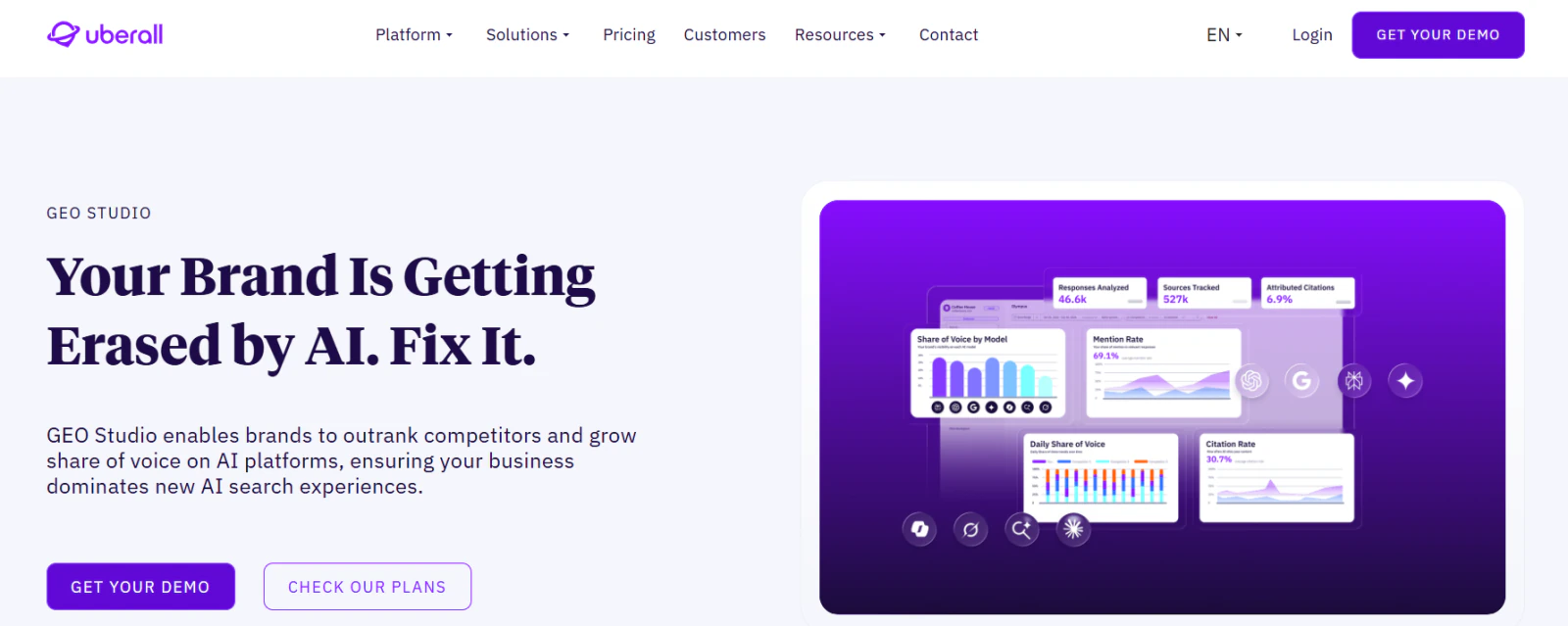
Pricing: the core location platform requests a quote. Useful narrower public references still exist. The separate GEO Studio cards display Starter at USD $109/month and Scale $449/month in the retained September 17, 2026 capture; billing selection and credit scope require confirmation. These are AI-search-product prices, not a full location-suite floor. Uberall’s Get Found Today offer on Wix, reopened October 21, displays Essential €12.87, Advanced €17.17 and Pro €22.32 per month in the observed currency view. The selected annual/monthly term was not established. Earlier September 17 cards displayed CAD $20.69/$27.59/$35.87. Treat each as a dated marketplace-channel reference, not a currency conversion, global USD rate or enterprise quote.
View full-size image (opens in a new tab)
Staying can be sensible when location-policy governance, pages and coordinated local content are actively used and working well. Before replacing it, demonstrate how the new stack handles an inaccurate hour, a publisher conflict, a local contributor’s proposed change, an approval and the final public result. Then separately test replies, feedback investigation and AI-answer reporting.
1. RightResponse AI: Best for AI Review Responses, Customer Feedback, and Maps Investigation
RightResponse AI fits a business that wants its review workflow to help prospective customers understand the business while giving managers evidence they can investigate. Its focus is review requests and responses, customer-feedback analysis and local-visibility work on eligible plans. It suits a buyer prepared to retain the broader location, client-management or communication tools still required.
Approved Business Messages, Rules, and Brand Voice
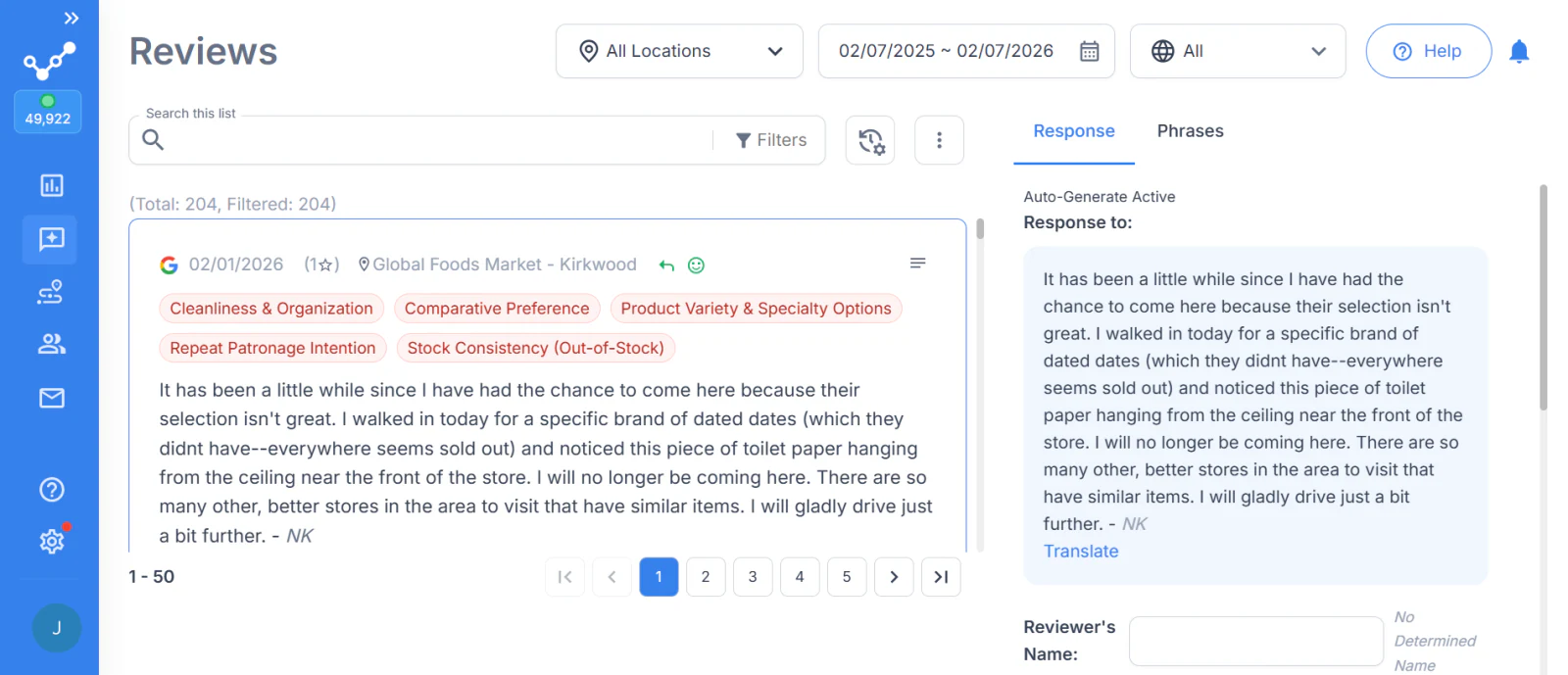
The AI responder uses the review together with approved company, brand or location Messages, behavioral Customizations and Brand Voice. Its process analyzes the review, selects relevant business information, plans and drafts a response, then checks the output against configured rules. Staff can inspect the Messages considered and used, correct the business information or edit the reply. The point is useful, relevant information rather than a requirement to insert a sales pitch into every answer.
For a hypothetical example, suppose a repair shop has approved the fact that it sends digital inspection photos. A customer praises the technician’s clear explanation. A reply could say: “We’re glad the explanation helped. The inspection photos let you see what needs attention before deciding on the repair.” That detail helps a prospective customer understand the service. It would not answer an unrelated complaint about an incorrect bill; relevance and complaint handling still matter.
View full-size image (opens in a new tab)
Configured rating rules, delays, active hours and approval routes determine release. Direct reply publishing is supported for Google; monitoring more than 100 sources does not mean direct publishing to every source. Updated-review tracking and more advanced automation have plan boundaries. Sensitive reviews still need the business’s actual escalation process, and a generated reply does not close a customer case.
Feedback Topics, Competitors, and Geographic Evidence
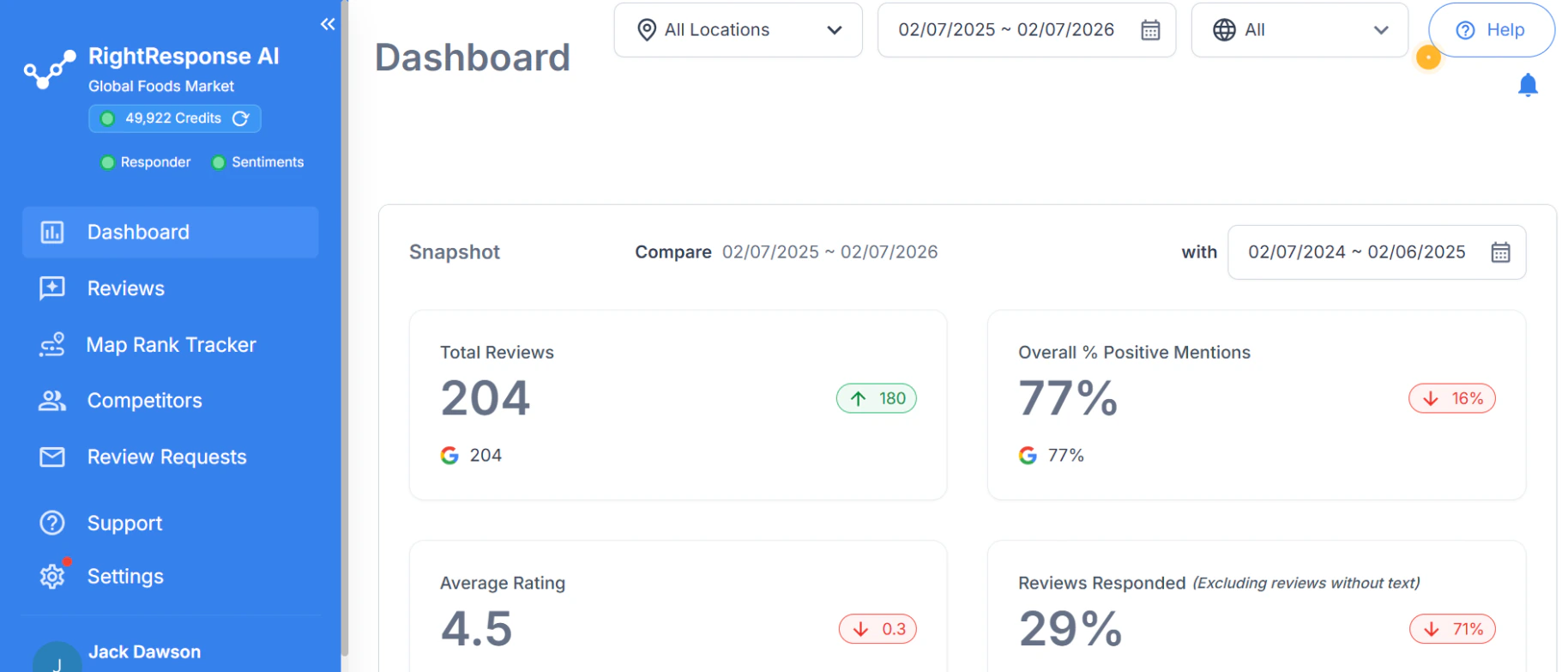
Customer-feedback analysis can distinguish praise for staff from criticism of waiting in the same review. Teams can supply or adjust business topics, inspect contributing phrases and comments, compare locations or periods, and investigate a negative topic even when the overall rating is favorable. Basic dashboards and more advanced topic/reporting tools have different plan eligibility. Pro+ adds competitor customer-feedback analysis; ordinary competitor rating comparisons are a different scope.
View full-size image (opens in a new tab)
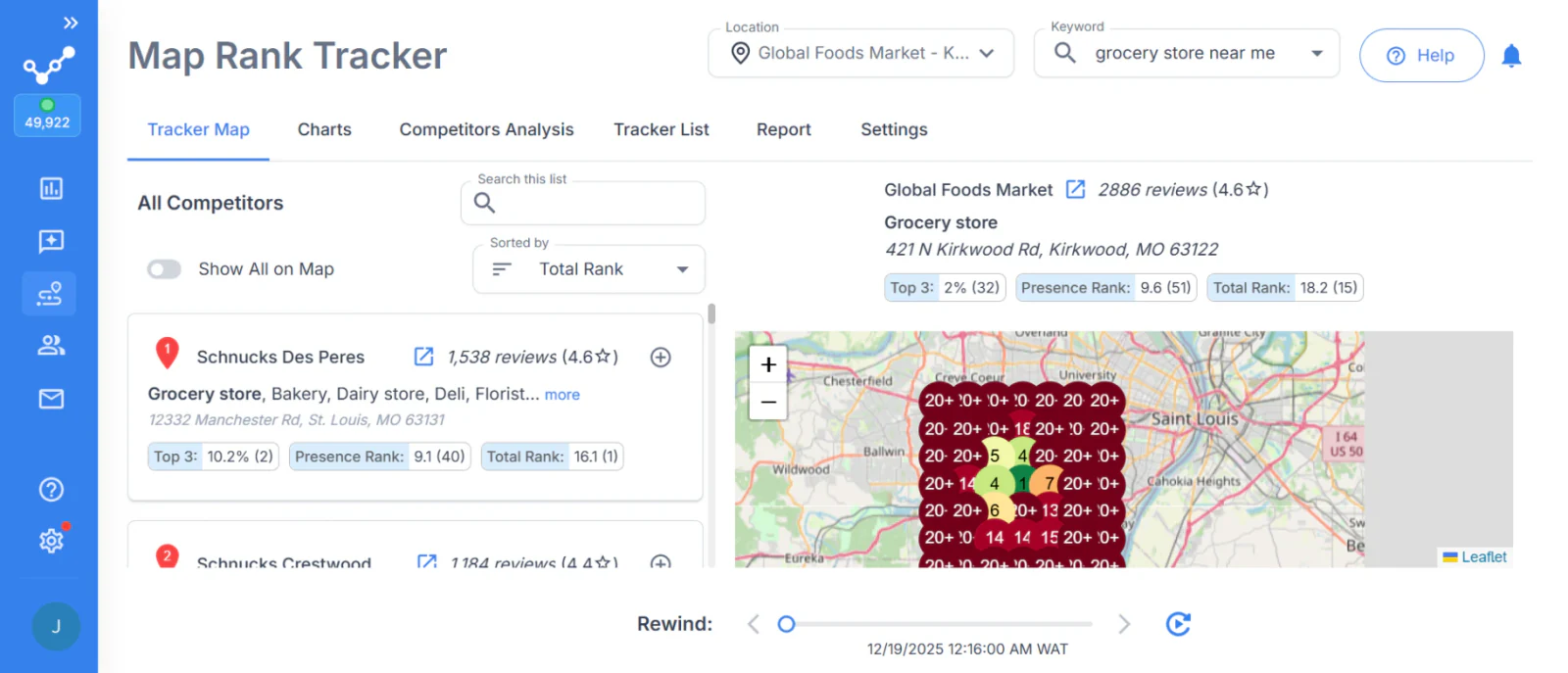
The Map Rank Tracker and competitor tools show local rankings across a chosen geographic grid and retain prior scans. Staff can inspect businesses detected at different grid points and compare equivalent searches over time. A map position is a visibility measurement; it does not establish that a particular response caused a ranking change or a sale.
View full-size image (opens in a new tab)
Requests, Surveys, and Plan Boundaries
Review requests support supplied customer or job details through documented inputs such as Sheets, Zapier or manual entry. Eligible plans add AI-written invitations, photos, guiding questions, private surveys/NPS and reminders. Test the actual customer event, location association, opt-out and stop conditions. Follow-up limits differ by plan; unlimited reminders are not a current universal entitlement. A QR scan or link click is not proof that a review was posted.
| Plan | Monthly price per location | Included capacity and scope | Maps and competitor work |
|---|---|---|---|
| Core | $19 | 100 responses; 1,000 basic email requests; basic dashboard and request templates | Excluded |
| Pro | $29 | 200 responses; 2,000 emails; 200 SMS segments; eligible AI requests and feedback tools | 10 combined scans or analyses per location/month |
| Pro+ | $44 | 500 responses; 5,000 emails; 500 SMS segments; higher automation and competitor topic analysis | 25 combined scans or analyses per location/month |
| PAYGO | $10 base plus purchased credits | Most Pro features through eligible purchased usage; confirm exact exclusions | Eligible access uses purchased credits |
Pricing: the current plan table sets the exact feature and usage scope. Monthly allowances pool across account locations; the ten and twenty-five allowances cover map scans and competitor analyses together, not separate amounts for each. Core excludes those tools; Pro and Pro+ include capacity, while PAYGO provides eligible access through purchased credits. Annual subscriptions offer twelve months for the price of ten. Additional usage and SMS delivery affect the total. The retained SMS schedule lists a $25 registration charge and a $4/month toll-free or $3/month 10DLC number; confirm the applicable setup and current delivery costs. Enterprise service arrangements have their own scope.
The tradeoff: this is a focused review and investigation purchase. Directory distribution, social publishing, location pages, general customer texting, invoicing and agency commerce must be retained or separately replaced when required. Other candidates also offer business context and generative replies; the useful comparison is how information and controls reach the actual output.
What to verify: supply the same mixed review, changed review, relevant business fact and irrelevant fact to each finalist. Inspect selection, editing, approvals and the actual publishing destination. Then compare source coverage, surveys, location roles, pooled capacity, credit costs and the work left to staff.
2. Birdeye: Best for Coordinated Location Feedback and Assigned Follow-Up
Birdeye fits an organization whose review work needs to connect with surveys, messaging, listings and accountable customer follow-up. A local manager can reply, while a central team maintains rules and compares feedback across locations. Product and integration entitlements determine which of those jobs actually share the purchased workspace.
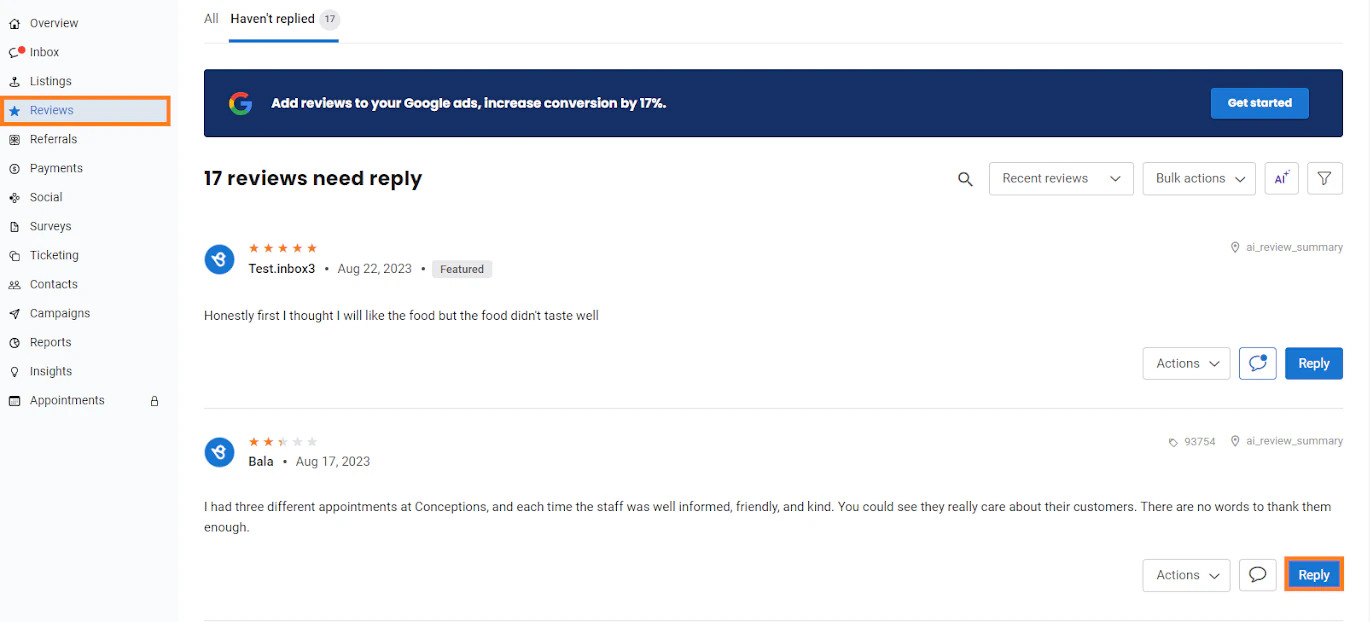
Its Review Response Agent supports configured classifications, branching, instructions and release controls. This goes beyond a generic request to “use AI”: staff can inspect the path selected for a review and how it handles an exception. Approval timeout behavior needs particular attention, because a timed-out approval may permit sending under the selected policy.
Reviews and survey reporting can inform location comparisons. A review-to-ticket workflow gives a customer issue an owner and follow-up record. A business should distinguish a published answer from a completed recovery action. The value is stronger when several departments will use that shared process rather than only one person checking stars.
View full-size image (opens in a new tab)
Pricing: CostBench reports Starter around $299, Growth $349 and Dominate $449 per location/month, last verified by the publisher August 26, 2026 and reopened October 21. These are reported benchmarks, not a current Birdeye quote. Birdeye’s pricing explanation ties its quote to products, locations and contract, and describes agreements as typically annual. Include approvals, ticketing, insights, messaging, integrations and implementation in the actual proposal.
The tradeoff: The broader workflow can reduce coordination between teams, but it also requires configuring modules, policies, integrations and ownership. A smaller operation using only a reply inbox may not benefit from the wider program.
What to verify: Run a real mixed review through the configured agent, inspect classification and any timed approval, then create and close a ticket. Compare the exact survey report, location permissions and complete annual/renewal cost.
3. Podium: Best for Customer Texting, Lead Follow-Up, and Connected Booking
Podium fits a local business buying customer communication rather than directory distribution alone. The shared conversation history and inbox can connect an inquiry, staff follow-up, a payment request and a later review invitation. That is particularly relevant when missed conversations or slow responses are the current bottleneck.
The home-service workflow describes connections with field-service systems, customer information and booking. The actual scheduler and allowed operations matter: collecting a preferred time is different from writing a confirmed appointment into the business system. A demonstration should show the final appointment, exception handling and the point where a person takes over.
Review tools bring invitations and reply work alongside those conversations. Payment links let staff request payment within customer communication, with processing and financial terms requiring their own evaluation. Do not assume conversational AI’s general knowledge or sales behavior is identical to the separate review-response generator.
View full-size image (opens in a new tab)
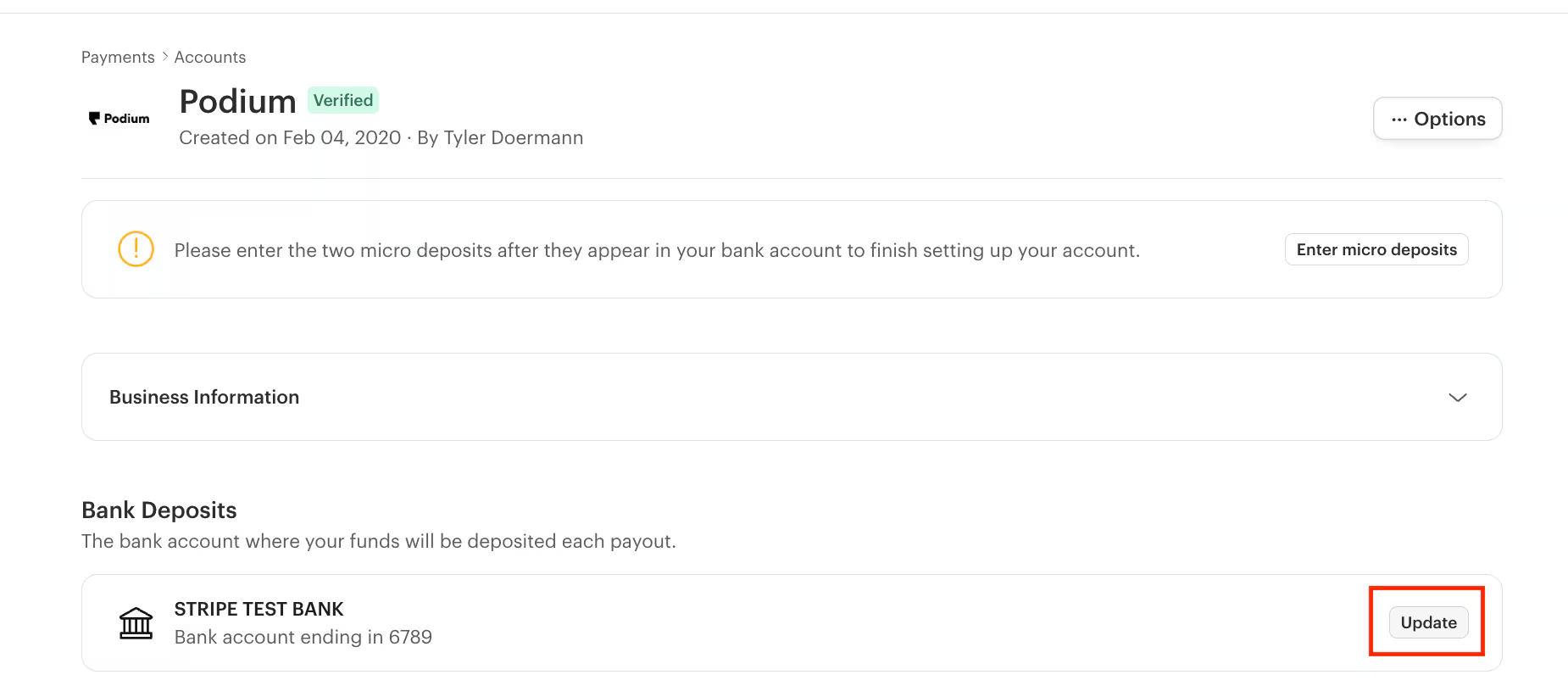
Pricing: Pabau’s September 22, 2026 report places Core around $399/month and Pro around $599/month with annual contracts. This is a reported general-platform benchmark, not a confirmed current industry price or a universal per-location rate. A dated MessageAgent observation recorded public prices on August 23 and their removal on September 2. Podium’s current route requests a quote. Match AI products, locations, phone users, messaging allowances, booking integration, payment processing, setup and renewal in writing.
The tradeoff: Communication consolidation is useful when inquiries and customer transactions need to operate together. It is a wider purchase than a focused feedback report or a geographic rank tool, and it does not establish a replacement for a governed directory/page network.
What to verify: Start with an actual customer-system record and incoming inquiry. Follow scheduling, staff handoff, payment and review-request timing; inspect opt-outs and message allowances. Test review generation and release separately from the conversational agent.
4. Synup: Best for Branded Client Operations and Published Account Bands
Synup fits an agency or multi-location business coordinating listings, reviews, social work and client access while using an agent for repeatable tasks. Current Sydekick packaging should be evaluated separately from the earlier modular Synup OS offers still visible in old screenshots and articles.
The agent’s scoped memory can supply business, client and location context. The multi-step work guide distinguishes investigation, saved drafts and actual public actions. Playbooks and skills carry approval settings; a one-off chat does not inherit a universal approval gate. Staff should set the correct client scope, inspect the draft and confirm the public result.
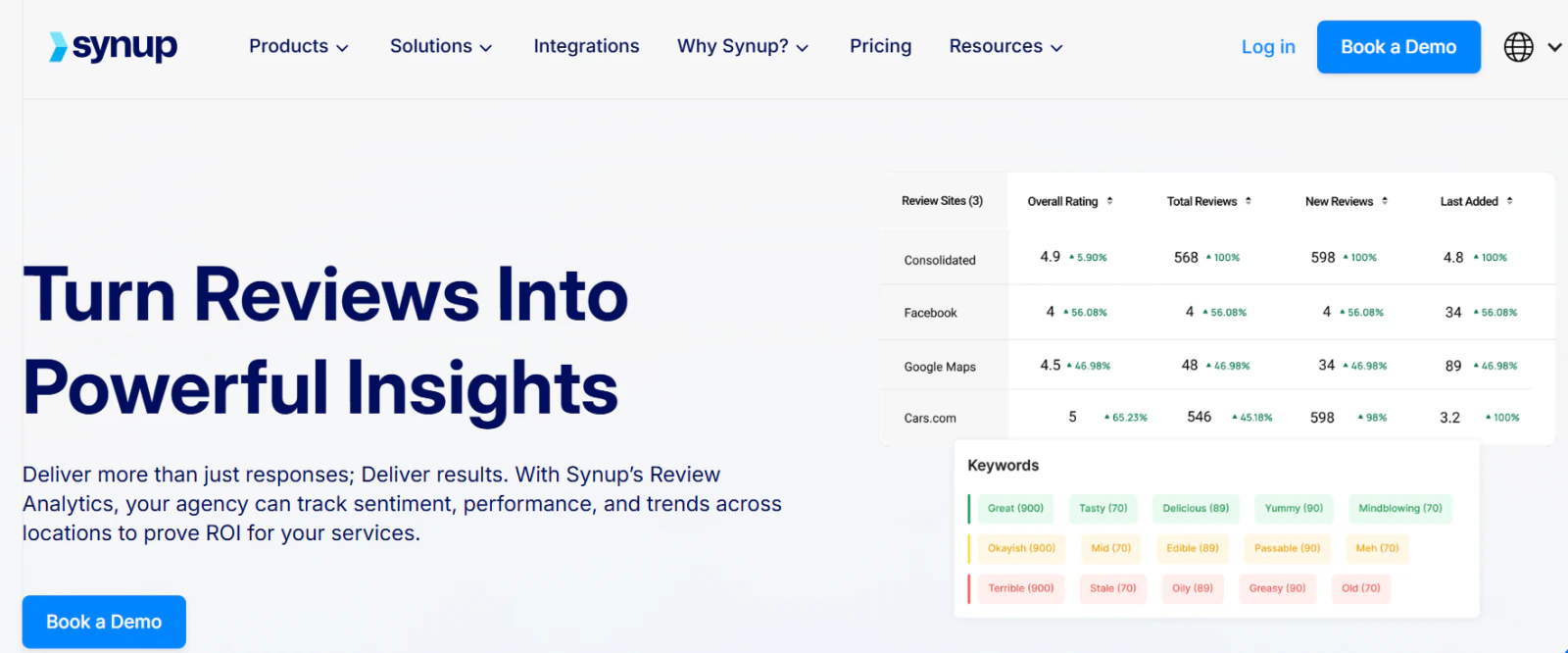
Topic Trends exposes review themes, sentiment over time and contributing review records. These are more than whole-review positive/negative totals. Its regular review composer, reusable automation templates and agent-assisted work are different methods; do not assume the ordinary composer automatically inherits every memory or approval behavior.
View full-size image (opens in a new tab)
Pricing: Current monthly account totals, reopened October 21, are $49 Solo for one location, $299 Premium for up to ten, $499 Pro for up to twenty-five and $899 Scale for up to fifty; Enterprise above fifty is quoted. These are account totals, not prices per location. White labeling begins at Premium. The page advertises a 20% annual saving, a fourteen-day Solo trial and immediate charging for paid Premium. Displayed launch allowances are 20,000/200,000/600,000/1,200,000 credits respectively, with qualification for accounts opened by September 30; confirm what a new October account receives and extra-credit costs. Published terms also list a 2.9% card convenience fee. Historical annual-equivalent OS rates of $79/$199/$799 plus module figures of $35 Listings, $20 Reviews Pro, $50 Reviews Gold, $6 Social and $5 SEO price a different offer; use them only to interpret a legacy contract, not as current Sydekick rates.
The tradeoff: The agent and client workspace can reduce repeated local-marketing administration, but someone must maintain memory, permission scope, credits and exceptions. A broad agent request is not proof of a mandatory approval path or a verified output advantage.
What to verify: Use two clients with deliberately different business facts. Request a draft and a scheduled playbook, reject one item and follow a failed publication. Compare the client portal, white-label scope, export and actual credit bill.
5. Yext: Best for Structured Location Facts, Listings, and Local Pages
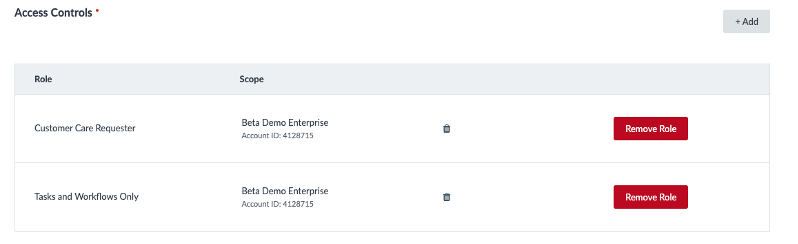
Yext fits organizations whose replacement problem is maintaining consistent structured information across many entities and publishers. Its Knowledge Graph, listing distribution, pages and review workflows are distinct modules. The value depends on how those records and permissions support the organization’s actual location operating model.
Reviews can be monitored and answered within configured permissions. The Response Playground and approval tasks should be examined as operating controls, not inferred from the listings network. Confirm the direct-publishing destinations and the boundary between generating a draft, approving it and releasing it.
A practical data test starts with changed holiday hours or a location attribute, follows the update to the relevant publisher and page, then inspects a rejected or mismatched value. Review analysis and competitive intelligence answer other questions. A large directory network alone does not prove better feedback analysis or a higher local ranking.
View full-size image (opens in a new tab)
Pricing: Vendr’s February 2026 guide, retained and checked September 16, reports annual per-location benchmarks: at one to ten locations, $1,000–$3,000 for Listings or $2,500–$6,000 for Listings/Pages/Reviews bundles; at ten to one hundred locations, $800–$2,500 for multi-product bundles; at one hundred-plus, $500–$1,500 for bundles. These are attributed reported benchmarks, not a current Yext quote. An older PowerListings offer lists $199/$449/$499/$999 annually but retains a ©2018-era presentation and narrower listings scope; it does not price a modern full Reviews/Scout platform. Quote licenses, entities, implementation, integrations, usage and renewal for the intended products.
The tradeoff: Central structured-data governance can reduce fragmented location administration, while adding implementation and product choices. A team needing only Google reply editing or request follow-up may not need that wider architecture.
What to verify: Use a real location-data conflict, local-page change and review approval task. Inspect exact publisher results, roles, exceptions, exports and the products included in the proposal.
6. Localo: Best for Guided Google Business Profile Work
Localo fits an owner or agency wanting a repeatable Google-focused process: inspect visibility, receive practical tasks, update profile content and work through review replies. It is a narrower alternative when a business does not need the whole distributed location-marketing stack.
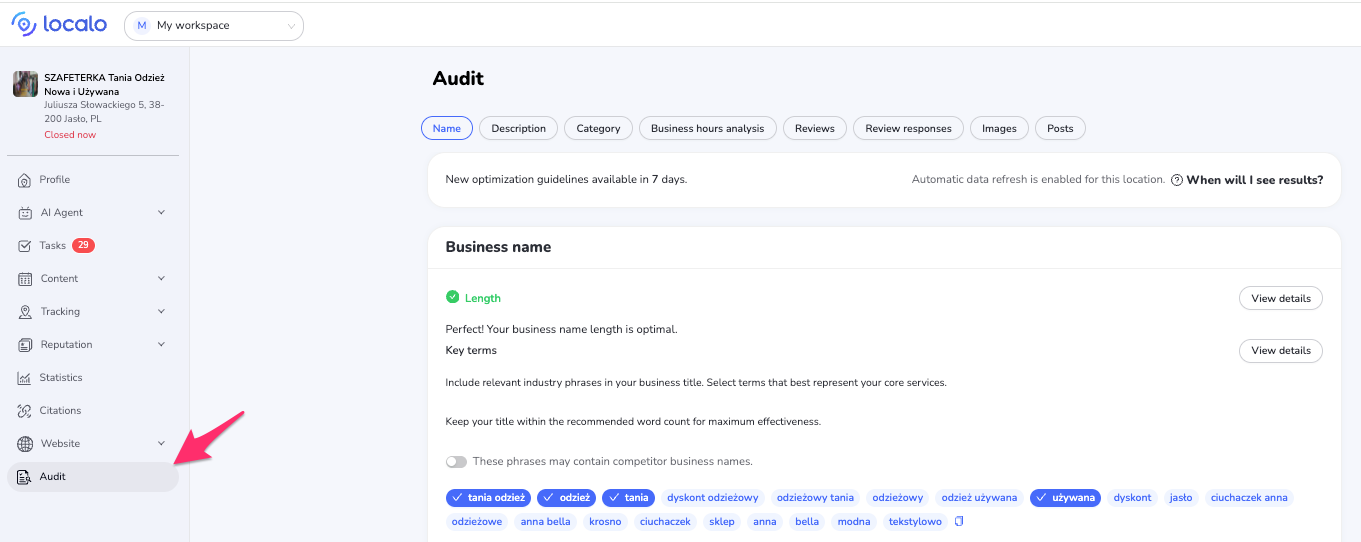
Plan help distinguishes monitoring from optimization-enabled profiles. Its audit and Smart Tasks turn findings into work rather than leaving the operator with a rank number alone. Localo also supports selected-competitor grid investigation; confirm the exact history and query controls needed rather than equating any colored map with every competitor-analysis method.
The review manager creates an editable suggested response from review content and tone. Google review handling, profile tasks, posts and public-profile protection can be useful together. Those functions should not be presented as replacing a full multi-directory policy network, customer inbox or arbitrary customer-case system.
View full-size image (opens in a new tab)
View full-size image (opens in a new tab)
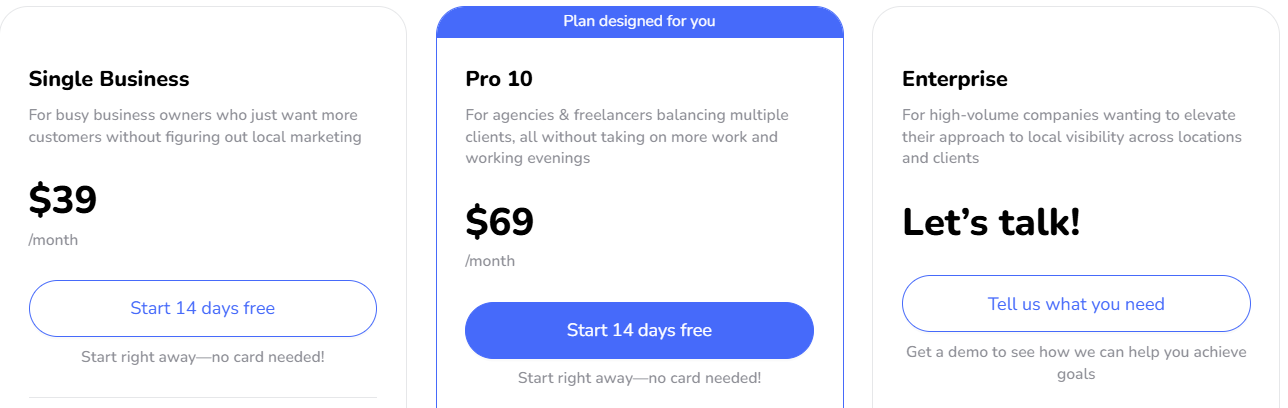
Pricing: The public pricing implementation loads USD plan data, reopened October 21: Single Business $39/month or $389/year total; Pro 10 $69/month or $699/year; Pro 30 $149/month or $1,499/year; Pro 60 $249/month or $2,499/year; Pro 120 $399/month or $3,999/year. The Pro 10 capacity is ten profiles split between five optimization and five monitoring slots; the corresponding Pro tiers expose fifteen/thirty/sixty optimization slots plus monitoring slots. Enterprise is quoted. Static page placeholders such as $39 billed annually or $149 starting Pro are not the same as the live data. Confirm tax, region, selected term and slot reassignment before purchase.
The tradeoff: Guided Google work can simplify daily priorities, but only some profiles may have the full optimization entitlement. Directory governance, client commerce, cross-source analysis and communication needs may still require other tools.
What to verify: Add the intended profiles, inspect their monitoring versus optimization status, complete one recommended task and verify the Google result. Compare the selected rival’s full grid and actual checkout price; check a slot’s reassignment timing.
7. NiceJob: Best for Completed-Job Review Requests and Repeat Visits
NiceJob fits a service business that wants to connect completed customer work to review invitations, displays, referrals and later repeat-service contact. A connected job or customer record is more useful than a generic contact list when the team can maintain accurate completion and location information.
Campaigns use configured wording and connected customer/job context; request content can include job photos where supported. Follow-ups and review matching should be demonstrated with the actual integration. A clicked invitation, inferred match and posted review are different events; the operator should understand what stops the next reminder.
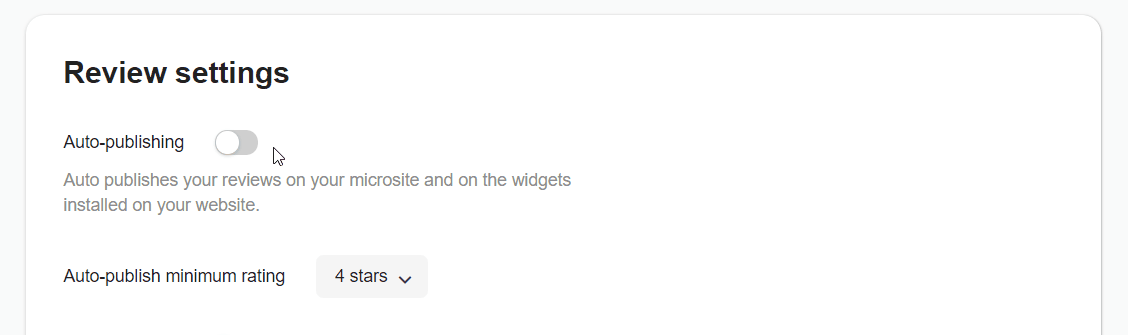
AI Replies on Pro can handle eligible recent Google reviews automatically with the necessary permissions. The current guide describes a daily recent-review window, not a promise to backfill every historical review. Competitor Insights includes comparative review information and themes for selected businesses; it should not be confused with geographic Maps rank history. Private NPS, referrals and repeat-service campaigns add other retention jobs on Pro.
View full-size image (opens in a new tab)
Pricing: Current plans are USD $75/month Starter and $125/month Pro. Pro includes AI Replies, private NPS, referrals and Repeats. A fourteen-day trial and no contracts are advertised; confirm locations, connected jobs, messages and exact Pro tools. The retained September 14, 2026 Sites offer was $99/month plus $199 setup, a separate website purchase rather than the review-plan price; confirm its current availability and terms. Older screenshots may call the entry plan Reviews rather than Starter.
The tradeoff: Completed-job campaigns and retention work can reduce repeated outreach. The buyer still needs to assess source coverage, approval requirements and analytical depth; these are not equivalent to a governed listings/pages platform or every kind of customer-feedback investigation.
What to verify: Use a completed job, returning customer and overlapping campaign. Inspect location matching, reminders, opt-outs, review matching, NPS and Google reply authorization; then ask for a selected-competitor report.
Free Option: Google Business Profile
Google Business Profile lets an eligible business read and reply to Google reviews and share a review link or QR code. With a manageable review volume, a responsible staff member and an existing customer process, that can cover the basic Google workflow.
Staff still monitor feedback, write replies and handle customer problems. The native account does not by itself replace cross-source review operations, private surveys, recurring campaigns, geographic rank histories, multi-directory governance, location pages, client billing or broader communication. Count those remaining jobs before calling a free account an equivalent replacement.
RightResponse AI vs. Uberall: What Are You Replacing?
Compare the scope the business actually needs to replace. Both products have real review workflows; the distinction is the information, controls and adjacent work bought in the proposed package.
| Buying question | RightResponse AI | Uberall |
|---|---|---|
| Business knowledge and replies | Approved Messages, inspectable selection, planning and checking; Google direct publishing | Individual/bulk drafts, guidelines and optional PDF context; saved-response automation is a different method |
| Location presence | Directory sync, pages and general local social remain separate | Core listing operations, local pages and publishing; exact package/add-ons determine scope |
| Investigation | Business-defined feedback topics, competitor topic analysis on Pro+, Maps grid/history on eligible plans | Review themes/source cards, own-location ranking and separate AI-answer tools; confirm exact controls and history |
| Governance | Review-specific rules, editing, delays and approval; establish actual client roles | Enhanced permissions and workflows through Collaborate Plus; review features/add-ons separately scoped |
| Price basis | Monthly per location: Core $19; Pro $29; Pro+ $44; PAYGO $10 plus purchased credits. Core excludes Maps/competitor analysis; Pro/Pro+ include capacity; PAYGO has eligible access with credits. | Core custom quote; separate GEO Studio and Wix channel amounts do not price the full suite |
Compare the same locations, modules, reply/request volumes, review sources, integrations, geographic work and staff time. Do not treat a narrow review subscription, credit-based entry plan or marketplace listing package as the cost of replacing an entire local-marketing operation.
Which Uberall Alternative Fits the Main Buying Job?
| Primary need | Consider | Reason |
|---|---|---|
| AI replies, customer-feedback investigation and Maps tracking | RightResponse AI | Inspect selected Messages, actual publishing sources, survey/source eligibility, pooled combined scan allowances and extra usage. |
| Coordinated location feedback, approvals and assigned customer work | Birdeye | Demonstrate the review-agent branch, timed approval, survey-to-location analysis and ticket owner/closure. |
| Customer texting, inquiries, payments and supported booking | Podium | Run the actual scheduler and customer-record trigger; distinguish a saved lead, requested appointment and confirmed booking. |
| Branded client/location operations with an agent and published account bands | Synup | Test client/location memory scope, playbook approval, rejected drafts, publication failures and included credits. |
| Structured location facts, publisher distribution and local pages | Yext | Use an hours conflict, a publisher exception, a review approval task and a local-page update. |
| Guided Google Business Profile work and selected-rival grid checks | Localo | Inspect monitored versus optimization-enabled profiles, actual monthly/yearly totals and a rival’s grid. |
| Completed-job review campaigns, referrals and repeat visits | NiceJob | Test event/customer matching, campaign overlap, reminder stop, public-review eligibility and Pro AI reply authorization. |
Try the Software Before You Switch
Give finalists the same work and record the actual result. Demonstrations should use permissioned business information and remove private customer details:
- Use praise, a mixed review, a complaint, a star-only review and an updated review. Supply one useful business fact and one irrelevant fact; inspect the finished reply, the information selected and the editing needed.
- Run the real customer or completed-job event. Check location mapping, eligibility, consent, opt-outs, reminder stops and duplicate prevention. A sent message, clicked link and posted review are different outcomes.
- Approve, reject and edit a draft. Inspect the public result and the failure route, including a source that requires manual posting. For agents, test the actual chat, skill or playbook path the team will use.
- Open a feedback theme and its supporting comments. Compare the same location and period; run the same geographic query and grid where rank investigation matters. Keep an AI explanation separate from causal proof.
- Change real hours on one test location and follow the publisher result if listings are in scope. Try the client login, permissions, branded report and export if agency delivery is required.
- Write down the complete proposal: locations, modules, credits/messages, annual or monthly commitment, setup, integrations, retained tools, support, renewal and staff work.
Compare RightResponse AI plans and start a trial. Its seven-day trial includes 1,000 credits and most Pro features without a card; free use ends if credits run out. Use the same examples and success criteria as for other candidates.
Questions to Ask Before Switching from Uberall
- Which review, request, private-feedback, listing, page, social and client functions are actually used today? Name the owner of each retained job.
- Can customer/consent/opt-out records, review replies, reports, approved content and client assets be exported in usable fields? Who owns the connected profiles and domains?
- What will automatically publish, what waits for approval, and what happens after a rejection, changed review, failed connector or empty credit balance?
- Does the new price cover the same locations, channels, users, modules and usage? Does monthly invoicing conceal an annual commitment?
- What happens to directory data, local pages, review widgets, client access and ongoing campaigns when the old service ends?
- Who will investigate negative feedback and complete customer recovery? A completed response or a green dashboard does not assign the underlying work.
How to Switch from Uberall
- Inventory the current operation. Record the locations, profiles, directories, pages, request triggers, reply rules, reports, client access and adjacent services actually used.
- Export and inspect permitted data. Save customer/consent and opt-out records, approved knowledge, reviews/replies, reports and assets. Check field mappings and account ownership.
- Configure a small replacement scope. Set up the correct locations, connections, staff roles, business information, request eligibility and approval rules before enabling public actions.
- Run an end-to-end pilot. Verify request timing, private feedback, draft editing, approval, public replies, reporting and any publisher/client handoff with a manageable test group.
- Coordinate campaign and publishing ownership. Pause old reminders and automatic replies before enabling replacements. Update links, widgets, directory ownership and pages deliberately.
- Train staff and inspect ongoing results. Check daily reviews, failures, opt-outs and customer follow-up. For several locations or clients, move groups the team can verify.
- Close only the replaced services. Retain the services still needed, confirm exports and working replacements, and follow the actual cancellation and renewal requirements.
Further Research on Uberall and Review Management
The review management software comparison library connects platform reviews, pricing guides and head-to-head research. Read the Uberall review and Uberall pricing guide for related context. Older screenshots and claims must retain their dates; use the current proposal and relevant product documentation for the intended deployment.
How We Compared the Products
This is a documentation-based comparison using existing company research, product/help pages, commercial terms and official or attributed reported pricing. We reopened material sources on October 21, 2026, while retaining original publication, capture and price dates. We did not run a controlled hands-on test across all seven products or establish a matched winner for reply quality, review growth, ranking, revenue, privacy or customer recovery.
Screenshots illustrate previously published product interfaces, not a side-by-side execution test. Their original capture dates are not always established, and some labels reflect older editions. Current prose and linked price evidence govern the described scope. Publicly undocumented controls remain demonstration questions rather than proof they do not exist. (Disclosure: RightResponse AI publishes this guide and evaluated the platforms against the same operational, pricing and workflow criteria.)
Final Verdict: Choosing the Right Uberall Competitor
- Focused review information and investigation: RightResponse AI brings approved Messages, feedback topics and eligible Maps/competitor work together. Pro $29 and Pro+ $44/location/month include combined capacity; Core $19 is narrower and PAYGO $10 plus credits offers eligible usage-based access. Retain the broader location tools still required.
- Coordinated location or client operations: Birdeye fits feedback and assigned follow-up, Yext structured data and pages, and Synup branded client work with published account bands. Staying with Uberall can be appropriate when its listing governance, pages and distributed publishing are actively used and the needed review controls are available in the package.
- A narrower daily job: Podium fits customer conversations, Localo guided Google work and NiceJob job-linked campaigns and repeat visits. Compare those jobs and their actual costs rather than declaring one universal replacement.
Frequently Asked Questions
What are the best Uberall alternatives?
RightResponse AI fits focused AI replies, customer feedback and Maps investigation. Birdeye fits coordinated location feedback and assigned work; Yext structured location facts and pages; Synup branded client operations. Podium fits customer texting, Localo guided Google work and NiceJob completed-job review campaigns. Define the modules being replaced before selecting a product.
Is Uberall completely quote-only?
Its core location platform requests a quote, but separate public offers exist. Retained GEO Studio cards show Starter USD $109/month and Scale $449/month; the October 21 Wix marketplace view shows Essential €12.87, Advanced €17.17 and Pro €22.32 per month with the selected billing term unestablished. These price different products/channels and do not establish a full-suite enterprise starting price.
Can RightResponse AI replace all of Uberall?
It can replace or complement eligible review requests, responses, feedback analysis and local-visibility investigation. It is not a complete replacement for Uberall’s directory governance, location pages or distributed social publishing. Core excludes Maps and competitor analysis; Pro/Pro+ include capacity and PAYGO offers eligible access with purchased credits.
Does Uberall only send prewritten review templates?
No. Uberall supports generated individual and bulk drafts, and retained research documents business guidelines and optional PDF context. Automatic saved-response rules are a separate method. Demonstrate the purchased generation, approval and publication path rather than inferring one method’s controls from another.
Which Uberall alternatives publish useful pricing?
Synup publishes monthly account bands of $49/$299/$499/$899 for one/up-to10/up-to25/up-to50 locations. Localo’s current USD plan data starts at $39/month for Single Business, while NiceJob is USD $75 Starter or $125 Pro. RightResponse AI has monthly per-location $19/$29/$44 plans and $10 PAYGO plus credits. Useful reported Birdeye, Podium and Yext benchmarks are also included; different scopes and commitments require comparison.
Which alternative is best for agencies?
Synup is relevant for branded client/local-marketing operations with white labeling from Premium. Yext and Birdeye suit different wider location programs, while Localo supports a narrower Google-focused client process. Compare client permissions, branding, reports, data export, credit use and the exact handoff instead of treating every agency label as equivalent.
Can Google Business Profile replace Uberall for free?
It can cover direct Google review handling and basic profile work for an eligible business when staff operate it. It does not by itself replace multi-directory governance, cross-source reviews, private surveys, local pages, distributed publishing, geographic history or agency administration. It may be sufficient for a narrower requirement.
How should a business compare Uberall costs fairly?
List the locations, modules, review sources, request/reply usage, data distribution, pages, permissions, geographic scans, AI-search work, implementation and staff tasks actually needed. Keep annual commitments, monthly equivalents, marketplace packages and credit-based access distinct. Compare equivalent coverage and retain tools that the new product does not replace.
Sources by Company
Sources below document the described offers and workflows. Prices retain their original evidence dates and product scope; a reopened source is not a new publication date. Screenshots are illustrations rather than a matched product test.
- Uberall: Core packages and add-ons; AI bulk replies; Generated drafts and reusable automatic responses; GEO Studio pricing; Wix channel pricing.
- RightResponse AI: Pricing and feature limits; AI responder; Requests and surveys; Customer feedback; Maps and competitors.
- Birdeye: Review Response Agent; Ticket from a review; Survey reporting; Commitments; Reported pricing, Aug. 26 verification.
- Podium: Industry pricing; Reviews; Connected home-service workflow; Payments; Terms; Reported prices, Sept. 22; Historical vendor-price observation.
- Synup: Monthly plans; Scoped memory; Multi-step work and approval limits; Topic Trends.
- Yext: Platform scope; Reviews overview; Review response setup; Competitive intelligence; Reported annual benchmarks; Legacy Listings offer.
- Localo: Plans and billing; Monitoring and optimization scope; Current USD plan data; Review workflow.
- NiceJob: Pricing; AI Replies; Competitor Insights.
- Google Business Profile: Replies and review links.